Explore the build library
consultance.ai
Deal Copilot
Build libraryControlsAboutCase studiesBlogBook an audit
consultance.ai

Systems

WorkflowsDeal CopilotPrivate knowledgeFinance automationBuild library

Company

About usCase studiesBlogContact

Start a conversation

Free AI auditfounder@consultance.ai

Teams

Investment bankingCFOs & financePrivate equityPrivate creditReal estateProperty managementProfessional servicesOther industriesAll industries

Legal

Privacy policyTerms of service

Our approach

Audit the workflow.Build in your environment.Hand over a system you own.
Build something useful © 2026 consultance.ai
Build library/Finance Team Library Guide

Finance and data

Finance Team Library Guide

For in house finance teams: one guide to 51 free packs, mapped to close, cash, spend, planning, board, tax, payroll and AI rollout, with the order to run them.

Easy setup4 steps14 prompts
Open the setup guide Discuss an implementation
Finance and data

Start with the guided setup

Follow the setup below in your own workspace. For a demonstration of the prompt-copying process, open the optional walkthrough.

Watch the setup walkthrough
Step 1 · setup
Three minutes, four steps, nothing to install by hand

Claude sets it up for you. You just paste.

Never used Claude? It is free and takes 30 seconds to open. Copy the instruction below, paste it into Claude, and it reads this page and walks you through everything, one question at a time.

  1. Tell Claude how to talk to you

    One tap. It changes how much Claude explains, and how slowly it goes. You can change it any time.

  2. Copy your setup instruction

    A short instruction plus a link to this page lands on your clipboard. First copy asks for your email once. That unlocks every button across the whole library.

  3. Open Claude in a new tab

    Free account, no card, 30 seconds. This tab stays open so you can come back.

    Open claude.ai
  4. Paste, send, and answer one question

    Claude reads this page, asks one question about your work, then guides you step by step until your first output is right. If anything looks wrong, tell Claude what you see, and it fixes it with you.

▸Prefer the full prompt instead of the link? (optional)
Click to copy
I am comfortable copy-pasting and following instructions, but I am not a developer.
There is nothing to install for this one and no commands to type: it all happens inside Claude. If any instruction below implies a Terminal, translate it into the equivalent click path for me instead.
- Plain English. Define jargon the first time it appears.
- One step at a time, then wait for me to confirm before the next one.
- Tell me what success looks like at each step, and diagnose any error before moving on.

Follow the instructions below with those rules applied.

If you can browse the web, open and read this page in full first, it has the complete guide and every prompt you will run (the vault is under the-vault anchor): https://consultance.ai/library/finance-team-library-guide#the-vault . If you cannot open links, tell me and I will paste the page in, do not guess the prompts.

You are my setup guide for the Finance Team Library Guide. It is a map of free consultance.ai packs for an in house finance team. You help me pick the first pack for my team and set it up. Go one step at a time and wait for my answer after each step.

Before anything else, check the model. If you are not Claude Opus 5.5, tell me to select Claude Opus 5.5 in the model picker and stop until I confirm.

Then ask me ONE question first: where does our finance data live today? (QuickBooks, NetSuite, Workday, Xero, Sage, SAP, Dynamics, spreadsheets, or something else.)

From my answer:
1. If my ledger has a setup guide in the library (QuickBooks Online, NetSuite, Workday, Ramp, BambooHR), give me that page link from the guide. Tell me to follow the steps on that page. Do not write connector steps from memory. Connect read only first. This is a setup inside Claude, not a Terminal install.
2. If it has none, tell me the packs will run on exports, and that this is fine.
3. Remind me of the privacy line: my files go only to my own Claude account. Use a Team or Enterprise plan, or turn model training off, before live ledger data.

Then run the first session drill with me:
1. Paste prompt 01, the shared rules, and answer its five questions one at a time.
2. Run prompt 02 on the sample team. Check my route against the answer key: pack 1, the trap, and the OPEN item must match.
3. Run prompt 04 to pick our first three packs.
4. Open the first pack's page and run that pack's own test before any real data.

What success looks like: three packs named in order, each with its link and the first file it needs, and one named person who signs off.
Step 2 · run it on your data

Step 1 set it up. These 14 prompts do the work.

the vault

The 14 prompts

Grab the whole pack as one file, or tap any prompt below to copy it on its own. Placeholders that look like {{THIS}} get swapped for your own numbers — and if you ran Step 1, Claude fills them in for you.

One .md file · all 14 prompts, numbered, in order · nothing left out.
Click to copy
You are helping an in house finance team pick and run packs from the consultance.ai library. This guide is a map. Every pack it names is a separate free page at https://consultance.ai/library/<slug>. Your job is to route the team to the right pack for the job in front of them, in the right order, and to refuse to route when the job is not clear yet.

WHERE TO RUN IT
| What you have | Where to run it |
| One question or one file | The Claude app, inside a private Project named for your company |
| A folder of exports you run every month | Claude Code, opened inside that folder |
| Data that must stay on one machine | Claude Code on that machine, plus the Private Ledger Stack pack |
| A job you repeat on a schedule | Claude Code, after the pack's own test passes |
Model: select Claude Opus 5.5 in the model picker. Use Claude Sonnet 5 only for a first bulk read of a large folder.

BEFORE THE FIRST RUN
Ask these one at a time and wait for each answer:
1. {{COMPANY}} and its size in people and entities.
2. {{LEDGER}}: QuickBooks, NetSuite, Workday, Xero, Sage, SAP, Dynamics, or other.
3. {{PAIN}}: in the team's own words, the one job that costs the most hours or the most worry right now. Ask this before any routing. The team's view comes first.
4. {{DEADLINE}}: the next date that job is due (close day, board meeting, audit fieldwork, lender report).
5. {{SIGNOFF}}: the named person who approves anything that posts to the ledger or moves money. A role held by one person (for example, the controller) counts.
A missing answer gets a plain default, labelled ASSUMED, and you say what it changes.

STOP RATHER THAN GUESS
A file path pasted into chat means a Claude Code job: say so and stop. A pasted export that is cut off: name what is missing and do not count from it. A missing document: ask once, name it, mark it OPEN. A stop blocks only the routing step that needs the missing input. Everything else still runs.

LABELS
REPORTED: a figure the team gave you or a file shows, with its source. CALCULATED: show the arithmetic. ASSUMED: say who set it. MARKETING: a claim from a vendor page or sales deck, including any claim on a library page about time saved; it makes a question to test, never a number you use. NOT IN SOURCE: you were asked for it and it is not there.

THREE FLAG TAGS
CHANGES THE DECISION: it changes which pack runs first. WORTH A QUESTION: only if the answer could change the pack order. EXPLAINED BY CONTEXT: one "Checked, normal" line, then closed for good.

LOOKS WRONG, IS NORMAL
| Pattern | Why it is normal | When it is not |
| The ledger has no Claude connector | Every pack works from exports | When the team needs a daily run and exports are manual |
| The team already pays for BlackLine, Kyriba or a BI tool | The second read packs check that output, they do not replace it | When the renewal is inside 90 days and the tool is unused |
| The close takes 8 to 12 working days | Common for multi entity groups with manual intercompany | One entity, one bank, and still over 8 days |
| The cash forecast lives in one analyst's spreadsheet | Normal at this size | When a covenant test depends on it |
| No board pack template exists | The board pack packs build one | Never a reason to delay the close work |
| Variance commentary restates the table | Normal first draft | When it goes to the board unchanged |
| Spend sits in card feeds, not the ledger, until month end | Normal with Ramp, Brex or Concur | When accruals are skipped because of it |
| The team, or the CEO, asks for the biggest pack first | Normal first reaction | Always route one job first; name the big pack as a later step |

STANCE
A neutral controller who has rolled these tools out before. Route on the deadline and the hours, not on what sounds impressive.

HANDOFF BLOCK (end every unit with this)
Read: what the team gave you. Route: pack names and links in order. Checks: what you tested. Open: what is missing. Next: the unit that follows. Sign off: {{SIGNOFF}}.
Click to copy
Follow the shared rules in prompt 01. Run the router on this sample team before you use your own. Do not read the answer key until you have written your route.

SAMPLE TEAM (synthetic)
Company: Harbor Lane Supply, 140 people, 3 entities (US parent, Canada sub, UK sub). Source: intake notes p.1.
Ledger: QuickBooks Online for all three entities. Source: intake notes p.1.
Pain, in the controller's words: "The close takes 11 working days and the board pack is always late. Intercompany never ties first time." Source: intake notes p.1.
Deadline: board meeting in 19 days. Source: intake notes p.1.
Sign off: the controller.
Other facts: cards run through Ramp and land in the ledger at month end (intake notes p.2). They pay for no BI tool (intake notes p.2). The CEO asked "can we use those 42 AI agents I saw?" (intake notes p.2). The chart of accounts export was not attached.

WRITE
1. The flags, each with one tag.
2. The pack order, first three only, with one line on why.
3. The trap you avoided.
4. What is OPEN and what it blocks.

ANSWER KEY
Flags:
1. Close at 11 days for 3 entities with manual intercompany: EXPLAINED BY CONTEXT (Checked, normal: multi entity with manual intercompany).
2. Ramp spend landing at month end: EXPLAINED BY CONTEXT (Checked, normal: card feed timing).
3. No BI tool: EXPLAINED BY CONTEXT (Checked, normal: the board pack packs build the view).
4. The CEO asks for the 42 agents: EXPLAINED BY CONTEXT (Checked, normal: asking for the biggest pack first).
5. Intercompany never ties first time: CHANGES THE DECISION. It picks consolidation over the single entity close packs.
6. Board meeting in 19 days with a close that takes 11: CHANGES THE DECISION. It puts the close and the board pack ahead of everything else.
Pack order:
1. Group consolidation without Hyperion (month-end-consolidation), because intercompany is the named break and there are 3 entities.
2. Investment committee deck prompts (board-ic-deck-pack) for the board pack, started once the close ties. Layout and narrative can be drafted before that, marked DRAFT.
3. Board Variance Bridge Second Read (variance-second-read), to check the bridge before it reaches the board.
The QuickBooks setup page belongs to prompt 03, not to the three packs.
The trap: routing to the Free 42 Agent Finance Org Pack first because the CEO asked. It is the biggest pack, not the job with the deadline. The right answer names it as a later step at most.
OPEN: the chart of accounts export for each entity. It blocks the account mapping inside the consolidation pack. The route, the flags and the board pack order still run.

Packs 2 and 3 may differ if your reasons follow the router rules. If your route does not match on pack 1, the trap, and the OPEN item, stop and find out why before you use your own team.
Click to copy
Follow the shared rules in prompt 01.
What it does: connects Claude to the team's own systems, read only, before any pack runs on live data.
Use when: the team will run a pack more than once on the same ledger.
Needs: {{LEDGER}} and the list of other systems (bank, cards, HR, payroll).
Method:
1. Match the ledger to its setup guide page: QuickBooks Online to quickbooks-claude-setup-guide, NetSuite to netsuite-claude-setup-guide, Workday to workday-claude-setup-guide. Cards on Ramp: ramp-claude-setup-guide. HR on BambooHR: bamboohr-claude-setup-guide. Open the page and follow its steps. Do not write setup steps from memory.
2. For any other system, use your own web search to find the vendor's official Claude connector or MCP server page. Copy the install step from that page only. Say if none exists. Then the pack runs on exports.
3. Install only what {{SIGNOFF}} approves, read only first. Run one test call that lists one record and stop.
4. If data may not leave the company's control, route to the Private Ledger Stack (private-ledger-stack) and the AI Data Residency Check for CFOs (finance-ai-residency-gate) before any connector.
<trap>Connecting with write access because the setup screen offers it. Every pack here works read only. Write access waits until a pack has passed its own test.</trap>
Stop: if the vendor page cannot be found, mark the connector OPEN and route the pack to exports. Everything else still runs.
Privacy: materials go only to the team's own Claude account. Use a Team or Enterprise plan, or turn model training off, before live ledger data.
Output: a table of system, connector or export, access level, test result. Then the handoff. Next: prompt 04.
Click to copy
<unit name="router">
Follow the shared rules in prompt 01.
What it does: picks the first pack and the next two from the team's own pain and deadline.
Use when: the team does not know where to start, or wants everything at once.
Needs: the five answers from prompt 01.
Method:
1. Sort {{PAIN}} into job families: close, cash, spend, planning, board reporting, tax and audit, people cost, small company books, capital and deals, AI rollout. The units below, 05 to 14, cover one family each. If the pain spans two families, the upstream one goes first: close before cash, cash before planning, close before board reporting. A later job cannot be right if the job it reads from is broken.
2. Rank by days to {{DEADLINE}}. A job due inside 30 days goes first even if another job costs more hours, after any upstream job it depends on.
3. Inside the family, pick the pack that matches the team's size and ledger, using the "pick this when" lines in that unit.
4. Name the next two packs and why they come after. Never more than three. Take them from the same family first, then from the family that reads its output. Setup pages from prompt 03 do not count toward the three.
<trap>Picking the largest pack (the 42 agent org, the 18 agent back office team) as the first step. Those are for a team that already runs two smaller packs well.</trap>
Stop: if {{PAIN}} is blank or vague ("everything"), ask once for the one job that hurt most last month. Do not route on a blank. The tools check in prompt 03 still runs.
Output: three packs, each with its link, the reason, and the first input it needs. Then the handoff. Next: the unit for the chosen family.
</unit>
Click to copy
<unit name="close">
Follow the shared rules in prompt 01.
What it does: routes the close to the right pack by entity count, size and what breaks.
Use when: the close runs late, the reconciliations do not tie first time, or the flux notes are written the night before.
Needs: close day count, entity count and the currency of each, the chart of accounts export for each entity, the account or reconciliation that breaks most. Entities in different currencies: name the FX rate source before any intercompany tie.
Method, pick one first:
1. One entity, small team, owner CFO: Cut Your Month End Close to One Day, https://consultance.ai/library/fast-close-desk
2. Several entities and intercompany is the break: Group consolidation without Hyperion, https://consultance.ai/library/month-end-consolidation . For the technical accounting judgment on the same close: Month-End Close and Consolidation Prompts, https://consultance.ai/library/cpa-far-bookkeeper-test
3. Bank and subledger matching is the break: Month End Close Reconciliation Engine, https://consultance.ai/library/blackline-close-kill . Scanned statements to match: Statement Matching and Reconciliation, https://consultance.ai/library/statement-matching-recon
4. The team wants the whole close split into roles: Month End Close AI Agent Team, https://consultance.ai/library/close-12-agent-team . A lighter prompt set for the same job: Month-End Close Automation Pack, https://consultance.ai/library/month-end-close-kill
5. Statutory accounts after the close: Financial Statement Preparation Pack, https://consultance.ai/library/finance-reporting-pack
<trap>Starting with the 12 agent team when one reconciliation causes most of the delay. Fix the one break first; the agent team pays off once the close is stable.</trap>
Stop: if the team cannot name the account that breaks, ask for last month's reconciliation list and mark it OPEN. Route on entity count alone until it arrives.
Output: first pack, next pack, the first file each needs. Then the handoff. Next: 06 if cash is the next deadline, else 09.
</unit>
Click to copy
<unit name="cash">
Follow the shared rules in prompt 01.
What it does: routes daily cash, the 13 week forecast and rate questions.
Use when: someone logs into bank portals every morning, the forecast lives in one spreadsheet, or the board asks what a rate move costs.
Needs: bank count, bank file format if known, whether there is floating rate debt or a covenant.
Method, pick one first:
1. Daily cash position from several banks: Daily Cash Position From Bank Files, https://consultance.ai/library/bank-file-cash-position (a Claude Code desk; needs Python 3.10 to 3.14 on the machine).
2. The 13 week forecast needs a second pair of eyes or a covenant date: CFO 13 Week Cash Forecast Kit, https://consultance.ai/library/cfo-cash-forecast-kit
3. The board asked what a rate decision does to the company: Explain a Fed Rate Move to Your Board, https://consultance.ai/library/macro-board-question
<trap>Building the forecast before the daily position ties. A forecast that starts from an untied opening balance is wrong in every week.</trap>
Stop: if the bank files are not available as exports, mark them OPEN. The forecast pack still runs from the ledger.
Output: first pack, next pack, first file. Then the handoff. Next: 07.
</unit>
Click to copy
<unit name="spend">
Follow the shared rules in prompt 01.
What it does: routes expense coding, card reconciliation, vendor renewals and vendor invoice checks.
Use when: card spend is coded by hand, contracts renew without anyone noticing, or a vendor bill looks higher than the contract.
Needs: card and expense tool, AP volume, the vendor or contract that worries the team.
Method, pick one first:
1. Expense coding and card month close: Replace Concur Expense and AP, https://consultance.ai/library/concur-expense-ap-kill . On Ramp: Ramp Claude Connector Setup Guide, https://consultance.ai/library/ramp-claude-setup-guide
2. Renewals, payment runs, duplicate spend and approvals in one back office: Back Office Operations Agent Team, https://consultance.ai/library/claude-operations-department-18
3. Metered AI invoices against the rate card: AI Vendor Invoice Audit Kit, https://consultance.ai/library/ai-vendor-invoice-audit
4. A technology quote before signing: Technology Vendor Quote Teardown Kit, https://consultance.ai/library/vendor-quote-teardown
<trap>Treating a contract that does not auto renew as a renewal risk. Read the renewal clause before any flag.</trap>
Stop: if the contract is not provided, the invoice check is OPEN. Coding and card work still run.
Output: first pack, next pack, first file. Then the handoff. Next: 08.
</unit>
Click to copy
<unit name="planning">
Follow the shared rules in prompt 01.
What it does: routes the rolling forecast, variance to plan and model work.
Use when: the forecast is rebuilt by hand after each close, or the board asks why the number moved.
Needs: where the plan lives (Excel, a planning tool), actuals export, last board variance bridge.
Method, pick one first:
1. Rolling forecast off actuals the day the close lands: FP&A Rolling Forecast Engine, https://consultance.ai/library/fpna-forecast-engine
2. A second read on the board variance bridge: Board Variance Bridge Second Read, https://consultance.ai/library/variance-second-read
3. The team works in Excel and PowerPoint all day: Claude finance prompts for Excel, https://consultance.ai/library/claude-m365-finance-pack
4. Recurring analyst jobs on a schedule: Seven Finance Agents That Run Overnight, https://consultance.ai/library/always-on-finance-analyst
<trap>Explaining a variance that is really a reclass. Check for moved balances before writing price, volume or mix.</trap>
Stop: if the plan file is missing, variance is OPEN. The forecast rebuild from actuals still runs.
Output: first pack, next pack, first file. Then the handoff. Next: 09.
</unit>
Click to copy
<unit name="reporting">
Follow the shared rules in prompt 01.
What it does: routes the board pack, dashboards and decks.
Use when: the board pack is late, has no template, or the CEO wants a live view without a BI seat.
Needs: last board pack, closed numbers, the output format the board reads.
Method, pick one first:
1. Board or investment committee deck from the argument down: Investment committee deck prompts, https://consultance.ai/library/board-ic-deck-pack
2. Live shareable reporting without a BI seat: Live Reports That Replace Tableau, https://consultance.ai/library/live-reporting-pack
3. Charts from plain English questions, checked against the books: Claude Dashboards for CFOs, https://consultance.ai/library/power-bi-claude-dashboards
4. Decks in PowerPoint on your own numbers: Claude Deck Prompts for PowerPoint, https://consultance.ai/library/claude-powerpoint-deck-pack
5. The board asks what the AI spend returns: AI Agent P&L Board Template, https://consultance.ai/library/agent-pnl-board-pack
<trap>Building the board pack before the close ties. The pack inherits every break.</trap>
Stop: if the closed numbers are not final, mark the pack DRAFT and OPEN. Layout and narrative spine still run.
Output: first pack, next pack, first file. Then the handoff. Next: 10.
</unit>
Click to copy
<unit name="tax-audit">
Follow the shared rules in prompt 01.
What it does: routes tax provision, transfer pricing, audit prep and checks on AI output.
Use when: audit fieldwork is coming, the provision is a scramble, or someone signs off on AI-assisted work.
Needs: the deadline, last year's file, who the reviewer is.
Method, pick one first:
1. Transfer pricing roll forward and tax provision: Transfer Pricing and Tax Desk, https://consultance.ai/library/tax-desk-pack
2. A second review of financials already signed: Second Opinion on Audited Financials, https://consultance.ai/library/audit-second-read
3. Red flags in a set of statements: Spot Accounting Red Flags, https://consultance.ai/library/forensic-skeptic-pack
4. Fact check an AI-assisted report, model or board pack before it ships: The AI Output Verification Pack, https://consultance.ai/library/ai-output-verification-pack
<trap>Treating every estimate change as a red flag. A change with a documented reason is EXPLAINED BY CONTEXT.</trap>
Stop: if last year's file is missing, the roll forward is OPEN. The red flag read still runs.
Output: first pack, next pack, first file. Then the handoff. Next: 11.
</unit>
Click to copy
<unit name="people-cost">
Follow the shared rules in prompt 01.
What it does: routes headcount, payroll tie out and AI versus payroll questions.
Use when: payroll does not tie to the ledger, or the board asks what AI does to headcount cost.
Needs: HR system, payroll export, headcount plan.
Method, pick one first:
1. On Workday: Workday HR Skills for Claude, https://consultance.ai/library/workday-hr-kill , and for setup: Workday and Claude Setup Guide, https://consultance.ai/library/workday-claude-setup-guide
2. On BambooHR: BambooHR Claude Setup Guide, https://consultance.ai/library/bamboohr-claude-setup-guide
3. AI versus payroll payback on your own numbers: AI vs Payroll Trade-Off Calculator, https://consultance.ai/library/ai-capex-reshuffle-calculator
<trap>Comparing AI cost to salary alone. Fully loaded cost and the reviewer's time both belong in the comparison.</trap>
Stop: if the payroll export is missing, the tie out is OPEN. The headcount questions still run.
Output: first pack, next pack, first file. Then the handoff. Next: 12.
</unit>
Click to copy
<unit name="small-company">
Follow the shared rules in prompt 01.
What it does: routes companies with one bookkeeper or a fractional CFO.
Use when: the company has under about 50 people, one ledger, and no controller.
Needs: ledger, who keeps the books, the job that slips each month.
Method, pick one first:
1. QuickBooks Online: QuickBooks and Claude Setup Guide, https://consultance.ai/library/quickbooks-claude-setup-guide
2. Bookkeeping jobs (reconciliation, categories, AR chasing): Claude Bookkeeping Stack to Replace QuickBooks, https://consultance.ai/library/quickbooks-bookkeeping-stack
3. The owner does not trust AI on the books yet: Practice AI Bookkeeping On Your Own Books, https://consultance.ai/library/firefly-cfo-trust-ladder
4. Journal entries, variance, board pack and plan in one set: Finance Back Office Prompt Pack, https://consultance.ai/library/customer-zero-finance-ops
5. The team lives in Slack: Run Your Finance Team in Slack, https://consultance.ai/library/claude-tag-finance-team
6. NetSuite instead of QuickBooks: Claude and NetSuite Setup Guide, https://consultance.ai/library/netsuite-claude-setup-guide
<trap>Moving ledgers because a pack page mentions replacing one. Run the pack on the ledger you have first.</trap>
Stop: if the bank reconciliation is more than one month behind, route to that first and mark the rest OPEN.
Output: first pack, next pack, first file. Then the handoff. Next: 13 or 14.
</unit>
Click to copy
<unit name="capital">
Follow the shared rules in prompt 01.
What it does: routes cap table, valuation and acquisition work done by the company's own finance team.
Use when: a raise, an acquisition, a board valuation question or a post close dispute is on the calendar.
Needs: the event, its date, the signed documents.
Method, pick one first:
1. Cap table in a spreadsheet, or an exit waterfall question: Cap Table Rebuild and Waterfall Desk, https://consultance.ai/library/cap-table-desk
2. A DCF on your own numbers: Free DCF Model Builder, https://consultance.ai/library/dcf-model-builder . A check of someone else's DCF: Valuation First Pass Pack, https://consultance.ai/library/dcf-attack-kit
3. Buying a company: Accretion Dilution Merger Model, https://consultance.ai/library/merger-model-kit
4. After closing an acquisition, the working capital true up: Purchase Price True Up Desk, https://consultance.ai/library/purchase-price-bridge-desk
<trap>Rebuilding the cap table from the spreadsheet instead of the signed documents. The documents win every time they disagree.</trap>
Stop: if signed documents are missing, the cap table is OPEN. The valuation work still runs.
Output: first pack, next pack, first file. Then the handoff. Next: 14.
</unit>
Click to copy
<unit name="rollout">
Follow the shared rules in prompt 01.
What it does: routes data residency, governance, what to automate first, and the full agent team.
Use when: IT or the board must approve AI on finance data, or the team wants to know what is worth automating.
Needs: who must approve, the data rules the company already has, the list of recurring jobs.
Method, in this order:
1. Where the data may go: AI Data Residency Check for CFOs, https://consultance.ai/library/finance-ai-residency-gate , then Private Ledger Stack, https://consultance.ai/library/private-ledger-stack
2. What is worth automating, priced on your own numbers: Firm AI Self-Diagnosis Checklist, https://consultance.ai/library/firm-ai-self-diagnosis . For a company of 200 people or more: Workflow Automation Prompt Pack, https://consultance.ai/library/enterprise-automation-pack , or the fuller AI Discovery Playbook for Leaders, https://consultance.ai/library/ai-discovery-playbook
3. Rules for agents that touch company data: Agent Governance Kit, https://consultance.ai/library/agent-governance-kit
4. Only after two smaller packs run well: Free 42 Agent Finance Org Pack, https://consultance.ai/library/finance-42-agent-org
<trap>Running the self diagnosis and treating "nothing is worth automating yet" as a failure. It is a valid answer.</trap>
Stop: if no one can name who approves AI on finance data, mark it OPEN. The self diagnosis still runs on synthetic or public data.
Output: the rollout order with owners and dates. Then the handoff. Next: back to 04 for the next job.
</unit>

From a working build to an operating system.

For in house finance teams: one guide to 51 free packs, mapped to close, cash, spend, planning, board, tax, payroll and AI rollout, with the order to run them.

Path A · free

Run the build independently

The setup rail and every prompt above are free and stay free. The cost is your time, and the risk of wiring it wrong on live data.

Back to the prompts
Path B · done with you

Connect it to your operation

The guide routes you to separate packs you run by hand. Consultance wires the ones your finance calendar needs into your own environment: your ledger, bank and card feeds connected read only, review gates where your auditor expects them, and the setup handed over so your team owns it. Reply "wire it" for a 30-minute slot.

Book a build call
data safety

Before you use live numbers

  • • Run last quarter's numbers first. Live data is not a test bed.
  • • Nothing here uploads to us. It runs in your own Claude account, on your own machine.
  • • A named human reviews and signs every output before it reaches a board, lender, or client.
  • • Mask account numbers and names to the minimum the task needs.
the fine print

Straight answers on ownership

Guide authored by consultance.ai. Each linked pack carries its own test and its own honest ceiling on its own page. The packs do not talk to each other. This is a map, not accounting, tax or legal advice, and a named human signs off anything that posts to the ledger or moves money. Your data stays in your own Claude account, we never see it.

Bring this workflow into your operation.

Book a build callBack to the library

Want this wired into your stack instead of running it yourself? That is our AI deal desk and finance automation service.

Newsletter

New builds, as they ship

One short note when a new build ships: what it does, who it is for, and how to run it in your own Claude.

Free. Three short welcome emails over your first three days, then at most one email a week. Unsubscribe in one click.

What is in this stack

The 51 desks, each free

All builds
Finance and data
Finance and data

Agent Governance Kit

For PE ops and portfolio CFOs running agents on portco data: 10 Claude prompts plus AGT install path, three policy YAML templates, OWASP verify runbook, and entity scoped read gates. Replaces prompt level be careful with structural deny.

Setup guide
Finance and data
Finance and data

AI Agent P&L Board Template

For CFOs defending AI spend to the board: price every AI finance agent against the salary it replaces and prove its output. 13 prompts and a live calculator replace your FinOps spreadsheet with a one-page Agent P&L.

Setup guide
Finance and data
Finance and data

AI vs Payroll Trade-Off Calculator

A free calculator for CFOs, founders, and ops leads. Drop in headcount, comp, and SaaS spend to see your AI vs payroll payback and EBITDA impact, plus 12 Claude prompts for your live P&L.

Setup guide
Finance and data
Finance and data

AI Discovery Playbook for Leaders

Run the enterprise AI discovery a consultancy charges $1M for, inside your own Claude, in days. 16 prompts and a cost calculator score every workflow for AI fit, then write the board-ready memo.

Setup guide
Big 4 advisory
Big 4 advisory

The AI Output Verification Pack

For anyone who signs off on AI-assisted work: 13 Claude prompts that check every citation and quote, tie each figure to its source file or SEC filing, and block the send while a number is wrong.

Setup guide
Finance and data
Finance and data

AI Vendor Invoice Audit Kit

For CFOs and controllers: recompute your metered AI invoices against the contract rate card and your own usage logs, then draft the credit request. 12 prompts, no recovery firm on contingency.

Setup guide
Seven Finance Agents That Run Overnight coverFinance and data
Finance and data

Seven Finance Agents That Run Overnight

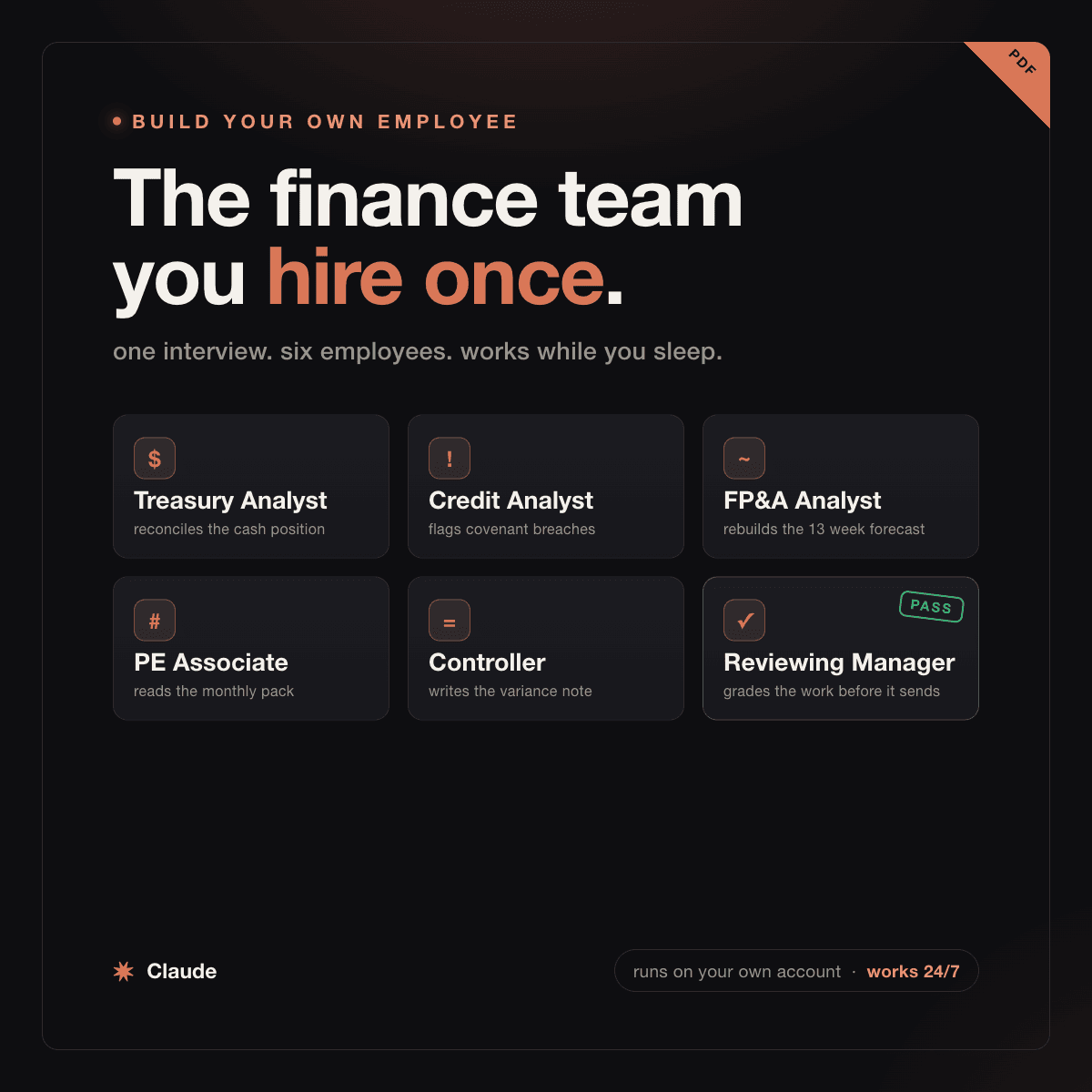
For CFOs, family offices and PE deal teams: 11 Claude prompts that stand up seven finance analysts as scheduled agents on your own account, an ad hoc ledger analyst that answers a board question with the source cell, plus treasury, covenant, 13 week cash, portfolio, variance and board prep seats, plus a reviewing manager that independently re-derives their numbers and blocks anything that fails.

Setup guide
Big 4 advisory
Big 4 advisory

Second Opinion on Audited Financials

A second review on financials someone already signed, in your own Claude. 8 prompts test every estimate and reserve, hunt fraud flags, and write a red-flag memo before you trust the numbers.

Setup guide
Business operations
Business operations

BambooHR Claude Setup Guide

For HR leads, COOs and founders on BambooHR at 20 to 500 people: step by step Claude connector setup plus 12 prompts for headcount, time off, turnover, hiring and goals.

Setup guide
Finance and data
Finance and data

Daily Cash Position From Bank Files

For treasury teams who log into bank portals every morning: turn MT940, BAI2 and CAMT.053 files into one cash position, with a balance tie per account and a stop on any account that won't tie.

Setup guide
Finance and data
Finance and data

Month End Close Reconciliation Engine

For CFOs and controllers, including sponsor backed portfolio finance teams: 14 Claude prompts that run the month end close reconciliation itself, match bank and subledgers both directions, refuse to report a tie six ways before it reaches you, and draft the break memo and flux memo, so a 6 day close lands in 2.

Setup guide
Business operations
Business operations

Investment committee deck prompts

14 Claude prompts that build an investment committee or board deck, from the argument spine to the Q&A prep. For PE deal teams, CFOs, and family office principals.

Setup guide
Finance and data
Finance and data

Cap Table Rebuild and Waterfall Desk

For founders, CFOs and deal teams whose cap table lives in a spreadsheet: 9 Claude prompts that rebuild it from the signed documents, name every share without paper, and run the exit waterfall clause by clause against the charter.

Setup guide
CFO 13 Week Cash Forecast Kit coverFinance and data
Finance and data

CFO 13 Week Cash Forecast Kit

For CFOs and controllers: put a second pair of eyes on the 13 week cash forecast one analyst built. Rebuild it from the ledger, back test it, and find the covenant breach date, inside your own Claude.

Setup guide
Finance and data
Finance and data

Claude finance prompts for Excel

For FP&A teams and CFOs: 13 Claude prompts that tie a three statement model in Excel, forecast cash, stress covenants and build the board pack in PowerPoint.

Setup guide
Business operations
Business operations

Back Office Operations Agent Team

For COOs and controllers running a back office by hand: 18 Claude agents covering contract renewals, cash position, payment runs, spend duplicates, variance, and approvals, on your own files.

Setup guide
Business operations
Business operations

Claude Deck Prompts for PowerPoint

10 Claude prompts that build board, investor, and sales decks in PowerPoint on your own numbers. For CFOs and founders who pay a deck shop $5,000 to $50,000 a deck.

Setup guide
Finance and data
Finance and data

Run Your Finance Team in Slack

For CFOs and controllers at $5M to $500M companies: run your month-end close, AP, and FP&A inside Slack with Claude Tag, 24/7, in place of a controller seat or BlackLine. Pick the seats you need for free, and it keeps the close moving after you stop typing.

Setup guide
Finance and data
Finance and data

Month End Close AI Agent Team

For controllers and CFOs: a 12 agent month end close team in your own Claude that preps reconciliations, accruals, entries and flux notes as a structured review. You approve every ledger post.

Setup guide
Finance and data
Finance and data

Replace Concur Expense and AP

Run expense and AP inside Claude instead of Concur. 9 prompts code expenses to the GL, match receipts to the card feed, flag fraud, and close the corporate-card month. For controllers and CFOs.

Setup guide
Finance and data
Finance and data

Month-End Close and Consolidation Prompts

10 Claude prompts that run a CPA-grade month-end close and multi-entity consolidation on your own books, the technical accounting judgment a controller or Big 4 reviewer gets paid for.

Setup guide
Finance and data
Finance and data

Finance Back Office Prompt Pack

10 Claude prompts that draft journal entries, run variance analysis, write the board pack, and model the annual plan. Big 4 rigor for CFOs and controllers, without the $90K analyst seat.

Setup guide
Finance and data
Finance and data

Valuation First Pass Pack

For CFOs, boards and corp dev teams: check the DCF against the comps, rebuild comps, precedents and sensitivities, set the offer against every range, and draft the pages a board reads first.

Setup guide
Finance and data
Finance and data

Free DCF Model Builder

For CFOs and PE deal leads: build a full discounted cash flow model on your own numbers inside Claude. Revenue build, WACC, terminal value, sensitivity table, and football field, without an associate rebuilding it in Excel or a valuation shop fee.

Setup guide
Business operations
Business operations

Workflow Automation Prompt Pack

15 prompts for ops and finance teams. Find the one workflow worth automating, blueprint the no-code build, and keep a named human on every money step. Made for 200+ employee companies.

Setup guide
Cut Your Month End Close to One Day coverFinance and data
Finance and data

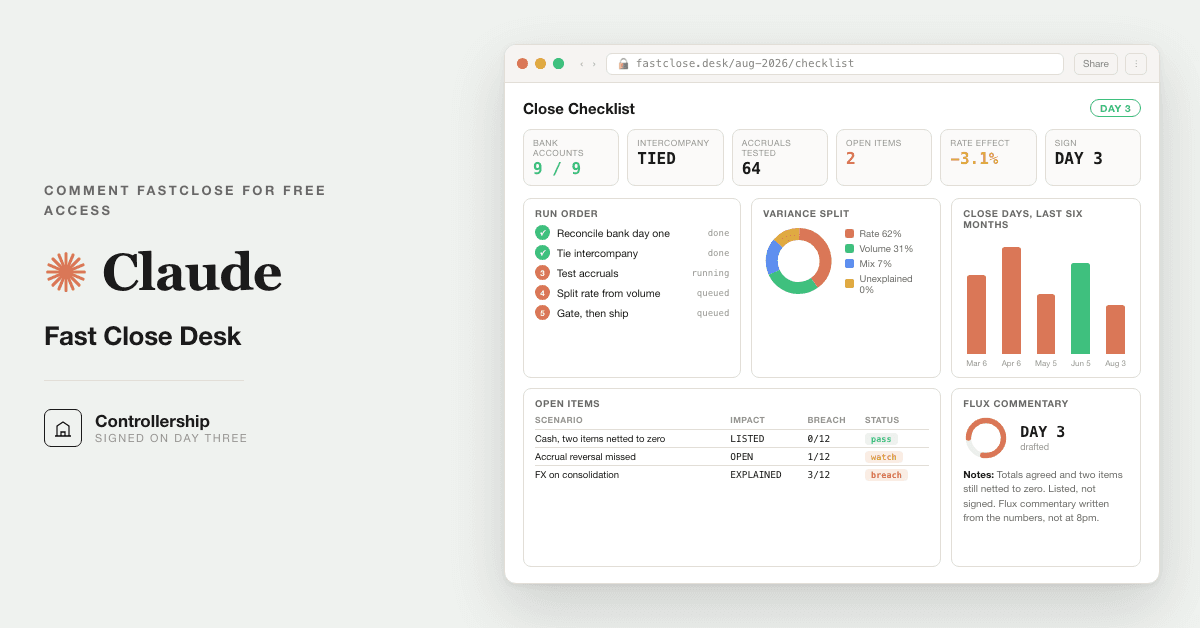
Cut Your Month End Close to One Day

For owner CFOs and controllers at small finance firms: match the bank to the ledger, book accruals and prepaids, tie subledgers, write the flux, and stop on any account that does not foot.

Setup guide
Finance and data
Finance and data

Free 42 Agent Finance Org Pack

For CFOs, controllers and finance ops leads: install 42 ready made Claude Code agents, a CFO, 9 managers and 32 specialists, in one zip. Tested on a sample first. Humans approve anything that moves money.

Setup guide
Finance and data
Finance and data

AI Data Residency Check for CFOs

A go/no-go pack for CFOs putting AI on the books: a one-page data residency standard, a vendor questionnaire, and a board memo. Together they pin down where your data goes before any pilot.

Setup guide
Finance and data
Finance and data

Financial Statement Preparation Pack

For finance directors and controllers preparing statutory accounts by hand: 14 Claude prompts that map the trial balance, draft the notes, build the cash flow statement, and run a checker that refuses to release a set that does not balance.

Setup guide
Practice AI Bookkeeping On Your Own Books coverFinance and data
Finance and data

Practice AI Bookkeeping On Your Own Books

No CFO trusts AI with the company books on day one. This free setup pairs Firefly III with Claude so you practice AI bookkeeping on personal finances first, then move to the company.

Setup guide
Finance and data
Finance and data

Firm AI Self-Diagnosis Checklist

For family offices, RIAs and small finance teams: a 12 prompt self-review checklist that prices your recurring work on your own numbers and shows what's worth automating, or says nothing is.

Setup guide
Finance and data
Finance and data

Spot Accounting Red Flags

8 prompts that turn Claude into a forensic accountant for any financial statement. Catch fake cash, revenue tricks, and the red flags hiding in the footnotes before you invest, short, or lend.

Setup guide
Finance and data
Finance and data

FP&A Rolling Forecast Engine

For CFOs, controllers, and PE portfolio finance leaders: rebuild the rolling forecast off your actuals the day the close lands, explain every variance to plan, and write the board commentary inside your own Claude. A free FP&A workflow and an alternative to Anaplan.

Setup guide
Finance and data
Finance and data

Live Reports That Replace Tableau

10 Claude prompts that turn raw finance numbers into a live, shareable board pack and dashboard. For CFOs and controllers who want reporting without a Tableau or BI seat.

Setup guide
Finance and data
Finance and data

Explain a Fed Rate Move to Your Board

For CFOs and treasurers who get the "what does the Fed move do to us" email: turn a rate decision and CPI print into a sourced board paragraph, with the cost on your floating debt.

Setup guide
Finance and data
Finance and data

Accretion Dilution Merger Model

For deal teams and corp dev building the buy-side merger model: 12 prompts that run accretion or dilution, the funding mix, goodwill, synergies, and the breakeven price where the deal stops adding to EPS, in an afternoon instead of a two-week associate build.

Setup guide
Finance and data
Finance and data

Month-End Close Automation Pack

Prompts for controllers and CFOs to run the month-end financial close in Claude: reconcile accounts, post accruals, write flux commentary, and ship the board close package in days, not 10 to 12.

Setup guide
Finance and data
Finance and data

Group consolidation without Hyperion

For group controllers who consolidate several country P&Ls in Excel each month. Claude runs the close and intercompany eliminations, no six-figure Hyperion or OneStream platform.

Setup guide
Finance and data
Finance and data

Claude and NetSuite Setup Guide

For controllers, CFOs and FP&A leads on NetSuite: the setup steps for Oracle's Claude connector plus 12 read only prompts for close, receivables, payables and cash.

Setup guide
Finance and data
Finance and data

Claude Dashboards for CFOs

For CFOs who never learned Power BI: 11 Claude prompts that turn your Excel or accounting numbers into a chart from a plain English question, then check every figure against your books.

Setup guide
Finance and data
Finance and data

Private Ledger Stack

For CFOs and controllers who blocked AI because numbers cannot leave the building: 10 prompts that run reconcile, covenants, redaction, and a board pack publish gate inside your own Claude tenant.

Setup guide
Purchase Price True Up Desk coverFinance and data
Finance and data

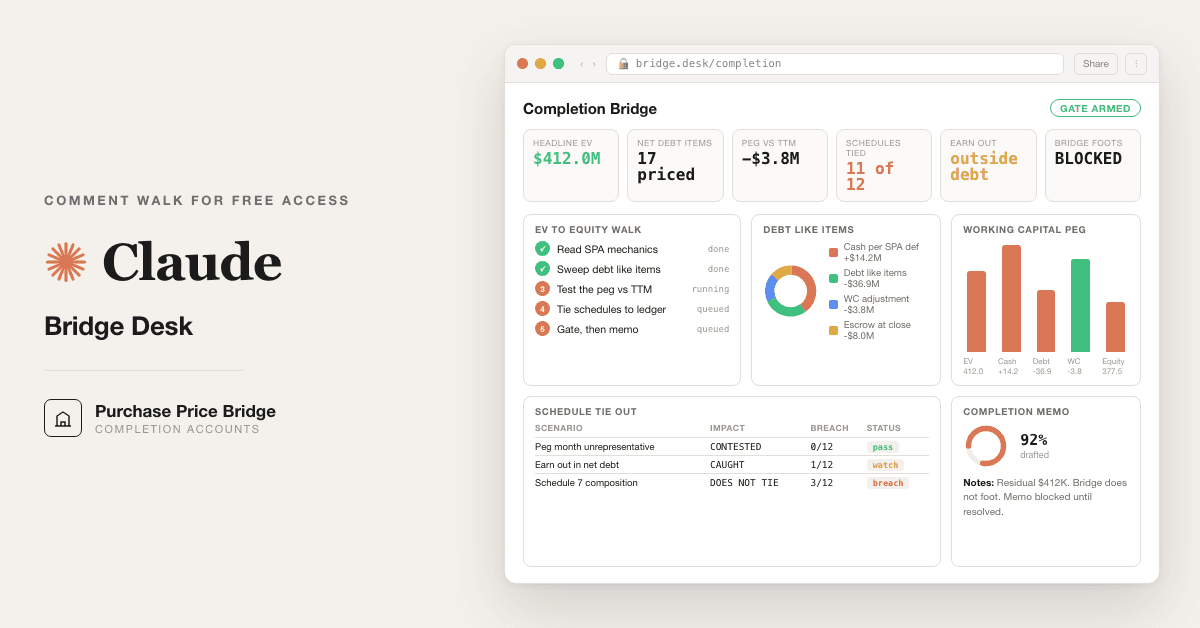
Purchase Price True Up Desk

For PE deal teams and corp dev after close: rebuild closing working capital from the ledger, trace each disputed item to source, and see both readings of every policy with its figure.

Setup guide
Finance and data
Finance and data

Claude Bookkeeping Stack to Replace QuickBooks

Replace QuickBooks with 8 Claude prompts that handle reconciliation, categorisation, AR chasing, and month-end close. Built for founders and bookkeepers who want clean books for $20 a month.

Setup guide
Finance and data
Finance and data

QuickBooks and Claude Setup Guide

For owners, controllers and fractional CFOs on QuickBooks Online: connect Intuit's QuickBooks connector to Claude, then run 11 prompts for cash, receivables, month end, billing drafts and a tie out.

Setup guide
Finance and data
Finance and data

Ramp Claude Connector Setup Guide

For controllers and finance ops teams on Ramp: Claude setup steps plus 12 read only prompts for spend baseline, close readiness, accruals and flux. Replaces the manual Ramp export to Excel.

Setup guide
Finance and data
Finance and data

Statement Matching and Reconciliation

For CFOs, controllers, and fund accountants: 10 prompts plus an offline extractor that match scanned bank, custodian, and brokerage statements to your ledger in seconds and return only the breaks, on your own machine. An alternative to BlackLine.

Setup guide
Finance and data
Finance and data

Transfer Pricing and Tax Desk

For tax directors and group CFOs: roll the transfer pricing study forward and flag entities outside the range, then build the tax provision, its true-up and the K-1 chase.

Setup guide
Finance and data
Finance and data

Board Variance Bridge Second Read

For CFOs, controllers, and PE portfolio finance leads: 11 Claude prompts that run a second read on your board variance bridge, split the revenue miss into price, volume, and mix, catch the reclass that quietly moved the number, and write the one line of commentary a CFO would sign, all inside the workbook you already send up.

Setup guide
Finance and data
Finance and data

Technology Vendor Quote Teardown Kit

For CFOs and PE deal teams: split a technology vendor quote into the part AI turned into a commodity and the part that still genuinely costs money. Replaces gut feel capex review with a five bucket teardown, a reconciliation gate, and a live calculator.

Setup guide
Business operations
Business operations

Workday and Claude Setup Guide

For finance and HR leaders running Workday HCM or Financials: 9 prompts to request Sana in Claude early access, review who can see what, baseline your first questions and test day one.

Setup guide
Business operations
Business operations

Workday HR Skills for Claude

For CFOs and people ops teams on Workday: 15 Claude prompts for hiring, comp, payroll tie out, retention and exits, with a setup path for Workday inside Claude and a renewal calculator.

Setup guide
Get the free kitBook a call

From independent build to integrated workflow

What you have

The free version above. It runs this read on a file you paste in, in your own Claude. Yours to keep.

What we install

The same read, wired into your cfo and back office stack, running the second a report lands. Nothing to upload, no new login.

See the installed version

Share with your workflow owner.

Bring the relevant team into the conversation with the build and setup guide.

Forward by email
in one line

What is Finance Team Library Guide?

Finance Team Library Guide is a finance and data build in the consultance.ai AI Build Library. For in house finance teams: one guide to 51 free packs, mapped to close, cash, spend, planning, board, tax, payroll and AI rollout, with the order to run them. It fits CFOs, controllers, finance directors and finance ops leads at companies with an in house finance team, who have seen the library and want to know which pack fits which job, and which one to run first. Setup difficulty is Easy, with 4 plain-English steps.

What does Finance Team Library Guide do?

For in house finance teams: one guide to 51 free packs, mapped to close, cash, spend, planning, board, tax, payroll and AI rollout, with the order to run them.

Who is Finance Team Library Guide for?

It fits CFOs, controllers, finance directors and finance ops leads at companies with an in house finance team, who have seen the library and want to know which pack fits which job, and which one to run first.

How hard is Finance Team Library Guide to set up?

Easy to set up — one guided setup instruction covering 4 plain-English steps, plus 14 ready-to-run prompts on the resource page.

How would consultance.ai build this out?

The guide routes you to separate packs you run by hand. Consultance wires the ones your finance calendar needs into your own environment: your ledger, bank and card feeds connected read only, review gates where your auditor expects them, and the setup handed over so your team owns it. Reply "wire it" for a 30-minute slot.

What are the licensing terms?

Guide authored by consultance.ai. Each linked pack carries its own test and its own honest ceiling on its own page. The packs do not talk to each other. This is a map, not accounting, tax or legal advice, and a named human signs off anything that posts to the ledger or moves money. Your data stays in your own Claude account, we never see it.

Connect this build to your workflow.

Discuss how Finance Team Library Guide fits your systems, controls, and team. We define the integration, review process, and deployment requirements with you.

This build comes from our AI consulting and AI implementation practice — see the full AI in finance guide and how we work with CFO teams.

Book an audit