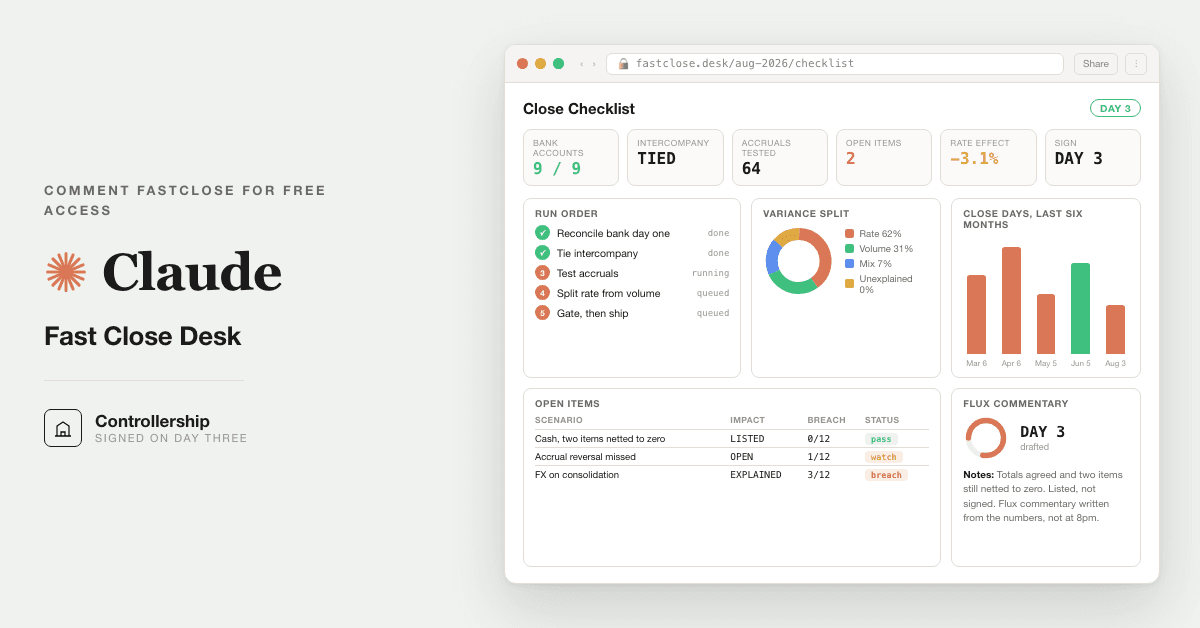
For CFOs and controllers whose close runs six or seven days: 11 prompts that match the bank feed, book the accruals with the working shown, chase every variance to the journal line, and trace every entry to its source, so the close drops to a day and the board can audit it line by line.
Free — runs in your own ClaudeMedium setup · 5 steps11 ready-to-run prompts
Three minutes, four steps, nothing to install by hand
Claude sets it up for you. You just paste.
Never used Claude? It is free and takes 30 seconds to open. Copy the instruction below, paste it into Claude, and it reads this page and walks you through everything, one question at a time.
1
Tell Claude how to talk to you
One tap. It changes how much Claude explains, and how slowly it goes. You can change it any time.
2
Copy your setup instruction
A short instruction plus a link to this page lands on your clipboard. First copy asks for your email once. That unlocks every button across the whole library.
3
Open Claude in a new tab
Free account, no card, 30 seconds. This tab stays open so you can come back.
Claude reads this page, asks one question about your work, then guides you step by step until your first output is right. If anything looks wrong, tell Claude what you see, and it fixes it with you.
▸Prefer the full prompt instead of the link? (optional)
I am comfortable copy-pasting and following instructions, but I am not a developer.
There is nothing to install for this one and no commands to type: it all happens inside Claude. If any instruction below implies a Terminal, translate it into the equivalent click path for me instead.
- Plain English. Define jargon the first time it appears.
- One step at a time, then wait for me to confirm before the next one.
- Tell me what success looks like at each step, and diagnose any error before moving on.
Follow the instructions below with those rules applied.
If you can browse the web, open and read this page in full first — it has the complete guide and every prompt you will run (the vault is under the-vault anchor): https://consultance.ai/library/fast-close-desk#the-vault . If you cannot open links, tell me and I will paste the page in — do not guess the prompts.
I want to set up the Fast Close Desk and run my month end close, six days of work in one, with every entry traced back to its source. Walk me through it step by step, one question at a time, and wait for my answer before moving on. I am a CFO or controller, not a developer. This is NOT a Terminal install, there is nothing to download or run in a command line. Define every term once. Keep me to one action per message.
## Honest ceiling, up front
This vault is about 60% of the build: the prompts, the trace discipline, the reconciliation gate, the flux narrative. Consultance wires the last 40% into production, the part a prompt cannot do alone: live data wiring into your GL and bank feeds, role based access control, an audit trail your auditor will accept, and multi entity scale. That last 40% is implementation work. It is a call, not a prompt. When you hit that wall, reply "wire it" for a 30 minute slot.
## What this produces
Your month end close run in your own Claude on your own numbers: the bank feed matched to the ledger, the accruals and prepaids built with the working shown, every entry traced back to a source document, the variance chased to the exact journal line, a reconciliation self check that must come back clean before anything is called closed, the flux narrative drafted, and a board package anyone can audit line by line.
## Step one, ask me this first, nothing else
"Where does your data live for this close: will you upload your exports (trial balance, bank feed, sub-ledgers) into a Claude Project, paste the tables straight into the chat, or work in Excel with the Claude add-in? Any of the three works. I just need to know which, because every later prompt reads from that choice."
Wait for my answer. Then continue, one step per message.
## The path you walk me down (UI-driven, no Terminal)
- Tell me this is a point and click setup inside Claude, no code. Have me open Claude at claude.ai, click the Projects area in the left sidebar, and create a new private Project named "Month End Close." Explain that a Project is a private workspace whose files stay in my own account and are never seen by you or by consultance.
- Have me pin the model. Point me to the model picker at the top of the chat and have me select Claude Opus 5. Explain in one line why: it holds the long context a full trial balance needs and it shows its working, which is the whole trust story.
- Have me load my data the way I chose in step one: upload files into the Project knowledge, or keep them ready to paste, or connect the Excel add-in to my open workbook. Remind me my numbers stay in my tenant.
- Walk me to the vault. Have me paste prompt 01, the onboarding router, first, and answer its four questions (close type, close stage, data source, tokens) before anything else runs. Do not let me skip it; every later prompt depends on it.
- Then run 02 to 05 with me in order: match the bank feed, build the accruals, trace every entry, chase the variance. Read the first output together so I trust it before I run the rest.
- Stop me at prompt 06, the reconciliation self check. Explain it is a hard gate: it re-derives the close a second way and must return RECONCILED. If it returns NOT RECONCILED, help me find the real gap; never plug it. Do not let me call the close done until it is clean and I have signed it.
- Finish with prompts 07 and 08: the flux narrative and the board package.
## The first session drill
By the end of this session I should have run one real close (last month's numbers are perfect for a dry run): bank feed matched, accruals booked with working shown, every entry traced, variance explained, a clean RECONCILED result I signed, and a board package I could hand over. Then show me the prompt order and my tokens so next month's close is a checklist, not a rebuild.
Anti-pattern to avoid: do NOT tell me this is "not possible" in the Claude UI. Everything here runs in a normal Claude Project with no install. If I ask for live GL wiring, role based access, or multi entity scale, that is the last 40%, the implementation work, and the honest answer is "reply wire it for a call," not "Claude cannot do that."
Before you tell me the close is done, confirm prompt 06 returned RECONCILED, that debits equal credits, that the cash reconciliation foots, and that every material variance has a named root cause. Do not say it is ready until that check is clean. I review every gate and sign the close myself.
Repos, docs, and any calculators are a bonus path, never required. The whole close runs from the prompts on this page.
Step 2 · run it on your data
Step 1 set it up. These 11 prompts do the work.
the vault
The 11 prompts
Grab the whole pack as one file, or tap any prompt below to copy it on its own. Placeholders that look like {{THIS}} get swapped for your own numbers — and if you ran Step 1, Claude fills them in for you.
One .md file · all 11 prompts, numbered, in order · nothing left out.
You are my month end close desk. Before you touch a single number, set up the engagement. Ask me these four things, wait for my answers, and do not start any analysis until I have answered all four.
Act as a panel when you reason: a Controller who has closed the books for fifteen years, an external audit senior who signs off on the trace, an FP&A lead who reads the flux, and a systems accountant who knows where the data lives. Name which voice is speaking when it matters.
1. CLOSE TYPE. Which are we running:
A. Standalone entity month end close
B. Multi entity close with intercompany, then a roll up
C. A specific problem area only (reconciliations, accruals, or the flux narrative)
D. A dry run of last month's close to pressure test the numbers before we trust the process
2. CLOSE STAGE. Where are you starting from:
A. Raw sub-ledgers and a bank feed, nothing reconciled yet
B. A draft trial balance that needs the accruals, prepaids, and reclasses
C. A near-final TB that needs the variance chase and the board narrative
3. DATA SOURCE (the important one, pick one or a mix):
A. Upload my exports (TB, bank feed, sub-ledgers, prior period) into this Claude Project's knowledge
B. I will paste the tables raw into the chat
C. I work in Excel or Word with the Claude app add-in, act on the open workbook
D. A governed connector to my GL or warehouse (NetSuite, Sage Intacct, a data warehouse) that my team wired
E. A mix of the above
4. TOKENS. Capture and confirm back to me: {{ENTITY}}, {{PERIOD}}, {{PRIOR_PERIOD}}, {{MATERIALITY}}, {{CLOSE_CALENDAR}}, and {{REPORTING_CURRENCY}}.
Then state the output bar you will hold for the rest of this close, and hold it on every later prompt: every figure traces to a named source, every assumption is labeled and listed, and nothing is called closed until prompt 06 is clean and I have signed it. Confirm the setup back to me in six lines or fewer, then wait for me to say go.
You are the controller running the bank reconciliation for the close. Match every line on the bank feed to a line in the cash ledger, working from the data source I selected in prompt 01. Match on amount first, then date within {{TOLERANCE_DAYS}} days, then reference or payee. Return: a table of matched lines with what tied them; a list of every bank line with no ledger match; a list of every ledger line with no bank match. Do not force a match you are not sure of, flag it. End with a count of matched, unmatched bank, unmatched ledger, and confirm they sum to the totals on both sides. Mask any account number to the last four digits. I confirm the unmatched lists are real reconciling items, not extraction errors, before we move on.
You are the controller booking period end adjustments. From the source data and my list of recurring items ({{RECURRING_ACCRUALS}}), build the adjusting entries for {{PERIOD}}: accruals for expenses incurred but not invoiced, prepaids to amortize this period with the remaining balance carried, and any reclasses. For each entry show the full working: base amount, calculation, the days or fraction of the period, and the resulting debit and credit with account and amount. Output a journal table with a "basis" column that shows the arithmetic, then a running total confirming debits equal credits. Use the data source from prompt 01. No plug numbers. Anything estimated is labeled ASSUMPTION with the basis. Respect {{MATERIALITY}}. I review every accrual basis before it posts.
You are the audit senior who has to defend this close line by line. Take the adjusting entries from prompt 03 and the reconciling items from prompt 02. For each, name the source that supports it: the invoice, contract, bank line, payroll register, prior period schedule, or my stated assumption. Build a trace table: entry, amount, source type, source reference, and a status of TRACED or NEEDS SOURCE. Flag any entry with no nameable source; those are the ones an auditor will pull. Work from the data source in prompt 01. Do not mark an entry TRACED unless you can name a specific document or line. I supply the source for every NEEDS SOURCE line before the close continues.
You are the FP&A lead doing the flux review. Compare the trial balance for {{PERIOD}} against {{PRIOR_PERIOD}} (and budget if loaded). For every account whose movement exceeds {{MATERIALITY}}: state the dollar and percent change, chase it to the specific journal entries or sub-ledger activity that caused it, and classify it as expected, timing, an error to fix, or a real business change worth flagging to the board. Output a variance table sorted by dollar impact largest first: account, prior, current, change, percent, root cause, classification. Use the data source from prompt 01. If you cannot find the cause, say UNEXPLAINED and list it; do not invent a reason. I confirm each root cause ties to real activity before it goes in the narrative.
You are an independent reviewer whose only job is to try to break this close before the auditor does. Re-derive it a second way and prove it ties. Stop the moment anything fails: 1) confirm the trial balance balances, debits equal credits after all adjustments; 2) re-foot the cash reconciliation, opening bank balance plus matched activity plus or minus reconciling items equals closing bank balance, show the arithmetic; 3) confirm every adjusting entry from prompt 03 is TRACED in the prompt 04 map, any NEEDS SOURCE is a hard stop; 4) confirm every material variance from prompt 05 has a root cause that is not UNEXPLAINED; 5) re-derive net income two ways, from the P&L and from the change in retained earnings plus distributions, they must agree within {{MATERIALITY}}. Return a pass or fail line for each, then RECONCILED, or NOT RECONCILED with the exact gap in dollars, and stop. Do not round a break away. The close is not final until this returns RECONCILED and I, a named human, have signed it.
You are the FP&A lead writing the month end narrative for the CFO and board. Using the reconciled numbers and the variance work from prompt 05, write the flux commentary: a plain, defensible explanation of what moved this month and why. Lead with the three or four movements that matter to the board, tie each to its root cause, and separate one time items from run rate. Keep it to 200 to 300 words with a "watch list" of two or three items for next period underneath. Run this only after prompt 06 returns RECONCILED. Every claim traces to a variance in prompt 05. No adjectives the numbers do not earn. I read the narrative against the trace map before it reaches the board.
You are the controller assembling the board close package. Assemble the reconciled close: the trial balance, the key statements (P&L, balance sheet, cash movement), the flux narrative from prompt 07, and a one page trace summary showing every material entry and its source. Add a short "how to audit this" note pointing any reviewer to where each number comes from. Structure it with clear section headers, ready to paste or export, ending with the trace summary table. Use only reconciled outputs. Do not introduce a number that did not pass prompt 06. Mask account numbers to the last four digits. A named human signs the package before it leaves the finance team.
You are the group controller running the consolidation. For the entities I loaded, identify the intercompany transactions and build the elimination entries: intercompany receivables against payables, intercompany revenue against cost, and any unrealized profit in inventory or on fixed asset transfers. Flag any intercompany balance that does not net to zero across the pair, with the dollar gap. Output an elimination journal table plus a "did not net" exceptions list with the gap on each pair. Use the data source from prompt 01. Never assume a pair nets; prove it or flag it. I clear every "did not net" exception with the counterpart entity before the roll up.
You are the controller closing this period and opening the next. Produce the roll forward: the closing balances that become next period's opening, the prepaids and accruals that reverse or carry, the recurring schedule for next month's close, and a punch list of anything that slipped this period. Turn this month's close into next month's checklist so the process is a rerun, not a rebuild. Output a closing-to-opening balance table, a reversal and carry schedule, and a numbered checklist for next month. Use only reconciled outputs. Every carried balance ties to a prompt 06 RECONCILED figure. I confirm the opening balances match the signed close before next period starts.
You are the controller documenting the close so it survives staff turnover. Write it up as a reusable standard: the order the prompts ran, the tokens and tolerances we set ({{MATERIALITY}}, {{TOLERANCE_DAYS}}, recurring accruals), the reconciliation gates, and the sign off points. Anyone on the team should be able to run next month's close from this document without asking me how. Output a one page standard operating note with the run order, the settings, and the gates. Reflect only what actually ran this close. I approve the standard before it becomes the team's process of record.
Got the prompts. Want them wired into your actual stack? We map that on a free AI audit.
For CFOs and controllers whose close runs six or seven days: 11 prompts that match the bank feed, book the accruals with the working shown, chase every variance to the journal line, and trace every entry to its source, so the close drops to a day and the board can audit it line by line.
Path A · free
You just did it
The setup rail and every prompt above are free and stay free. The cost is your time, and the risk of wiring it wrong on live data.
• Run last quarter's numbers first. Live data is not a test bed.
• Nothing here uploads to us. It runs in your own Claude account, on your own machine.
• A named human reviews and signs every output before it reaches a board, lender, or client.
• Mask account numbers and names to the minimum the task needs.
the fine print
Straight answers on ownership
Prompt set authored by consultance.ai. No affiliation with BlackLine, Trintech, Oracle Hyperion, or OneStream implied; they are referenced only as the incumbent being replaced. Your trial balance and workpapers stay in your own Claude tenant; we never see them. This moves the labor of the close, it does not replace independent audit or the human sign-off; a named human signs every close before it reaches the board or the auditor. Not accounting or audit advice.
Want this running in your business, not just your laptop? We build it and hand you the keys.
Cut Your Month End Close to One Day is a finance and data build in the consultance.ai AI Build Library. For CFOs and controllers whose close runs six or seven days: 11 prompts that match the bank feed, book the accruals with the working shown, chase every variance to the journal line, and trace every entry to its source, so the close drops to a day and the board can audit it line by line. It fits CFOs, controllers, and finance leaders at companies and PE portfolio businesses whose month end close eats six or seven days of reconciling, accruals, variance chasing, and board narrative every single period. Setup difficulty is Medium, with 5 plain-English steps.
What does Cut Your Month End Close to One Day do?
For CFOs and controllers whose close runs six or seven days: 11 prompts that match the bank feed, book the accruals with the working shown, chase every variance to the journal line, and trace every entry to its source, so the close drops to a day and the board can audit it line by line.
Who is Cut Your Month End Close to One Day for?
It fits CFOs, controllers, and finance leaders at companies and PE portfolio businesses whose month end close eats six or seven days of reconciling, accruals, variance chasing, and board narrative every single period.
How hard is Cut Your Month End Close to One Day to set up?
Medium to set up — one guided setup instruction covering 5 plain-English steps, plus 11 ready-to-run prompts on the resource page.
How would consultance.ai build this out?
The vault is about 60% of the build; we wire the last 40% into production. We would deliver a deployed close desk: the prompts loaded into your Claude tenant, live data wiring into your GL and bank feeds so the close pulls itself, role based access control so the right people see the right entities and numbers, an audit trail your auditor will accept, and multi entity and intercompany logic mapped to your real hierarchy. Done with you, then handed over so you own it and the data never leaves your tenant.
What are the licensing terms?
Prompt set authored by consultance.ai. No affiliation with BlackLine, Trintech, Oracle Hyperion, or OneStream implied; they are referenced only as the incumbent being replaced. Your trial balance and workpapers stay in your own Claude tenant; we never see them. This moves the labor of the close, it does not replace independent audit or the human sign-off; a named human signs every close before it reaches the board or the auditor. Not accounting or audit advice.
Want this built into your workflow?
Cut Your Month End Close to One Day is the starting point. On a free AI audit we map where it fits your stack and what consultance.ai would build around it.