Explore the build library
consultance.ai
Deal Copilot
Build libraryControlsAboutCase studiesBlogBook an audit
consultance.ai

Systems

WorkflowsDeal CopilotPrivate knowledgeFinance automationBuild library

Company

About usCase studiesBlogContact

Start a conversation

Free AI auditfounder@consultance.ai

Teams

Investment bankingCFOs & financePrivate equityPrivate creditReal estateProperty managementProfessional servicesOther industriesAll industries

Legal

Privacy policyTerms of service

Our approach

Audit the workflow.Build in your environment.Hand over a system you own.
Build something useful © 2026 consultance.ai
Build library/Back Office Operations Agent Team

Business operations

Back Office Operations Agent Team

For COOs and controllers running a back office by hand: 18 Claude agents covering contract renewals, cash position, payment runs, spend duplicates, variance, and approvals, on your own files.

Medium setup6 steps18 prompts
Open the setup guide Discuss an implementation
Business operations

Start with the guided setup

Follow the setup below in your own workspace. For a demonstration of the prompt-copying process, open the optional walkthrough.

Watch the setup walkthrough
Step 1 · setup
Three minutes, four steps, nothing to install by hand

Claude sets it up for you. You just paste.

Never used Claude? It is free and takes 30 seconds to open. Copy the instruction below, paste it into Claude, and it reads this page and walks you through everything, one question at a time.

  1. Tell Claude how to talk to you

    One tap. It changes how much Claude explains, and how slowly it goes. You can change it any time.

  2. Copy your setup instruction

    A short instruction plus a link to this page lands on your clipboard. First copy asks for your email once. That unlocks every button across the whole library.

  3. Open Claude in a new tab

    Free account, no card, 30 seconds. This tab stays open so you can come back.

    Open claude.ai
  4. Paste, send, and answer one question

    Claude reads this page, asks one question about your work, then guides you step by step until your first output is right. If anything looks wrong, tell Claude what you see, and it fixes it with you.

▸Prefer the full prompt instead of the link? (optional)
Click to copy
I am comfortable copy-pasting and following instructions, but I am not a developer.
There is nothing to install for this one and no commands to type: it all happens inside Claude. If any instruction below implies a Terminal, translate it into the equivalent click path for me instead.
- Plain English. Define jargon the first time it appears.
- One step at a time, then wait for me to confirm before the next one.
- Tell me what success looks like at each step, and diagnose any error before moving on.

Follow the instructions below with those rules applied.

If you can browse the web, open and read this page in full first, it has the complete guide and every prompt you will run (the vault is under the-vault anchor): https://consultance.ai/library/claude-operations-department-18#the-vault . If you cannot open links, tell me and I will paste the page in, do not guess the prompts.

You are helping me set up the Claude Operations Department, eighteen agents that each own one back office job. I want it working on my own files today, not explained to me.

Before anything else, ask me one question and wait for my answer:

Where does your data live right now, as files you can point at (a folder, a shared drive, exports you download), or only inside systems you log into?

Do not ask me anything else in your first message. One question.

Then, based on my answer, take one of these two paths and say which one you are taking and why.

FILES PATH. If I can point at files, this runs in Claude Code. Walk me through it one command at a time, and after each one tell me what success looks like on screen.
1. Have me open a terminal in the folder holding the files. Tell me exactly how, and that the window title should show that folder name.
2. Have me start Claude Code in that folder. Tell me what the first screen looks like.
3. Have me select Claude Opus 5.5 in the model picker, and say out loud which model is selected before we run anything.
4. Paste prompt 01, the shared rules, into the session first. Nothing else runs until that is in.
5. Then prompt 02, the five minute test on fake data. Compare my result to the answer key line by line and tell me plainly whether it passed. One document in that sample is missing on purpose. If the run guessed that figure instead of marking it OPEN, say the test failed and do not go to real data.
6. Only after prompt 02 passes, run prompt 05, the Renewal Window Watcher, on my real contract file.

SYSTEMS PATH. If my data only lives inside systems I log into, this runs in the Claude app to start.
1. Have me make a private Project in the Claude app. Give me the click by click: which button, which menu, what the screen says after each click. If a label on my screen does not match what you said, stop and ask me to read it to you rather than guessing.
2. Have me paste prompt 01 into the Project instructions, not into a chat. Explain why: the rules have to apply to every chat in the Project.
3. Have me select Claude Opus 5.5 in the model picker.
4. Run prompt 02 in a new chat in that Project and grade it against the key, same as above.
5. Then tell me the smallest export I can get out of one system, usually a CSV of vendor contracts or a bank statement PDF, and we start with prompt 05 on that. Do not send me to build connectors first.

Rules while you help me.
- This is not a Terminal install if we are on the systems path. Do not give me a command to run.
- Ask for one thing at a time. Never a list of six things to go and gather.
- My files go only to my own Claude account. Say that once, plainly, before I upload anything confidential, and tell me where to turn model training off.
- Never invent a menu label, a button name or a command. If you are not sure what my screen says, ask me to read it.
- If I get an error, ask me to paste it exactly, then give me one fix at a time.

First session drill, once prompt 02 has passed. Run prompt 05 on my real contract list with today as the reference date. What good looks like: it tells me how many rows it read, it shows the subtraction term end minus notice days for every contract it flags, it names the contracts whose notice window has already closed, it totals the money that renews by default, and it leaves alone any contract that does not auto renew. If it flags a contract that does not auto renew, stop and tell me, because that is the one mistake this unit must never make.

**Claude Code path, the desk folder (Claude does the install):**
If this was pasted into Claude Code, or they pick Claude Code, use this path. You run each command yourself, one at a time, and show the result. The user only approves.
1. Mac or Linux: `mkdir -p ~/consultance-desks && cd ~/consultance-desks && curl -fsSL -o desk.zip https://consultance.ai/library/downloads/claude-operations-department-18-desk.zip && unzip -q desk.zip && rm desk.zip`
   On Windows, send them to the "Download the desk folder (.zip)" button on the page, then step 3.
2. Success: `ls -a ~/consultance-desks/claude-operations-department-18/.claude/skills` lists 18 folders. The `.claude` folder is hidden, which is normal; never move files out of it.
3. Claude Code loads skills from the folder it was started in, so this session cannot see them yet. Tell the user to type `/exit`, then run: `cd ~/consultance-desks/claude-operations-department-18 && claude`. If Claude Code asks whether to trust the folder, they say yes. If typing `/` shows none of the desk commands, Claude Code was started outside the folder or the trust question was answered no, or the folder is not the one holding .claude/skills: quit, `cd` into the folder, run `claude` again.
4. In the new session they type `/onboard`. It asks its questions once and saves the answers to desk/profile.md. Then `/calibrate`. Every later step is one command: type `/` to see the list. START-HERE.md in the folder has the order.
Step 2 · run it on your data

Step 1 set it up. These 18 prompts do the work.

the vault

The 18 prompts

Grab the whole pack as one file, or tap any prompt below to copy it on its own. Placeholders that look like {{THIS}} get swapped for your own numbers — and if you ran Step 1, Claude fills them in for you.

One .md file · all 18 prompts, numbered, in order · nothing left out.
Use Claude Code? Get the desk folder

Every prompt below, ready as a skill. Unzip it, open the folder in Claude Code, type /onboard. It asks your questions once and remembers the answers. Keep the hidden .claude folder inside.

Click to copy
CLAUDE OPERATIONS DEPARTMENT: SHARED RULES
Every unit in this pack follows these rules. They are written here once.

1. WHERE TO RUN IT
- One contract or statement: the Claude app, in a private Project.
- A folder of contracts, statements or exports: Claude Code, opened in that folder.
- Anything that must stay on a managed machine: Claude Code on that machine.
- The same run every month: Paperclip, set up in unit 04, so outputs land as files.
Model: select Claude Opus 5.5 in the model picker. Use Claude Sonnet 5 only for the first bulk read of a large folder.
Privacy: your materials go only to your own Claude account, never to us. Use Team or Enterprise, or turn model training off, before you add confidential material.

2. BEFORE THE FIRST RUN
Ask the human, one at a time: the reference date, the currency, the money floor, the percent floor, and the named person who signs off. First ask what they are worried about, and record the answer before any check runs. A missing item gets a default, labelled ASSUMED: today, 10,000, and 5 percent, and both floors must clear.

3. STOP RATHER THAN GUESS
- A file path pasted into chat: this is a Claude Code job. Say so and stop.
- A truncated or unreadable input: name it, do not score it.
- A figure needs a document you do not have: ask once, name it, mark it OPEN.
A stop blocks only the outputs needing that input. Everything else still runs.

4. LABELS ON EVERY FIGURE
REPORTED, with document and page. CALCULATED, show the arithmetic. ASSUMED, name who set it. MARKETING, for a claim in a vendor deck or renewal letter, which makes a question and never a number. NOT IN SOURCE.

5. THREE FLAG TAGS
- CHANGES THE DECISION: money is committed, or will be inside 30 days. Only this reaches the final output.
- WORTH A QUESTION: only if the answer could move a figure by more than the money floor.
- EXPLAINED BY CONTEXT: one line under "Checked, normal", naming the section 6 rule. Once closed, it stays closed.
Test every flag against the list below before raising it.

6. LOOKS WRONG, IS NORMAL
- Auto renewal set to no: there is NO notice window, so it cannot be missed. Never flag it.
- A notice window far in the future: a calendar entry, not a finding. Flag it only inside 30 days.
- A large annual cost: cost sizes a finding, it never creates one. A big number alone is not a flag.
- Bank balance not equal to ledger balance: normal. Items in transit explain it. Check the direction.
- A new vendor with no payment history: normal in the first month after onboarding.
- A 40 percent variance on a tiny line: noise. That is what the money floor is for.
- An expense accrued then reversed next period: that is the accrual working, not an error.
- One approver covering two roles during a holiday: normal IF an exception was logged. Ask for the log.
- A term that already ended: a records question, not a live exposure.
- The same vendor name twice: normal when two legal entities genuinely exist. Check the tax number.

7. STANCE
A neutral colleague who has done this many times. Do not hunt for problems. Do not take a vendor claim as proof. A missing document is a question, never a verdict. Never call a control failed because you could not see it.

8. HANDOFF (every unit ends with this)
Read, and not read. Outputs. Checks: pass, fail or not run. Open items, each naming the document needed. Next unit. Sign-off from the named person.
Click to copy
Run this before you touch real files. Compare your result to the answer key below. If one figure does not match, stop and find out why before you use real data. One document is missing on purpose, so you see the department stop instead of guess.

Reference date for this test: 2026-11-05. Money floor 10,000. Percent floor 5.

SAMPLE A, vendor contracts (every figure is on page 1 of Vendor-Schedule-2026.pdf)
vendor, annual cost, term end, auto renewal, notice days
Zuora, 73000, 2026-11-30, yes, 90
Snowflake, 96000, 2027-02-28, no, 0
Workday, 142000, 2027-06-30, yes, 120

SAMPLE B, month end (page 2 of Close-Pack-Oct-2026.pdf)
Bank statement closing balance: 412,000
Ledger cash balance: 448,000
Deposits in transit listed: 51,000
Outstanding cheques listed: 15,000
Marketing spend: budget 60,000, actual 84,000
Stationery spend: budget 1,000, actual 1,600
The bank reconciliation working paper for October: NOT PROVIDED

ANSWER KEY
| Check | Expected | Working |
| Zuora notice deadline | CHANGES THE DECISION | 2026-11-30 minus 90 days = 2026-09-01, already passed, 73,000 renews by default. CALCULATED. |
| Snowflake | EXPLAINED BY CONTEXT | Auto renewal is no, so there is no window to miss. Rule 6 line 1. Its 96,000 does not change this. |
| Workday | EXPLAINED BY CONTEXT | 2027-06-30 minus 120 days = 2027-03-02, 117 days away. Calendar entry, not a finding. Rule 6 line 2. |
| Bank versus ledger, 36,000 apart | EXPLAINED BY CONTEXT | 412,000 plus 51,000 minus 15,000 = 448,000, which ties exactly. Items in transit explain it. Rule 6 line 4. |
| Marketing variance | CHANGES THE DECISION | 84,000 minus 60,000 = 24,000 over, which is 40 percent. Clears both floors. CALCULATED. |
| Stationery variance | EXPLAINED BY CONTEXT | 600 over, 60 percent. Clears the percent floor, fails the money floor. Rule 6 line 6. |
| October bank reconciliation | OPEN | Ask once for Close-Pack-Oct-2026 working paper. It blocks only a signed cash position. The contract and variance work still runs. |

THE TRAP: using term end as the renewal deadline. The plausible answer is that Zuora is fine because 2026-11-30 is still ahead. It is not fine. The deadline was 2026-09-01.

A run that flags Snowflake, flags stationery, calls the bank difference an error, or guesses the missing working paper, has failed. Fix the run, not the key.
Click to copy
Set up only what you actually need, on your own accounts and your own credits. Nothing here runs on anybody else's key.

1. Ask the human which systems hold the data: the accounting system, the bank, the procurement or contract store, the payroll system, the expense tool.
2. For each one, use YOUR OWN web search to find whether an official Model Context Protocol server or connector exists for it. Search the vendor's own documentation, not a directory listing.
3. Copy the install command from the official page. Do not accept a command from memory, including mine. Quote the page back to the human with its URL before you run anything.
4. Install only what the human approves, one at a time, READ ONLY first. Never write access on the first pass.
5. Keys never go in chat. Use the tool's own sign in, or an environment variable on the machine.
6. Run exactly one test call per connector and show the human the raw result. If it returns nothing, stop and say so rather than carrying on with an empty source.
7. If no official connector exists, say so plainly. A folder of exported CSV and PDF files is a perfectly good input for every unit in this pack, and it is the path most readers should take on day one.

<trap>Installing a connector somebody recommended from memory, including one I recommend. Names and install commands in this space change monthly, and a wrong command either fails or installs the wrong package. Always copy the command from the vendor's own live page and quote the URL back before running it.</trap>
Stop: if a system has no official connector and no export, name the system and say which units it blocks. The others still run.
Click to copy
<unit name="install-and-hire">
Follow the shared rules in prompt 01.
What it does: stands up Paperclip on this machine and hires the 18 agents, each with its own brief, its own budget and its heartbeat OFF.
Use when: once, and only if you want the department to persist. Every unit from 05 on works by hand without it.
Needs: Node 24.11.0 or higher, Claude Code already installed and signed in here, and a terminal.

Method:
1. Run: node --version
   It must be 24.11.0 or higher. If not, stop and upgrade Node first.
2. Run: pnpm --version
   IF IT ANSWERS, skip step 3. The official docs tell you to install corepack first, and on a machine that already has pnpm that install FAILS with "EEXIST: file already exists", because corepack wants the same pnpm shim. Measured, not guessed.
3. ONLY if pnpm answered nothing, run as your normal user, never sudo:
   npm install -g corepack
   corepack enable
   corepack prepare pnpm@latest --activate
4. Run: npx paperclipai onboard --yes
   This does NOT exit. It starts a server in the foreground and prints a banner with the port, normally 3100. Wait for the banner. Somebody waiting for a shell prompt will think it hung.
5. In a second terminal, prove it is alive: curl -s http://127.0.0.1:3100/api/health
   Pass condition: the reply contains "status":"ok". If not, stop and show the human the banner.
6. POST to /api/companies with a name. Keep the id as COMPANY_ID.
7. Hire the roster below. POST each to /api/companies/COMPANY_ID/agents with name, title, adapterType "claude_local", adapterConfig {"model":"claude-opus-5-5"} and a budgetMonthlyCents you are willing to lose. Managers first, then their reports with reportsTo set to the manager id.
   role is a CLOSED list and anything else is rejected: ceo, cto, cmo, cfo, security, engineer, designer, pm, qa, devops, researcher, general. Use "general" for all 18. Real job names go in title.
8. Load each unit as a skill. POST /api/companies/COMPANY_ID/skills writes a STUB and silently ignores a markdown body. Push the real text after, with PATCH /api/companies/COMPANY_ID/skills/SKILL_ID/files and {"path":"SKILL.md","content":"..."}. POST and PUT on that path return "API route not found".
9. Attach it: POST /api/agents/AGENT_ID/skills/sync with {"mode":"add","desiredSkills":["company/COMPANY_ID/your-slug"]}. mode is REQUIRED. Keys look like company/COMPANY_ID/slug.
10. Leave every heartbeat OFF. Work reaches an agent as an issue, and assignee plus status only stick in the CREATE call. Setting them later by PATCH silently does not apply and the agent ignores the issue in backlog. POST /api/companies/COMPANY_ID/issues with title, description, assigneeAgentId and "status":"todo", then POST /api/agents/AGENT_ID/heartbeat/invoke
11. Watch it at GET /api/heartbeat-runs/RUN_ID, log at /log. The path /api/runs/RUN_ID does not exist.

THE ROSTER
| Team | Manager | Reports |
| Contracts and Vendors | Contracts Manager | Renewal Window Watcher, Vendor Quote Teardown, Duplicate Spend Finder |
| Cash and Payments | Cash Manager | Bank Position Builder, Payment Run Preparer |
| Reporting | Reporting Manager | Variance Analyst, Board Pack Author, KPI Dashboard Builder |
| Controls and Approvals | Controls Manager | Approval Checker, Audit Trail Builder |
| Systems and Data | Systems Manager | Data Quality Monitor, Excel Report Agent |
Plus the Operations Director, who reports to nobody and escalates to the human.

<trap>Turning heartbeats on before budgets are set. A heartbeat wakes an agent on a timer and spends on your key whether or not there is work. Set a budget on every agent and on the company first. Paperclip pausing an agent at 100 percent is a backstop, not a plan.</trap>
Stop: if /api/health does not answer, nothing in this unit runs. Units 05 onward still work by hand, so this is never a blocker.
Output: the company id, a table of the 18 agent ids, and one test run result. Then the handoff. Next: unit 05.
</unit>
Click to copy
<unit name="renewal-window-watcher">
Follow the shared rules in prompt 01.
What it does: finds every auto renewal notice window that has closed or closes inside 30 days, and totals the money that renews by default.
Use when: first, every month. This is the unit that pays for the department.
Needs: a contract schedule or export carrying vendor, annual cost, term end, whether it auto renews, and the notice days required. A folder of contract PDFs also works, slower.

Method:
1. Read the file. Count the rows and say how many you read, and how many auto renew.
2. For every row where it auto renews, compute the last day to give notice: term end minus notice days. Show that subtraction for every row you flag. Label it CALCULATED.
3. Compare that date to the reference date from prompt 01.
4. Tag each row with one of the three tags from prompt 01. Passed or inside 30 days is CHANGES THE DECISION. Open but inside 90 days is WORTH A QUESTION. Anything the section 6 list explains is EXPLAINED BY CONTEXT, naming the line that explains it.
5. Total the annual cost of the CHANGES THE DECISION rows only. That is the exposure.
6. Name the owner of each flagged contract, because the next step is one phone call per vendor.
<trap>Using term end as the deadline. The deadline is term end minus notice days, and on a 90 day notice period it is usually already behind you while the term end still looks comfortably ahead. This is the single most common miss in the function.</trap>
Stop: if a row has no notice period, do not assume 30 days. Mark that row OPEN, name the contract, and total the rest.
Output: a flag table carrying the tag, the subtraction, the date and the cost. Then one line of total exposure. Then one line naming what happens by default if nobody acts. Then the handoff. Next: unit 06.
</unit>
Click to copy
<unit name="vendor-quote-teardown">
Follow the shared rules in prompt 01.
What it does: compares a renewal quote or a new vendor quote against what you pay now, on the number that actually leaves the bank.
Use when: a quote arrives, or a flagged renewal from unit 05 is still negotiable.
Needs: the quote, and the current contract or last 12 months of invoices for the same service.

Method:
1. Restate both offers in one unit of measure. Per seat, per transaction and per month are not comparable until you fix the unit.
2. Compute total committed cost over the full term: committed minimum times term, plus any one off fee. Label it CALCULATED and show the arithmetic. The headline rate is not the comparison.
3. Find the tier boundary. State the volume at which the cheaper looking offer becomes the more expensive one.
4. List every claim in the quote that is a claim rather than a term: savings figures, benchmark comparisons, "typical customer" results. Label each one MARKETING. A MARKETING claim produces a question for the vendor, never a number in your comparison.
5. Name what you give up: notice period, price protection, an exit right, a service level.
<trap>Comparing the headline per seat rate. A lower rate on a higher committed minimum costs more. Always compare committed minimum times term.</trap>
Stop: if the committed minimum is not stated, that is the whole comparison. Ask for it once, name it, mark the quote OPEN, and do not produce a recommendation.
Output: a two column comparison on total committed cost, the tier boundary, a MARKETING claims list with the question each one earns, and what you lose. Then the handoff. Next: unit 07.
</unit>
Click to copy
<unit name="bank-position-builder">
Follow the shared rules in prompt 01.
What it does: builds today's real cash position from bank statements, and explains every difference against the ledger instead of hiding it.
Use when: before any payment run, and before any board number about cash.
Needs: the bank statements for every account, and the ledger cash balance. The reconciliation working paper if one exists.

Method:
1. List every account with its closing balance and the statement date. Label each REPORTED with the statement name. Never take a cash balance from the ledger.
2. Total the accounts. Label it CALCULATED.
3. Compare to the ledger balance and compute the difference.
4. Explain the difference by direction, not by size. Deposits in transit raise the ledger above the bank. Outstanding cheques lower it. Show the arithmetic: bank, plus in transit, minus outstanding, equals ledger. If it ties, tag the difference EXPLAINED BY CONTEXT.
5. Anything left over after that arithmetic is the only real finding. Tag it and name the amount.
<trap>Building the position from the ledger because it exports more cleanly. The ledger holds items the bank has never seen. A cash position that was never tied to a statement is not a cash position.</trap>
Stop: if an account statement is missing, report the position for the accounts you have, say which account is missing and do not state a group total.
Output: the account table, the tie out arithmetic, and the unexplained remainder if any. Then the handoff. Next: unit 08.
</unit>
Click to copy
<unit name="payment-run-preparer">
Follow the shared rules in prompt 01.
What it does: prepares a payment run and runs the fraud and duplicate checks before anything is released.
Use when: every payment run, after unit 07 has given you a real cash position.
Needs: the open payables list, the vendor master with bank details, and the previous vendor master if you have it.

Method:
1. List the proposed payments with vendor, amount, due date and invoice reference.
2. Compare the bank details on every payment to the vendor master. Then compare today's vendor master to the previous one. Any vendor whose bank details CHANGED is the highest value check in this function. Flag every change as CHANGES THE DECISION and require the named person to confirm it by a channel other than email.
3. Check for duplicates on amount plus date plus vendor, not on invoice number. Invoice numbers differ between a duplicate and its original.
4. Check each payment against the cash position from unit 07. If the run exceeds available cash, say by how much and stop.
5. Confirm each payment has an approval inside the approver's limit. If not, it does not go in the run.
<trap>Approving a vendor bank change because the invoice itself looks routine. The invoice is meant to look routine. The change of destination is the event, not the invoice.</trap>
Stop: if there is no previous vendor master to compare against, say that the bank change check could not run, mark it NOT RUN, and let the rest of the run proceed.
Output: the approved run, the held items with a reason each, and the bank change list. Then the handoff. Next: unit 09.
</unit>
Click to copy
<unit name="duplicate-spend-finder">
Follow the shared rules in prompt 01.
What it does: finds two vendors being paid for one job, and the same invoice paid twice.
Use when: quarterly, and straight after any acquisition or any system migration.
Needs: 12 months of accounts payable detail, and the vendor master.

Method:
1. Group spend by what the vendor actually does, not by the vendor name. Two names doing one job is the real finding, and it is usually the result of an acquisition or one team buying its own tool.
2. Within each group, total the annual spend and name the overlap.
3. Separately, look for the same invoice paid twice: match on amount plus date plus vendor, then confirm by reading both payment references.
4. Check every suspected duplicate vendor against the tax number or company number before you call it a duplicate. Two legal entities with one trading name are normal.
5. Size each finding by annual spend. Tag anything above the money floor as CHANGES THE DECISION.
<trap>Matching on invoice number. A true duplicate payment almost never shares an invoice number, because the second one came in on a different reference. Match on amount, date and vendor, then read the references.</trap>
Stop: if the vendor master has no tax or company number, you cannot separate a duplicate from a second entity. Mark those pairs OPEN and report the clear ones.
Output: the overlap groups with annual spend, the duplicate payment list, and the pairs you could not resolve. Then the handoff. Next: unit 10.
</unit>
Click to copy
<unit name="variance-analyst">
Follow the shared rules in prompt 01.
What it does: explains only the variances that matter, in money, and leaves the noise alone.
Use when: every month end, after the cash position is tied.
Needs: budget versus actual by line, and the prior period actuals.

Method:
1. Compute the variance in money and in percent for every line. Label CALCULATED.
2. Keep only the lines that clear BOTH floors from prompt 01, the money floor and the percent floor. Everything else is tagged EXPLAINED BY CONTEXT with the noise rule named.
3. Rank what is left by money, never by percent. The biggest percentage is almost always a tiny line.
4. For each surviving line, give the one driver, and say whether it is timing or permanent. A timing difference reverses next period and must be labelled as such.
5. Check whether any line is an accrual reversing from the prior period. That is the accrual working, not a variance.
<trap>Explaining the biggest percentage. A 60 percent overspend on a 1,000 line is not news. A 5 percent overspend on a 2,000,000 line is. Rank by money.</trap>
Stop: if the prior period actuals are missing, you cannot separate timing from permanent. Report the variances, mark the timing split NOT RUN, and name the file you need.
Output: the surviving variance table ranked by money, each with its driver and timing or permanent. Then the handoff. Next: unit 11.
</unit>
Click to copy
<unit name="board-pack-author">
Follow the shared rules in prompt 01.
What it does: writes the board pack narrative from the numbers the earlier units produced, and checks it against last period's pack.
Use when: the numbers are final and signed. Never before.
Needs: the outputs of units 07 and 10, and last period's board pack.

Method:
1. Open last period's pack first. For every number it stated about a prior period, confirm this pack still says the same thing. A restated prior period that nobody mentions is the fastest way to lose a board's trust.
2. Write the narrative in this order: what happened to cash, what moved against plan and why, what is committed by default, what decision the board owes.
3. Every figure carries its label. REPORTED figures name the document. CALCULATED figures show the arithmetic in a footnote.
4. Pull the renewal exposure from unit 05 straight in. That number is a decision the board can actually make this month.
5. List the open items from every unit, each naming the document still needed.
<trap>Writing the narrative before the numbers are signed. A pack built on an untied cash position is worse than no pack, because it gets quoted back to you for a year.</trap>
Stop: if any upstream unit left its main output OPEN, write the pack with that section marked OPEN rather than filling it. Do not estimate a number for a board.
Output: the narrative, a figures table with labels, the prior period agreement check, and the open items list. Then the handoff. Next: unit 12.
</unit>
Click to copy
<unit name="kpi-dashboard-builder">
Follow the shared rules in prompt 01.
What it does: writes one self contained HTML file showing the department's own numbers, from the reader's own data, that opens in a browser with no server.
Use when: after unit 11, when the numbers are final.
Needs: the outputs of units 05, 07, 09 and 10.

Method:
1. Collect only figures that already carry a label from an earlier unit. Nothing new is computed here.
2. Build these tiles: renewal exposure committed by default, cash position by account, unexplained reconciliation remainder, duplicate spend identified, variances clearing both floors.
3. Write ONE file, dashboard.html, with the data inline as a JavaScript array. No external script, no font, no image, no network call of any kind. It must open from a double click with no internet.
4. Under every tile, print the source: the unit and the document. A tile with no source is a defect, so remove it rather than ship it unlabelled.
5. Print the reference date and the materiality floors at the top, so nobody reads the dashboard against the wrong month.
<trap>Pulling a chart library from a content delivery network. The file then breaks on a machine with no internet, which is exactly the managed machine this data lives on. Draw the bars with plain HTML and CSS.</trap>
Stop: if a tile's figure is OPEN upstream, render the tile with the word OPEN in it. Never render a zero where a number is missing, because a zero reads as good news.
Output: dashboard.html plus a one line summary of what each tile shows. Then the handoff. Next: unit 13.
</unit>
Click to copy
<unit name="approval-checker">
Follow the shared rules in prompt 01.
What it does: tests whether each approval was given by somebody inside their limit who was not the requester.
Use when: monthly, and before any audit.
Needs: the approval log or workflow export, the delegation of authority document, and the payables or purchase order list.

Method:
1. Read the delegation of authority and restate every limit by role and amount. Label REPORTED with the page.
2. For each transaction, name the approver, their limit, and the amount. Compute whether the amount sits inside the limit. Label CALCULATED.
3. Test whether the approver and the requester are the same person. That is a segregation failure regardless of the amount.
4. Test whether one person approved across two roles. If so, ask for the exception log before calling it a failure, because holiday cover with a logged exception is normal.
5. An approval you cannot see is not a failed control. Mark it OPEN and name the record you need.
<trap>Confirming that a signature exists and stopping there. The question is never whether somebody approved it. It is whether that person was allowed to, at that amount, and was not the one asking.</trap>
Stop: if the delegation of authority document is not provided, no limit test can run at all. Report the requester equals approver cases, mark the limit test NOT RUN, and name the document.
Output: a table of transaction, approver, limit, amount, inside or outside, and the segregation result. Then the handoff. Next: unit 14.
</unit>
Click to copy
<unit name="audit-trail-builder">
Follow the shared rules in prompt 01.
What it does: assembles the evidence file for a sample, so an auditor's request is answered from one folder instead of five inboxes.
Use when: at audit kickoff, and once a quarter as a dry run.
Needs: the auditor's sample list or your own sample, plus access to the underlying documents.

Method:
1. For each sampled item, list the documents the trail requires: the order, the invoice, the approval, the payment, the ledger entry.
2. Mark each one present or missing. A present document gets its filename and page. Label REPORTED.
3. Confirm the amount is the same in every document in the chain. Where it differs, show both figures and the difference. A difference in the chain is the finding, not the missing file.
4. Produce the completeness rate as documents present over documents required, and show the arithmetic.
5. Write the open list in the auditor's own language, one line per missing document, naming who holds it.
<trap>Treating a missing document as a control failure. The control may have operated perfectly and the record may simply sit in somebody's mailbox. A missing document is a request, and only an unanswered request becomes a finding.</trap>
Stop: if the sample itself was never agreed with the named sign-off person, stop and get it agreed. A trail built on your own sample does not answer the auditor's.
Output: the trail matrix, the amount agreement check, the completeness rate, and the request list. Then the handoff. Next: unit 15.
</unit>
Click to copy
<unit name="data-quality-monitor">
Follow the shared rules in prompt 01.
What it does: checks the keys rather than the values, because a broken key quietly breaks every total downstream.
Use when: monthly, and immediately after any system migration.
Needs: the vendor master, the chart of accounts, and one month of transactions.

Method:
1. Find every vendor appearing under more than one spelling, abbreviation or legal suffix. Group them and show the total spend each group would carry if merged.
2. Find transactions posted to an account that is inactive, or to a parent account that should only hold children.
3. Find rows missing a value in a field that every total depends on: date, amount, account, vendor. Count them and total their value.
4. Check the tax or company number before calling two vendor names one vendor.
5. Rank findings by the money they move, not by how many rows they touch.
<trap>Fixing values and ignoring keys. Correcting a hundred typos in a description field changes nothing. One vendor under two spellings changes every spend total and every duplicate check in this pack.</trap>
Stop: if the transaction file is truncated, say which period you actually read and do not state a full year count.
Output: the key problems ranked by money moved, with the rows affected for each. Then the handoff. Next: unit 16.
</unit>
Click to copy
<unit name="excel-report-agent">
Follow the shared rules in prompt 01.
What it does: rebuilds a recurring spreadsheet report from source, and re-derives one total by hand to prove the rebuild.
Use when: a report takes somebody a day every month, or a report nobody fully trusts.
Needs: the existing report, and the source export it is built from.

Method:
1. Read the existing report and state what it claims to show, in one line.
2. Rebuild the main output from the source export, from scratch, without copying the existing formulas.
3. Pick ONE total and re-derive it by hand, showing every step. Label it CALCULATED. Compare it to the existing report's figure.
4. If the two agree, say so plainly and move on. If they do not, state both figures and the difference, then find which input differs. Do not adjust your rebuild to match.
5. List any formula in the existing report that points at a hardcoded number rather than the source. That is where next month's error will come from.
<trap>Rebuilding by copying the existing formulas forward. That reproduces the error as faithfully as the result, and the agreement then proves nothing.</trap>
Stop: if the source export does not cover the same period as the report, say so, name both periods, and do not compare totals across different periods.
Output: the rebuilt figures, the one hand derivation, the agreement result, and the hardcoded formula list. Then the handoff. Next: unit 17.
</unit>
Click to copy
<unit name="managers-and-escalation">
Follow the shared rules in prompt 01.
What it does: gives the five team managers and the Operations Director their only job, which is routing work and knowing when to stop and ask a person.
Use when: you are running the department on Paperclip from unit 04, or you want one agent to coordinate a month end in the Claude app.
Needs: the list of jobs due this period, and the named sign-off person.

Method:
1. A manager does not do the work. It picks which of its reports runs, in the order set in prompt 01: dates, then cash, then spend quality, then reporting, then controls, then data.
2. A manager passes on the handoff block from the unit that just finished, including the open items. It never summarises away an open item.
3. A manager escalates to the Operations Director when a unit returns a CHANGES THE DECISION flag, when two units disagree on a figure, or when a required document is OPEN.
4. The Operations Director escalates to the named human, and only the human, when money would move, when a control looks breached, or when a rule in prompt 01 has run out. It never decides any of those.
5. Anything that moves money waits for a human approval. That is not a setting, it is the design. No agent in this pack releases a payment, signs a notice, or sends anything to a vendor.
<trap>Letting a manager rewrite a report's conclusion into something tidier for the Director. The open items are the most valuable part of the handoff, and they are the first thing a summary drops.</trap>
Stop: if there is no named sign-off person, stop the whole period. A department with no human to escalate to is not a department, it is an unsupervised script.
Output: the run order it chose, the handoff chain, and the escalation list with a reason for each. Then the handoff. Next: unit 18.
</unit>
Click to copy
<unit name="independent-check">
Follow the shared rules in prompt 01.
What it does: re-derives the key figures from source BEFORE reading any earlier output, then blocks the final pack if they do not tie.
Use when: last, every period, with no exceptions.
Needs: the source documents only. Do NOT open the outputs of units 05 to 16 until step 3.

Method:
1. From the source documents alone, independently compute these four: total cash across accounts, the renewal exposure committed by default, the count of variance lines clearing both floors, and the total of duplicate spend identified. Show the arithmetic for each. Label CALCULATED.
2. Write those four figures down before going further. This order is the whole point of the unit.
3. Now open the earlier outputs and compare, figure by figure.
4. Where a figure agrees, record it as tied. Where it does not, state both figures, the difference, and which document each came from. Do not pick a winner and do not average.
5. If any of the four does not tie, the final pack is BLOCKED. Say so in one line at the top. Then keep going and report every other check anyway, so nothing real is hidden behind the block.
<trap>Reading the earlier outputs first. Once you have seen the answer you will re-derive your way to it without noticing. The independence of this check is its only value, and it is gone the moment you look.</trap>
Stop: a figure you cannot re-derive from source is not a failure. Mark it NOT RUN, name the document you would need, and tie the other three.
Output: the four independent figures with their arithmetic, the comparison table, a one line TIED or BLOCKED verdict, and what happens by default if the human does nothing. Then the handoff. This is the last unit.
</unit>

From a working build to an operating system.

For COOs and controllers running a back office by hand: 18 Claude agents covering contract renewals, cash position, payment runs, spend duplicates, variance, and approvals, on your own files.

Path A · free

Run the build independently

The setup rail and every prompt above are free and stay free. The cost is your time, and the risk of wiring it wrong on live data.

Back to the prompts
Path B · done with you

Connect it to your operation

The vault runs each job on files you point at. Consultance wires the last mile inside your own environment: the contract store, bank, and payables pulled on a schedule so the renewal watch runs monthly without anybody uploading anything, role based permissions, an approval gate that holds every payment for a named human, and retention your auditor accepts. Reply "wire it" for a 30-minute slot.

Book a build call
data safety

Before you use live numbers

  • • Run last quarter's numbers first. Live data is not a test bed.
  • • Nothing here uploads to us. It runs in your own Claude account, on your own machine.
  • • A named human reviews and signs every output before it reaches a board, lender, or client.
  • • Mask account numbers and names to the minimum the task needs.
the fine print

Straight answers on ownership

Prompt set authored by consultance.ai. This is a structured operations review, not an audit, not assurance, and not a valuation. No agent in it releases a payment, sends a notice, or contacts a vendor: anything that moves money waits for a named human. Only the renewal window unit has been run against a graded answer key, twice, and the other seventeen briefs are written to the same rules but have not been scored. Your data stays in your own Claude account, we never see it. Not accounting, legal, or tax advice.

Bring this workflow into your operation.

Book a build callBack to the library

Want this wired into your stack instead of running it yourself? That is our AI workflow automation consulting service.

Newsletter

New builds, as they ship

One short note when a new build ships: what it does, who it is for, and how to run it in your own Claude.

Free. One email a week at most. Unsubscribe in one click.

More like this

Related builds

All builds
Business operations
Business operations

BambooHR Claude Setup Guide

For HR leads, COOs and founders on BambooHR at 20 to 500 people: step by step Claude connector setup plus 12 prompts for headcount, time off, turnover, hiring and goals.

Setup guide
Business operations
Business operations

Workday and Claude Setup Guide

For finance and HR leaders running Workday HCM or Financials: 9 prompts to request Sana in Claude early access, review who can see what, baseline your first questions and test day one.

Setup guide
ERPNext: free open-source ERP coverBusiness operations
Business operations

ERPNext: free open-source ERP

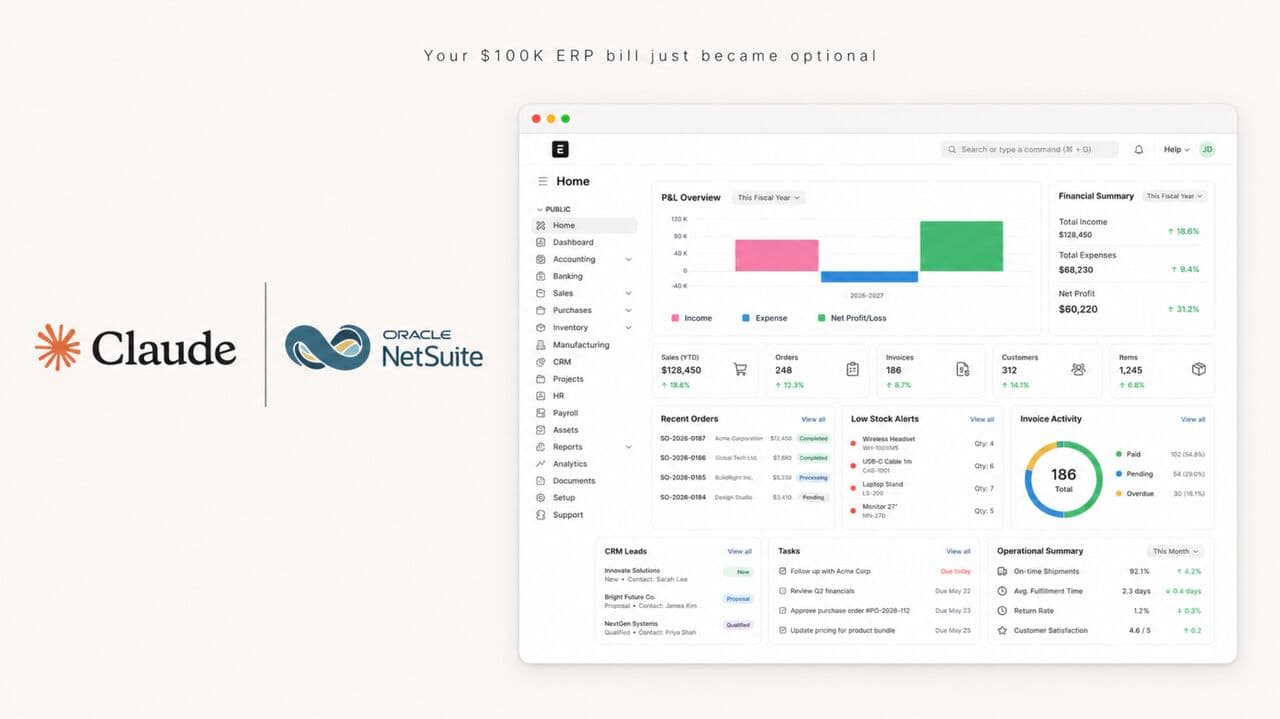
Open-source ERP that replaces NetSuite for SMBs and finance teams. Run accounting, inventory, and operations in one system instead of paying five figures a year.

Setup guide
Get the free kitBook a call

From independent build to integrated workflow

What you have

The free version above. It runs this read on a file you paste in, in your own Claude. Yours to keep.

What we install

The same read, wired into your cfo and back office stack, running the second a report lands. Nothing to upload, no new login.

See the installed version

Share with your workflow owner.

Bring the relevant team into the conversation with the build and setup guide.

Forward by email
in one line

What is Back Office Operations Agent Team?

Back Office Operations Agent Team is a business operations build in the consultance.ai AI Build Library. For COOs and controllers running a back office by hand: 18 Claude agents covering contract renewals, cash position, payment runs, spend duplicates, variance, and approvals, on your own files. It fits COOs, CFOs, controllers, and owner operators at companies with a real back office, where contracts auto renew because a reminder fired to a role instead of a person, the cash position is built from the ledger rather than the bank, and the monthly report takes somebody a full day. Setup difficulty is Medium, with 6 plain-English steps.

What does Back Office Operations Agent Team do?

For COOs and controllers running a back office by hand: 18 Claude agents covering contract renewals, cash position, payment runs, spend duplicates, variance, and approvals, on your own files.

Who is Back Office Operations Agent Team for?

It fits COOs, CFOs, controllers, and owner operators at companies with a real back office, where contracts auto renew because a reminder fired to a role instead of a person, the cash position is built from the ledger rather than the bank, and the monthly report takes somebody a full day.

How hard is Back Office Operations Agent Team to set up?

Medium to set up — one guided setup instruction covering 6 plain-English steps, plus 18 ready-to-run prompts on the resource page.

How would consultance.ai build this out?

The vault runs each job on files you point at. Consultance wires the last mile inside your own environment: the contract store, bank, and payables pulled on a schedule so the renewal watch runs monthly without anybody uploading anything, role based permissions, an approval gate that holds every payment for a named human, and retention your auditor accepts. Reply "wire it" for a 30-minute slot.

What are the licensing terms?

Prompt set authored by consultance.ai. This is a structured operations review, not an audit, not assurance, and not a valuation. No agent in it releases a payment, sends a notice, or contacts a vendor: anything that moves money waits for a named human. Only the renewal window unit has been run against a graded answer key, twice, and the other seventeen briefs are written to the same rules but have not been scored. Your data stays in your own Claude account, we never see it. Not accounting, legal, or tax advice.

Connect this build to your workflow.

Discuss how Back Office Operations Agent Team fits your systems, controls, and team. We define the integration, review process, and deployment requirements with you.

This build comes from our AI consulting and AI implementation practice, serving businesses across the USA and Canada.

Book an audit