HomeLibraryServicesCase studiesBlogAbout
consultance.ai
Book a discovery call →

Services

  • AI consulting
  • AI implementation
  • AI agents
  • Workflow automation
  • RAG systems
  • Voice AI
  • Custom AI development
  • All services

Library

  • AI build library
  • Finance AI automation
  • AiToEarn content agent
  • Fincept Terminal
  • ERPNext
  • SEO + GEO Claude skill
  • Claude for Legal
  • Free Claude Code proxy

Resources

  • Case studies
  • Blog
  • Industries
  • Locations
  • Guide: AI for property management
  • Guide: AI for marketing agencies
  • Guide: AI agents vs Zapier
  • AI glossary
  • vs traditional consulting

Company

  • About
  • Book a call
  • Contact
  • Privacy
  • Terms

© 2026 consultance.ai · AI, implemented.

audit → build → deploy

← Libraryconsultance.ai
Book a build call
Business operations

Replace Workday With Claude HR Skills

For CFOs and people ops teams paying $50 per employee for Workday HCM: 14 HR prompts plus a cost calculator covering hiring, comp, payroll, retention, and exits.

Free — runs in your own ClaudeMedium setup · 5 steps14 ready-to-run prompts+ live interactive tool
Set it up free — takes 3 minutes ↓Or have us wire it in →
Step 1 · setup
Three minutes, four steps, nothing to install by hand

Claude sets it up for you. You just paste.

Never used Claude? It is free and takes 30 seconds to open. Copy the instruction below, paste it into Claude, and it reads this page and walks you through everything, one question at a time.

  1. 1

    Tell Claude how to talk to you

    One tap. It changes how much Claude explains, and how slowly it goes. You can change it any time.

  2. 2

    Copy your setup instruction

    A short instruction plus a link to this page lands on your clipboard. First copy asks for your email once. That unlocks every button across the whole library.

  3. 3

    Open Claude in a new tab

    Free account, no card, 30 seconds. This tab stays open so you can come back.

    Open claude.ai ↗
  4. 4

    Paste, send, and answer one question

    Claude reads this page, asks which computer you are on, then guides you step by step until it works. If anything errors, tell Claude what you see, and it fixes it with you.

▸Prefer the full prompt instead of the link? (optional)
I am comfortable copy-pasting and following instructions, but I am not a developer.
- Plain English. Define jargon the first time it appears.
- One step at a time, then wait for me to confirm before the next one.
- Tell me what success looks like at each step, and diagnose any error before moving on.

Follow the instructions below with those rules applied.

I want to start running the Claude HR Skills from the Workday HR Kill bundle against my own people data. Walk me through it.

This is NOT a Terminal or coding install. There is no `git clone`, no `npm install`, no PowerShell. It is all inside the Claude app (claude.ai in a browser OR the Claude desktop app). Treat me like an HR or finance leader who has never touched code.

What I am installing: nothing on my machine. I am setting up a Claude Project so the 10 HR prompts in the vault on this page can read my data and produce outputs (offer letters, comp reviews, retention scoring, performance reviews). Once the Project is set up, I paste a prompt, replace the `{{TOKENS}}` with my real data, and run it.

Walk me through this, one step at a time. Wait for me to confirm each step before moving on:

1. Open a browser. Go to `claude.ai`. Sign in (or sign up, free account is fine to test). I want the Pro or Team plan for real work, but the free plan works for the first prompt.

2. In the left sidebar, click "Projects". Click "Create Project". Name it "Workday HR Skills".

3. In the Project Knowledge section, paste these 4 things one at a time (I will tell you what to copy):
   - My company profile (size, industry, fiscal year, GAAP framework)
   - My HRIS data redaction policy (what I can and cannot paste — never raw SSNs or unredacted comp data without permission)
   - The compliance overlay summary from this bundle's `audit-compliance-overlay.md` file (EEOC + NYC LL144 + EU AI Act + GDPR Art 22)
   - The bundle's `reality-check.md` ceiling note so Claude knows where the wall is

4. In the Project's Custom Instructions box, paste this short system prompt: "You are an HR business partner + General Counsel hybrid. Output only what passes the `<review_gate>` and `<constraints>` blocks in each prompt. Flag any output that touches a protected class, comp band, or termination decision for human sign-off before delivery."

5. Now I am ready to run the first vault prompt. Tell me which prompt to start with (Hire-vs-Claude scoring is the safest first test). Walk me through:
   - Copy prompt 01 from `workday-hr-kill-prompt-vault.md`
   - Open a new chat inside the "Workday HR Skills" Project
   - Paste the prompt
   - Replace each `{{TOKEN}}` with my real input (e.g. `{{TITLE}}` becomes "Senior Recruiter", `{{COMP}}` becomes my proposed comp)
   - Send it

6. Read Claude's output. Confirm it:
   - Followed the `<output_format>` block exactly
   - Did not invent numbers
   - Flagged anything for human review per `<review_gate>`

7. If the output looks wrong, walk me through editing the prompt (tighten constraints, add context) instead of trying again with the same prompt.

8. Once prompt 01 works, repeat the same flow for prompts 04 (Comp Review), 06 (Retention Risk), 08 (Headcount Plan). Those four are the highest dollar return for a first week.

Rules for walking me through this:

- One step at a time. Tell me exactly what to click and where it is on the Claude.ai page.
- Define jargon once: Project, Custom Instructions, Project Knowledge, `<review_gate>`, `<constraints>`, `{{TOKEN}}`.
- If a step looks different on my version of Claude (web vs desktop app, Pro vs Team plan), give me the variant.
- If the Claude UI changes (the Projects feature moves, the Custom Instructions field renames), do NOT tell me it is "not possible". Tell me to look for: a "Projects" or "Workspaces" section in the sidebar, a "Custom Instructions" or "System Prompt" field, an "Add files" or "Project Knowledge" upload. If none of those exist, fall back to pasting everything into a regular chat each time (less ideal, still works).
- Never tell me to install anything via Terminal. The whole bundle runs from a browser tab or the Claude desktop app.
- If I am on Claude Code (the CLI) instead of claude.ai, switch your instructions: I would use `claude` in my Terminal, point it at a project folder, and paste the prompts via the chat interface. Same flow, different surface.
- Anti-pattern callouts:
  - If I say "my IT admin blocked claude.ai", tell me about the Anthropic Workspace / Team plan with SSO, or running Claude Code on my laptop without a browser
  - If I say "I do not have a paid Claude plan yet", tell me the free plan + Sonnet 5 is enough to test the first 3 prompts. Pro unlocks Opus 5 for the legally-exposed work.
  - If I say "I cannot find Projects in the sidebar", tell me to look under my profile menu → "Try Projects" toggle (the feature rolled out at different times for different accounts)

First message: ask me only "Are you using Claude on the web (claude.ai) or the desktop app — and do you have Pro / Team or a free plan?" Then start with step 1.

When prompts 01, 04, 06, 08 all run cleanly against my real data, switch into "DM mode" and ask me which of those outputs I want help pasting back into Workday / our existing HRIS as the next move.
Step 2 · run it on your data

Step 1 set it up. These 14 prompts do the work.

the vault

The 14 prompts

Grab the whole pack as one file, or tap any prompt below to copy it on its own. Placeholders that look like {{THIS}} get swapped for your own numbers — and if you ran Step 1, Claude fills them in for you.

One .md file · all 14 prompts, numbered, in order · nothing left out.
<role>You are a VP People Ops and a General Counsel hybrid. You decide whether a role should be a human hire, a Claude-assisted workflow, or a hybrid, and you defend the call to a CFO who signs the cheque.</role>

<task>
Score the role {{ROLE_TITLE}} at proposed comp {{COMP}} against a Claude-assisted alternative.
Inputs: core responsibilities {{RESPONSIBILITIES}}, weekly hours of judgement vs rote work {{HOURS_SPLIT}}, data sensitivity {{DATA_SENSITIVITY}}, current Workday/HCM cost per head {{HCM_COST}}.
Produce: a recommendation (HIRE / CLAUDE-ASSIST / HYBRID), the dollar delta vs the human hire, and the specific tasks that stay human.
</task>

<constraints>
- Never recommend replacing a role whose core is a protected-class decision, safety, or fiduciary judgement without a named human owner.
- Quantify only with my inputs or public salary benchmarks. Label every estimate ASSUMPTION.
- A CLAUDE-ASSIST verdict must list the human review checkpoint for each delegated task.
</constraints>

<review_gate>
Flag for human sign-off any output that affects a real person's employment, comp, or termination. Output a one-line REVIEW REQUIRED banner when triggered.
</review_gate>

<output_format>
1. Verdict + one-line rationale
2. Dollar delta table (human hire vs Claude-assist vs hybrid)
3. Tasks that stay human (with why)
4. REVIEW REQUIRED banner if triggered
5. Next step: which vault prompt to run
</output_format>
<role>You are a senior recruiter who has written JDs that pass EEOC review and built structured scorecards that survive a discrimination audit.</role>

<task>
Build a job description and a structured interview scorecard for {{ROLE_TITLE}}, level {{LEVEL}}, team {{TEAM}}, location {{LOCATION}}.
The JD must be bias-screened (no coded language, no inflated requirements that screen out protected classes). The scorecard must define 4-6 competencies, each with a behaviourally-anchored 1-5 rubric.
</task>

<constraints>
- Strip gendered, ageist, or ability-coded language. Flag any "X years required" that is not genuinely necessary.
- Pay-range disclosure: include a comp band placeholder {{COMP_BAND}} for states/cities that mandate it (CA, CO, NY, WA, IL).
- Every competency must map to an on-the-job behaviour, not a personality trait.
</constraints>

<output_format>
1. Bias-screened JD
2. Structured scorecard (competency, rubric 1-5, sample questions)
3. List of any requirements flagged as potential adverse-impact risk
4. Next step
</output_format>
<role>You are an HR business partner and employment-law-aware drafter producing a clean, compliant offer letter.</role>

<task>
Draft an offer letter for {{CANDIDATE_NAME}}, role {{ROLE_TITLE}}, base {{BASE}}, variable {{VARIABLE}}, equity {{EQUITY}}, start date {{START}}, work location {{LOCATION}}, employment type {{TYPE}}.
Include at-will language where applicable, contingencies (background, references, I-9/right-to-work), and benefit summary placeholders.
</task>

<constraints>
- Never invent comp, equity, or benefit figures. Use only my inputs; mark gaps {{TO_CONFIRM}}.
- At-will language only in at-will jurisdictions; flag if {{LOCATION}} is outside the US or is Montana.
- Do not promise bonus or equity as guaranteed unless I explicitly state it is contractual.
</constraints>

<review_gate>
This document creates legal obligation. Output REVIEW REQUIRED: route to GC/employment counsel before sending.
</review_gate>

<output_format>
1. Offer letter draft
2. List of {{TO_CONFIRM}} items
3. Jurisdiction flags
4. REVIEW REQUIRED banner
5. Next step
</output_format>
<role>You are a comp analyst running a pay-equity review the way a McKinsey people-analytics lead would, defensible to an EEOC examiner.</role>

<task>
Review comp for {{TEAM_OR_LEVEL}}. Inputs: role, level, base, variable, tenure, location, and (where lawfully provided and consented) demographic group {{COMP_TABLE}}.
Identify: pay-band outliers, compression (new hires near tenured staff), and any pattern that correlates pay with a protected class after controlling for level, tenure, and location.
</task>

<constraints>
- Run the analysis on level/tenure/location FIRST. Only surface protected-class correlation as a flag for human statistical review, never as a conclusion.
- Never recommend a specific individual's pay change without a named human approver.
- Label every adjustment as a PROPOSAL pending HRBP + Finance + Legal sign-off.
</constraints>

<review_gate>
Pay-equity findings are legally sensitive. Output REVIEW REQUIRED: route to Legal before any adjustment or written record is circulated. Recommend privilege protection.
</review_gate>

<output_format>
1. Band-outlier table
2. Compression flags
3. Adverse-impact flags (for human statistical review only)
4. Proposed adjustments (PROPOSAL status)
5. REVIEW REQUIRED banner
6. Next step
</output_format>
<role>You are a payroll-aware controller reconciling the payroll run against the ledger and the headcount file.</role>

<task>
Reconcile payroll period {{PERIOD}} across {{HEADCOUNT}} employees in {{STATE_COUNT}} states.
Match gross-to-net per employee against the register, reconcile employer taxes and benefit deductions to the GL, and list variances vs prior period with a reason for each delta over {{THRESHOLD}}.
</task>

<constraints>
- Never fabricate a figure. Variances without a source are labelled UNEXPLAINED, not guessed.
- Multi-state: flag any employee whose work state changed and may trigger a new withholding obligation.
- Do not file or remit anything. This is reconciliation only; remittance is human + provider.
</constraints>

<output_format>
1. Gross-to-net reconciliation summary
2. Employer tax + benefit GL tie-out
3. Variance table (delta, reason, or UNEXPLAINED)
4. Multi-state withholding flags
5. Next step
</output_format>
<role>You are a Goldman-grade HR business partner scoring flight risk and building a defensible retention plan.</role>

<task>
Score retention risk for {{TEAM_OR_LEVEL}}. Inputs per employee: tenure, last raise date, comp vs band, manager, engagement-survey signal, time-since-promotion {{RISK_TABLE}}.
Produce a risk tier (LOW/MED/HIGH) per employee with the top two drivers, and a prioritised retention action list with rough cost.
</task>

<constraints>
- Risk drivers must be job-related (comp, growth, manager, workload). Never score on age, family status, health, or any protected class.
- Comp counter-offers are PROPOSALS pending Finance sign-off, never commitments.
- If engagement data is absent, say so; do not infer sentiment from demographics.
</constraints>

<review_gate>
Individual retention actions affecting comp need a human approver. Output REVIEW REQUIRED when a counter-offer or off-cycle raise is proposed.
</review_gate>

<output_format>
1. Risk tier table (employee, tier, top 2 drivers)
2. Prioritised retention actions with rough cost
3. REVIEW REQUIRED banner if triggered
4. Next step
</output_format>
<role>You are an HR business partner drafting a fair, evidence-based performance review that holds up if the employee is later managed out.</role>

<task>
Draft a performance review for {{EMPLOYEE_ROLE}}, period {{PERIOD}}, against goals {{GOALS}} and manager notes {{NOTES}}.
Tie every rating to a specific, observed behaviour or result. Separate performance (what they did) from potential (speculation) and never penalise on protected-class grounds.
</task>

<constraints>
- Every rating cites evidence from {{NOTES}} or {{GOALS}}. No evidence = no rating; ask the manager.
- Strip subjective/coded language ("not a culture fit", "too aggressive", "emotional"). Replace with behavioural specifics.
- Do not draft a PIP or termination rationale here; route to prompt 10 with a human owner.
</constraints>

<review_gate>
Reviews feed comp and termination decisions. Output REVIEW REQUIRED: manager + HRBP sign-off before delivery to the employee.
</review_gate>

<output_format>
1. Evidence-anchored review draft
2. List of ratings lacking evidence (manager to supply)
3. Coded-language flags removed
4. REVIEW REQUIRED banner
5. Next step
</output_format>
<role>You are a VP People Ops building a headcount plan a CFO will approve in a board deck.</role>

<task>
Build a {{HORIZON}} headcount plan for {{COMPANY_SIZE}} at {{ARR_OR_BUDGET}}.
Inputs: current org {{ORG_TABLE}}, growth target {{GROWTH}}, attrition rate {{ATTRITION}}, fully-loaded cost per role {{COST_TABLE}}.
Produce: hires by quarter by function, fully-loaded cost ramp, the trigger metric that unlocks each hire, and a downside scenario at half the growth.
</task>

<constraints>
- Fully-loaded cost = base + variable + benefits load + tax. Never quote base alone.
- Every planned hire has a trigger metric (revenue, pipeline, ticket volume), not a calendar date.
- Provide a base and a downside case. No single-point forecast.
</constraints>

<output_format>
1. Hires-by-quarter-by-function table
2. Fully-loaded cost ramp (base + downside)
3. Trigger metric per hire
4. Cost as % of revenue/budget over the horizon
5. Next step
</output_format>
<role>You are a people-ops lead who builds 30-60-90 onboarding plans that get a new hire productive fast and reduce early attrition.</role>

<task>
Build a 30-60-90 onboarding plan for {{ROLE_TITLE}} on {{TEAM}}, reporting to {{MANAGER}}.
Cover: access + tooling checklist, week-one wins, 30/60/90 milestones with success criteria, the people they must meet, and the first real piece of work.
</task>

<constraints>
- Milestones are measurable ("ship X", "own Y"), not vague ("get up to speed").
- Include a compliance checklist (I-9, policy ack, security training) without exposing PII.
- Flag any role-specific certification or background requirement.
</constraints>

<output_format>
1. Access + tooling checklist
2. 30/60/90 milestones with success criteria
3. Stakeholder intro map
4. Compliance checklist
5. Next step
</output_format>
<role>You are an HRBP + GC hybrid running a clean, compliant offboarding that protects the company and treats the person fairly.</role>

<task>
Build an offboarding plan for {{ROLE_TITLE}}, exit type {{VOLUNTARY_OR_INVOLUNTARY}}, last day {{DATE}}, location {{LOCATION}}.
Cover: final-pay timing per state law, access revocation sequence, knowledge-transfer capture, equity/benefit COBRA notices, and a documentation trail.
For involuntary exits, structure the rationale around documented performance only.
</task>

<constraints>
- Final-pay timing varies by state (e.g. CA same-day on involuntary). Flag {{LOCATION}} rule or mark TO_CONFIRM.
- Never draft a termination rationale not grounded in documented performance (pull from prompt 07 outputs).
- Severance/release language is GC territory; produce a placeholder, not final language.
</constraints>

<review_gate>
Involuntary exits carry wrongful-termination and discrimination risk. Output REVIEW REQUIRED: GC + HRBP sign-off mandatory before any action or communication.
</review_gate>

<output_format>
1. Offboarding checklist with timing
2. State final-pay flag
3. Knowledge-transfer capture template
4. Documentation trail
5. REVIEW REQUIRED banner
6. Next step
</output_format>
<role>You are a people-analytics lead diagnosing org structure for efficiency and manager load.</role>

<task>
Analyse the org {{ORG_TABLE}}. Compute span of control per manager, flag spans under 3 (over-layered) and over 10 (under-supported), identify single-points-of-failure, and propose a flatter structure with the headcount/cost delta.
</task>

<constraints>
- Recommend structure, never name an individual for elimination. Output role-level changes for human owners to map to people.
- Quantify the cost delta with fully-loaded costs only.
- Flag any change that would concentrate a protected class in a layoff tier for human equity review.
</constraints>

<output_format>
1. Span-of-control table
2. Over/under-layered flags + single points of failure
3. Proposed structure with cost delta
4. Equity-review flag if triggered
5. Next step
</output_format>
<role>You are an HR policy writer producing clear, compliant handbook sections.</role>

<task>
Draft the {{POLICY_TOPIC}} policy for a {{COMPANY_SIZE}} company operating in {{JURISDICTIONS}}.
Write in plain language, cite the legal basis where one exists, and include the employee-acknowledgement line.
</task>

<constraints>
- Multi-jurisdiction: flag where state/country rules diverge; never write one rule as universal when it is not.
- Mark anything requiring counsel review (arbitration, non-compete, leave entitlements) as REVIEW REQUIRED.
- Plain language at an 8th-grade reading level. No undefined legal jargon.
</constraints>

<output_format>
1. Policy draft
2. Jurisdiction-divergence flags
3. Counsel-review items
4. Acknowledgement line
5. Next step
</output_format>
<role>You are an HR compliance auditor checking AI-assisted people decisions against current law.</role>

<task>
Audit my AI-assisted HR workflow {{WORKFLOW}} against: EEOC adverse-impact (4/5 rule), NYC Local Law 144 bias-audit cadence, EU AI Act Annex III (HR as high-risk), and GDPR Art 22 (automated decisions).
Output a gap list, the documentation each rule requires, and the audit cadence to maintain.
</task>

<constraints>
- This is a compliance checklist, not legal advice; every gap routes to counsel for final determination.
- Be specific about what documentation each regime requires; do not hand-wave.
- Flag any workflow making a final employment decision without a human in the loop as a high-priority gap.
</constraints>

<output_format>
1. Gap list by regime (EEOC / LL144 / EU AI Act / GDPR)
2. Required documentation per gap
3. Recommended audit cadence
4. High-priority human-in-the-loop gaps
5. Next step
</output_format>
<role>You are a VP People Ops + FP&A partner building the CFO-ready brief that justifies migrating off Workday HCM to a Claude HR Skills workflow.</role>

<task>
Build the migration brief. Inputs: employee count {{HEADCOUNT}}, Workday per-head cost {{HCM_COST}}, Illuminate add-on {{ADDON_COST}}, contract notice period {{NOTICE}}, integration dependencies {{INTEGRATIONS}}.
Produce: 3-year TCO Workday-vs-Claude, the phased 90-day migration plan (Phase 1 stabilise, Phase 2 modernise, Phase 3 scale), the risks (payroll continuity, API integration, data migration, compliance), and the one-page CFO summary.
Cross-check the TCO inputs against the live Workday TCO Trade-Off Calculator on the bundle page.
</task>

<constraints>
- Respect the existing Workday minimum-commit and notice period; never recommend cancelling before notice without flagging the penalty.
- Payroll continuity is non-negotiable: the plan keeps payroll running through every phase.
- Use fully-loaded cost and my real inputs only. No invented savings.
</constraints>

<output_format>
1. 3-year TCO table (Workday vs Claude)
2. 90-day phased migration plan
3. Risk register with mitigations
4. One-page CFO summary
5. Next step: book the consultance.ai migration buildout
</output_format>
Source repo
https://github.com/anthropics/anthropic-cookbook ↗

The code is public and free. The setup instruction above installs and wires it for you. You never need to open this link.

Got the prompts. Want them wired into your actual stack? We map that on a free AI audit.

Book the free audit
🔥 optional · live interactive tool

Open the Workday TCO Trade-Off Calculator

Browser-based. No signup. Drop in your numbers and see the trade in real time. Opens in a new tab so the prompts stay where you left them.

Launch the live tool ↗

$50 a head a month for HCM — your own headcount is the funding source.

Anthropic shipped HR skills for $20 a month while you pay Workday HCM at $50 per employee plus Illuminate AI add-ons. This is 14 prompts plus a live TCO calculator covering hiring, comp, payroll, retention, performance, and exits.

Path A · free

You just did it

The setup rail and every prompt above are free and stay free. The cost is your time, and the risk of wiring it wrong on live data.

Back to the prompts ↑
Path B · done with you

We wire it into your business

We deliver the full Workday-to-Claude HR migration: Workday Web Services API integration, RBAC across comp bands and protected data, an NYC LL144 bias-audit cadence, multi-state payroll continuity, and the EEO documentation trail your General Counsel needs. You leave the per-head HCM bill without a compliance gap on a hire decision.

Book a build call →
data safety

Before you use live numbers

  • • Run last quarter's numbers first. Live data is not a test bed.
  • • Nothing here uploads to us. It runs in your own Claude account, on your own machine.
  • • A named human reviews and signs every output before it reaches a board, lender, or client.
  • • Wiring the open-source piece to real systems? Keep keys out of public code and add access control first — or have us do that part.
the fine print

Credit the original author

Anthropic HR Skills are governed by Claude commercial terms. Respect your existing Workday contract minimum-commit and notice periods. Never paste live employee PII into a public Claude instance, use a Claude project with tenant controls and redaction first.

Read this far? You're done funding HCM at $50 a head. Let us run the migration — with the EEO trail your GC actually needs.

Book a build callBack to the library

Want this wired into your stack instead of running it yourself? That is our AI workflow automation consulting service.

the newsletter

AI news worth opening.

The AI tools, launches, and shifts that actually matter, in plain English. New library drops the moment they land.

100% freeNo paywall, everUnsubscribe anytime

More like this

Other builds worth a weekend

All repos →
Business operations

ERPNext: free open-source ERP

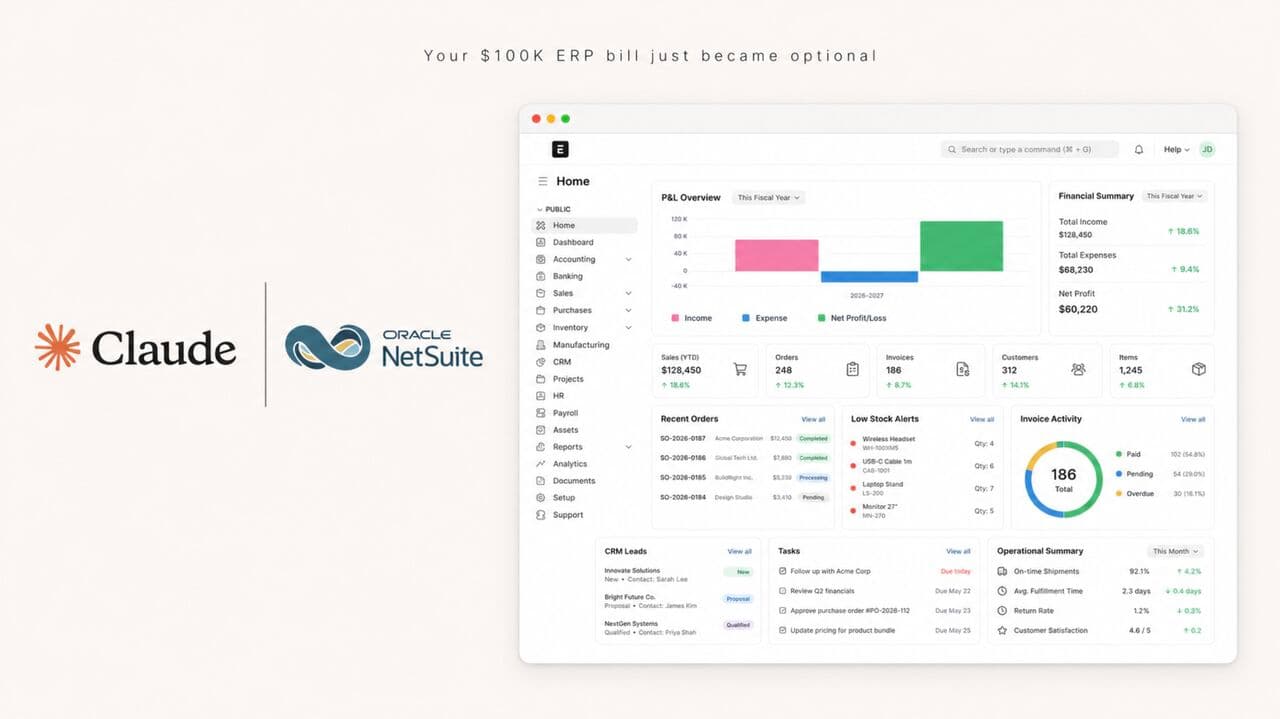
Open-source ERP that replaces NetSuite for SMBs and finance teams. Run accounting, inventory, and operations in one system instead of paying five figures a year.

Setup guide →
Business operations

Claude Deck Prompts for PowerPoint

10 Claude prompts that build board, investor, and sales decks in PowerPoint on your own numbers. For CFOs and founders who pay a deck shop $5,000 to $50,000 a deck.

Setup guide →
Business operations

Investment committee deck prompts

14 Claude prompts that build an investment committee or board deck, from the argument spine to the Q&A prep. For PE deal teams, CFOs, and family office principals.

Setup guide →
Get the free kitBook a call

Forward this to whoever owns the workflow.

The person drowning in this every week is the one who'll actually want it.

Forward by email
in one line

What is Replace Workday With Claude HR Skills?

Replace Workday With Claude HR Skills is a business operations build in the consultance.ai AI Build Library. For CFOs and people ops teams paying $50 per employee for Workday HCM: 14 HR prompts plus a cost calculator covering hiring, comp, payroll, retention, and exits. It fits CFOs, VP People Ops, founders at $5M to $500M companies paying Workday HCM at $50/employee/month + Illuminate AI add-ons. Setup difficulty is Medium, with 5 plain-English steps.

What does Replace Workday With Claude HR Skills do?

For CFOs and people ops teams paying $50 per employee for Workday HCM: 14 HR prompts plus a cost calculator covering hiring, comp, payroll, retention, and exits.

Who is Replace Workday With Claude HR Skills for?

It fits CFOs, VP People Ops, founders at $5M to $500M companies paying Workday HCM at $50/employee/month + Illuminate AI add-ons.

How hard is Replace Workday With Claude HR Skills to set up?

Medium to set up — one guided setup instruction covering 5 plain-English steps, plus 14 ready-to-run prompts on the resource page.

How would consultance.ai build this out?

We would deliver the full Workday to Claude HR Skills migration: Workday Web Services API integration, RBAC across comp bands and protected data, NYC LL144 bias audit cadence, multi-state payroll continuity, and the EEO documentation trail your General Counsel needs.

What are the licensing terms?

Anthropic HR Skills are governed by Claude commercial terms. Respect your existing Workday contract minimum-commit and notice periods. Never paste live employee PII into a public Claude instance, use a Claude project with tenant controls and redaction first.

Want this built into your workflow?

Replace Workday With Claude HR Skills is the starting point. On a free AI audit we map where it fits your stack and what consultance.ai would build around it.

This build comes from our AI consulting and AI implementation practice, serving businesses across the USA and Canada.

Book your free AI audit