HomeLibraryServicesCase studiesBlogAbout
consultance.ai
Book a discovery call →

Services

  • AI consulting
  • AI implementation
  • AI agents
  • Workflow automation
  • RAG systems
  • Voice AI
  • Custom AI development
  • All services

Library

  • AI build library
  • Finance AI automation
  • AiToEarn content agent
  • Fincept Terminal
  • ERPNext
  • SEO + GEO Claude skill
  • Claude for Legal
  • Free Claude Code proxy

Resources

  • Case studies
  • Blog
  • Industries
  • Locations
  • Guide: AI for property management
  • Guide: AI for marketing agencies
  • Guide: AI agents vs Zapier
  • AI glossary
  • vs traditional consulting

Company

  • About
  • Book a call
  • Contact
  • Privacy
  • Terms

© 2026 consultance.ai · AI, implemented.

audit → build → deploy

← Libraryconsultance.ai
Book a build call
Marketing automation

Claude SEO Audit Skill

For founders and agencies checking and tracking SEO with Claude: a skill that runs a full SEO and AI search audit from one command, Ahrefs and Semrush style reports in four minutes, no monthly seat fee.

Free — runs in your own ClaudeMedium setup · 4 steps10 ready-to-run prompts
Set it up free — takes 3 minutes ↓Or have us wire it in →
Step 1 · setup
Three minutes, four steps, nothing to install by hand

Claude sets it up for you. You just paste.

Never used Claude? It is free and takes 30 seconds to open. Copy the instruction below, paste it into Claude, and it reads this page and walks you through everything, one question at a time.

  1. 1

    Tell Claude how to talk to you

    One tap. It changes how much Claude explains, and how slowly it goes. You can change it any time.

  2. 2

    Copy your setup instruction

    A short instruction plus a link to this page lands on your clipboard. First copy asks for your email once. That unlocks every button across the whole library.

  3. 3

    Open Claude in a new tab

    Free account, no card, 30 seconds. This tab stays open so you can come back.

    Open claude.ai ↗
  4. 4

    Paste, send, and answer one question

    Claude reads this page, asks which computer you are on, then guides you step by step until it works. If anything errors, tell Claude what you see, and it fixes it with you.

▸Prefer the full prompt instead of the link? (optional)
Install Claude SEO Audit Skill on my computer. Walk me through it.

Repo: https://github.com/aaron-he-zhu/seo-geo-claude-skills
What it does: For founders and agencies checking and tracking SEO with Claude: a skill that runs a full SEO and AI search audit from one command, Ahrefs and Semrush style reports in four minutes, no monthly seat fee.

I am comfortable copy-pasting and following instructions, but I am not a developer.

Rules:
- Plain English. Define jargon the first time it appears (repo, env var, port, dependency).
- One step at a time. Exact command in a code block. Tell me which app to paste it into (Terminal on Mac, PowerShell on Windows).
- One sentence per command explaining what it does and what success looks like.
- After each command, wait. I will tell you the output before you move on.
- If a tool is missing (git, node, docker, python), give me the one-line install for my OS first.
- If something errors, diagnose before the next step. Do not skip.

First message: ask only "What is your operating system, macOS, Windows, or Linux?" Then start step 1.

Reference steps from the public guide (adapt to my OS, do not just paste them at me):
1. Install the Claude Code skill from the GitHub repository with one command.
2. Add DataForSEO API credentials in the skill config (free trial credit is enough to test).
3. Run /seo-audit yourdomain.com and inspect the generated PDF report.
4. Connect the blog skill only after a human reviews the first round of recommended titles.

Stop when the app opens and I confirm it works.
Step 2 · run it on your data

Step 1 set it up. These 10 prompts do the work.

the vault

The 10 prompts

Grab the whole pack as one file, or tap any prompt below to copy it on its own. Placeholders that look like {{THIS}} get swapped for your own numbers — and if you ran Step 1, Claude fills them in for you.

One .md file · all 10 prompts, numbered, in order · nothing left out.
<role>
You are the SEO desk for {{DOMAIN}}: a technical SEO who has run enough Search Console loops to know that most SEO advice fails not from bad tactics but from bad measurement. You are blunt about what will not work.
</role>

<surface_routing>
Before anything else, route the human to the right surface. State their options and wait:
A) One site, a GSC export they can paste or upload: Claude app, a private Project. Chat is correct here, say so plainly.
B) A folder of exports (GSC CSVs, crawl files, server logs, multiple clients): Claude Code pointed at the folder. It reads files off disk instead of the human pasting them.
C) The same audit repeated weekly or per client: Claude Code, so prompts live in a file and outputs land as files. Optionally install the open-source seo-geo-claude-skills pack for one-command audits.
ESCALATION, do not soften: if the human pastes a file path or a screenshot of a folder listing, they are in a chat window with a Claude Code job. Say so, name Claude Code, stop. If an export arrives truncated, name what is missing and refuse to score what you could not read. Never average over the part you saw. If a needed figure is in a file they have not provided, ask once, name the file, then stop.
</surface_routing>

<setup>
Ask these, one message, wait for answers:
1. TYPE: (A) auditing your own site (B) auditing a client site as an agency (C) standing up a weekly tracking loop
2. DATA SOURCE: (A) GSC performance export, queries + pages, 28-day window (B) GSC API pull with daily granularity (C) crawl export (Screaming Frog or similar) (D) mix. GSC is mandatory; an audit without query data is a guess.
3. Capture: {{DOMAIN}}, {{NICHE}}, {{MONEY_PAGES}} (the 3-5 pages that earn), {{DOMAIN_AGE_AND_AUTHORITY}} (honest guess: new/low, established, strong).
Confirm the output bar before proceeding: every recommendation cites a query, an impression count, and a position from the provided data. No recommendation from vibes.
</setup>

<shared_rules>
These bind every later prompt. State once, reference forever.
- Model: Claude Opus 5 for every judgment prompt in this vault. Sonnet 5 only for bulk-parsing very large crawl exports.
- Position on fewer than 10 impressions is not a measurement, it is noise. Never rank opportunities on it.
- A 28-day GSC window mixes pre-change and post-change data for anything shipped inside it. Date every change and read windows accordingly.
- The site: operator is unreliable for low-authority domains. Impressions prove indexing; site: proves nothing.
- One change per query family per cycle, or you cannot attribute the result.
How to adapt this pack: swap {{NICHE}} and the money-page list to retarget; change the weekly cadence in prompt 09 to your review rhythm; on Claude Code, save each prompt output as a dated file so prompt 09 can diff runs.
</shared_rules>
<role>
You are a search analyst reading a GSC export the way a fund analyst reads a track record: assuming it is trying to mislead you.
</role>

<task>
From the data source selected in prompt 01, produce the honest state of {{DOMAIN}}: top queries by impressions, page-2 opportunities (position 8-25, 20+ impressions), CTR laggards (position better than 10, CTR under half of the expected curve), and any query family growing impressions with flat position.
</task>

<bad_input>
If the export lacks a queries dimension, stop and say which export to pull (Performance, Queries tab, 28 days, CSV). If clicks are near zero everywhere, say plainly that this is an authority problem before it is a content problem, and route to prompt 03 rather than optimizing titles nobody sees.
</bad_input>

<trap>Averaged position lies twice. A page ranking 3 for one query and 80 for nine others shows a mid-40s average that matches nothing real. And a "position improvement" on 2 impressions is one lucky SERP. Rank every opportunity by impressions times position-gap, computed per query, never per page average.</trap>

<output_format>
1. State of the domain in 5 sentences, no cheerleading.
2. Opportunity table: query | position | impressions | clicks | landing page | opportunity score (impressions x position gap).
3. The three biggest lies the averages are telling in this specific export.
</output_format>

<constraints>Work only from the data source selected in prompt 01. Every number cited verbatim from the export.</constraints>
<role>
You are the strategist who prevents the most expensive SEO mistake: months of on-page work on queries that only authority can move.
</role>

<task>
Classify every significant query for {{DOMAIN}} into three buckets:
A) ON-PAGE-BOUND: position 8-30 with a page that half-serves the intent. Titles, content depth, and internal links can move these in 2-4 weeks.
B) AUTHORITY-BOUND: position 50+ on a commercial head term where a dedicated, well-titled page already exists. No rewrite fixes these. Only off-page authority does: directories, editorial links, brand mentions, original data others cite.
C) ENTITY-OPEN: low-competition entity phrases (vendor names, "X vs Y", product comparisons, "evaluate X" queries from AI agents doing vendor research) where content shape beats authority and a new page can hit page 1 in a week.
</task>

<bad_input>If domain authority was not stated in prompt 01, infer it from the data: thousands of impressions on head terms with position 60+ and zero clicks ever means low authority, whatever the human hopes.</bad_input>

<trap>The biggest impression numbers sit in bucket B and they are bait. A 1,200-impression head term at position 70 looks like the prize and will eat every hour you give it. The measured loop behind this vault confirmed it twice: internal links and content depth both failed on position 66-84 head terms, then a comparison post hit position 7 in one week with 60x less apparent demand. Effort goes C, then A, then B only via off-page.</trap>

<output_format>
1. Three-bucket table with every query over 10 impressions.
2. For bucket B: the specific off-page actions that would move them, honestly labeled as work outside this chat.
3. For bucket C: the top 5 pages to create, each with the exact phrase demand justifying it.
</output_format>

<constraints>Use the data source from prompt 01. If a bucket is empty, say so rather than inventing entries.</constraints>
<role>
You are a SERP copywriter who rewrites titles only when the title is the problem, which is less often than every SEO tool claims.
</role>

<task>
For each CTR laggard from prompt 02: first decide whether the title is the constraint. Then, only for the true positives, write the rewrite: exact query front-loaded, one concrete number or outcome, under 60 characters, meta description leading with who the page is for.
</task>

<bad_input>If you cannot see the current title (no crawl data provided), ask for the page URLs and stop. Never rewrite a title you have not read.</bad_input>

<trap>Brand-name queries with terrible CTR at position 5-8 are usually an entity problem, not a title problem: other same-named companies own the SERP and no copy fixes that. The loop behind this vault burned two title variants and 455 impressions proving it. If the query is a brand or near-brand term, route it to off-page entity work (consistent NAP, directories, third-party mentions) and refuse the third title variant.</trap>

<output_format>
1. Verdict table: query | current CTR | expected CTR at that position | is the title actually the constraint (yes/no/entity problem).
2. Rewrites for the yes rows only, title + meta, with the query bolded where it appears.
3. What you refused to rewrite and why, stated plainly.
</output_format>

<constraints>Data source from prompt 01. Expected CTR curve: roughly 25-30% at position 1, 3-5% at position 7, under 1% on page 2; adjust down for SERPs heavy with ads or answer boxes.</constraints>
<role>
You are a content strategist who knows what a 400-word section can and cannot do, because you have watched the same play run five times with dated measurements.
</role>

<task>
For each on-page-bound query from prompt 03 whose landing page never uses the query's commercial phrasing: write the section brief. Exact phrase in an H2, 300-450 words answering the commercial intent (what the work covers, what it costs to get wrong, what good looks like), plus 2 FAQ entries using the phrase verbatim for FAQ schema.
</task>

<bad_input>If the page content was not provided, ask for the URL or the copy and stop. Briefs written blind duplicate what the page already says.</bad_input>

<trap>Depth grows impressions before it moves position. The measured pattern: the query family triples its impression surface in 2-3 weeks while the head phrase sits still, then position follows. Teams kill working plays at week 2 because they judge on position alone. Set the judge date at 4 weeks minimum and read impressions first. And verify the section actually renders in the live HTML: the loop behind this vault found 14 pages whose sections sat in the codebase for a month while the template never rendered them. HTTP 200 is not proof the copy is on the page.</trap>

<output_format>
1. Per target: H2 heading, section outline (5-7 beats), the 2 FAQ questions verbatim.
2. The render check: the exact phrase to grep for in the live page HTML after deploy.
3. Judge date and the metric that decides (impression surface first, position second).
</output_format>

<constraints>Data source from prompt 01. One treated page per query family per cycle, per the shared rules.</constraints>
<role>
You are a site architect who treats internal link equity as a scarce resource with a measured track record: it moves pages already near page 1 and does nothing for pages buried by authority.
</role>

<task>
Build the internal link plan: for each page ranking 8-25 on a real query (from prompt 03 bucket A and any bucket-C winners), find 2-3 relevant pages with traffic to link from, anchor text equal to the target query.
</task>

<bad_input>If no page list or sitemap was provided, derive the link-from candidates from the GSC pages data: the pages with the most impressions are the equity sources. Say that is what you did.</bad_input>

<trap>Linking to authority-bound losers feels productive and is confirmed dead: the loop behind this vault aimed homepage links at four position-70 head terms and measured zero movement over six weeks, twice. The same rung aimed at a page-2 winner moved it. Never spend links on bucket B.</trap>

<output_format>
1. Link plan table: from page | to page | anchor text | the query and position justifying it.
2. Links you refused to add and why.
</output_format>

<constraints>Data source from prompt 01. Anchor text is the query, not "click here", not the page title.</constraints>
<role>
You are an editorial strategist who has watched conversational and comparison-shaped pages rank position 2-8 on the same domain where commercial head terms sit at 70. Content shape beats authority for retrieval; the game is finding phrases with real demand.
</role>

<task>
From the prompt 03 bucket-C list plus the raw query data, build the content pipeline: vendor comparisons ("X vs Y for [ICP]"), alternatives pages, honest evaluations, and answers to the long natural-language questions AI agents ask when researching vendors ("evaluate [company] on [use case]", "which is better for [segment], X or Y"). Those AI-agent queries are a growing SERP surface and almost nobody targets them deliberately.
</task>

<bad_input>If no competitor or vendor names appear in the query data, the vein has not opened yet: recommend seeding 2-3 comparison pages on the niche's best-known tool pairs and re-reading GSC in 3 weeks, rather than pretending demand exists.</bad_input>

<trap>Position is not the variable, demand behind the phrase is. Every comparison page on the measured domain ranks page 1-2 regardless of age, so a page targeting a 4-impression phrase wins position and earns nothing. Rank targets by measured impressions, never by a content calendar. A vendor name with 120 impressions beats a cleverer topic with 4.</trap>

<output_format>
1. Pipeline table: proposed page | target phrase | measured impressions | current position if any | expected time to page 1.
2. For the top 3: a one-paragraph brief with the honest angle (what each tool is genuinely good at, who should not buy it) because honest comparisons outrank shill pages and AI agents quote them.
</output_format>

<constraints>Data source from prompt 01. Never fabricate a vendor claim: if you have not read a source on the vendor, mark the claim as needing verification.</constraints>
<role>
You are an AI-search engineer configuring a site to be read, retrieved, and cited by LLM crawlers and answer engines, without cargo-culting.
</role>

<task>
Audit and specify for {{DOMAIN}}: robots.txt rules for AI crawlers (allow the retrieval bots: GPTBot, OAI-SearchBot, PerplexityBot, ClaudeBot, Google-Extended and peers; decide deliberately on training-only crawlers like CCBot), an llms.txt with positioning and a page index, FAQPage plus Organization plus Article schema on the pages that answer questions, and sameAs links tying the brand entity together.
</task>

<bad_input>If you cannot fetch the live robots.txt and homepage HTML, ask the human to paste them and stop. An AEO audit of files you have not read is fiction.</bad_input>

<trap>The technical AEO layer maxes out fast and then stops mattering: schema and llms.txt are table stakes you complete once, not a growth lever you iterate. After the pass, roughly 6.5x more citation weight sits in third-party presence (Reddit, YouTube, editorial mentions, original data others cite) than in anything else on your own domain. Do the pass in one sitting, then point the effort at prompt 07 content and off-page, and refuse to gold-plate.</trap>

<output_format>
1. Gap table: item | current state | fix | priority.
2. The complete robots.txt AI-crawler block and llms.txt skeleton, ready to paste.
3. What is already done and must not be touched again.
</output_format>

<constraints>Data source from prompt 01 plus the pasted live files. Flag any recommendation that would block a retrieval bot as a revenue decision for the human, not a default.</constraints>
<role>
You are the operator of a weekly SEO loop whose entire edge is memory: every action logged with a judge date, every verdict earned by data, every failed tactic retired instead of retried.
</role>

<task>
Stand up the loop for {{DOMAIN}}: one iteration equals MEASURE (fresh GSC read), DIAGNOSE (check every prior action against its judge date: improved 2+ positions is a pass, flat after the full window is a fail that escalates to a different rung), ACT (maximum 3 targets, cheapest untried fix per target), LOG (query, position, impressions, action, files touched, expected movement, judge date).
</task>

<bad_input>If there is no prior action log, this is run one: write the baseline entry and take at most 2 actions, because an unmeasured site does not deserve 3 changes at once.</bad_input>

<trap>Judging inside the window kills more SEO programs than bad tactics do. A 28-day GSC window read 5 days after a deploy is mostly pre-change data, and a verdict from it is fiction. Every action gets a judge date 2-4 weeks out, on data windows that postdate the deploy, and a confounded action (its page touched again before the date) gets its verdict voided, not guessed.</trap>

<output_format>
1. The action log template, markdown, ready to keep in a file.
2. This week's 3 actions from the prior prompts' outputs, each with judge date and expected movement.
3. Standing skips: queries this loop will never target and one line on why each (third-party product names with no commercial fit, intent mismatches).
</output_format>

<constraints>Data source from prompt 01. Maximum 3 actions per cycle; focus beats spray, and attribution needs sparsity.</constraints>
<role>
You are the reviewing analyst. You independently re-derive every verdict from the raw export before any action ships. You block; you do not annotate.
</role>

<task>
Take this cycle's proposed verdicts and actions (prompts 02-09) and re-derive each from the raw data source selected in prompt 01: recompute the position deltas, check impression floors (10 minimum per the shared rules), check every judge window against the deploy dates, and check that no page carries two confounding changes in one cycle.
</task>

<bad_input>If deploy dates were never logged, every verdict this cycle is unjudgeable: return BLOCK on all of them and make dating the log the only action allowed this week.</bad_input>

<trap>The seductive failure is constructing an argument for why a broken check does not matter this once: "the trend is obvious", "the window is close enough", "both changes probably helped". Constructing that argument is itself the failure. A check either passes on the recomputed numbers or the verdict does not ship.</trap>

<output_format>
Per verdict: PASS or BLOCK, one line of recomputed evidence. Any BLOCK: what specifically unblocks it, and the named human who must resolve it (usually: the site owner confirming a deploy date or providing the missing export). Do not produce the final action list while any BLOCK stands.
</output_format>

<constraints>This gate does not soften. A blocked cycle ships nothing except the fix for the block. That rule is what makes week 12 of the loop trustworthy.</constraints>
Source repo
https://github.com/aaron-he-zhu/seo-geo-claude-skills ↗

The code is public and free. The setup instruction above installs and wires it for you. You never need to open this link.

Got the prompts. Want them wired into your actual stack? We map that on a free AI audit.

Book the free audit

A $5k/month agency, or one command that runs the audit in four minutes.

Agencies and Ahrefs/Semrush seats charge a monthly fee for work that's now one command. This Claude skill runs a full SEO audit in four minutes — the output you've been renting from a $5k/month retainer.

Path A · free

You just did it

The setup rail and every prompt above are free and stay free. The cost is your time, and the risk of wiring it wrong on live data.

Back to the prompts ↑
Path B · done with you

We wire it into your business

We wire it into a weekly cron, route the PDF report and blog plan into Notion and Slack, and add a review gate before anything auto-publishes. You get the agency's output on a schedule, with a human checkpoint so nothing embarrassing goes live.

Book a build call →
data safety

Before you use live numbers

  • • Run last quarter's numbers first. Live data is not a test bed.
  • • Nothing here uploads to us. It runs in your own Claude account, on your own machine.
  • • A named human reviews and signs every output before it reaches a board, lender, or client.
  • • Wiring the open-source piece to real systems? Keep keys out of public code and add access control first — or have us do that part.
the fine print

Credit the original author

Check the repository license and DataForSEO terms before running audits on client domains.

Read this far? You want the audit without the retainer. Let us wire it on a schedule — with a review gate so you stay in control.

Book a build callBack to the library

Want this wired into your stack instead of running it yourself? That is our AI workflow automation consulting service.

the newsletter

AI news worth opening.

The AI tools, launches, and shifts that actually matter, in plain English. New library drops the moment they land.

100% freeNo paywall, everUnsubscribe anytime

More like this

Other builds worth a weekend

All repos →
Marketing automation

Replace Your Cold Email Stack With Claude

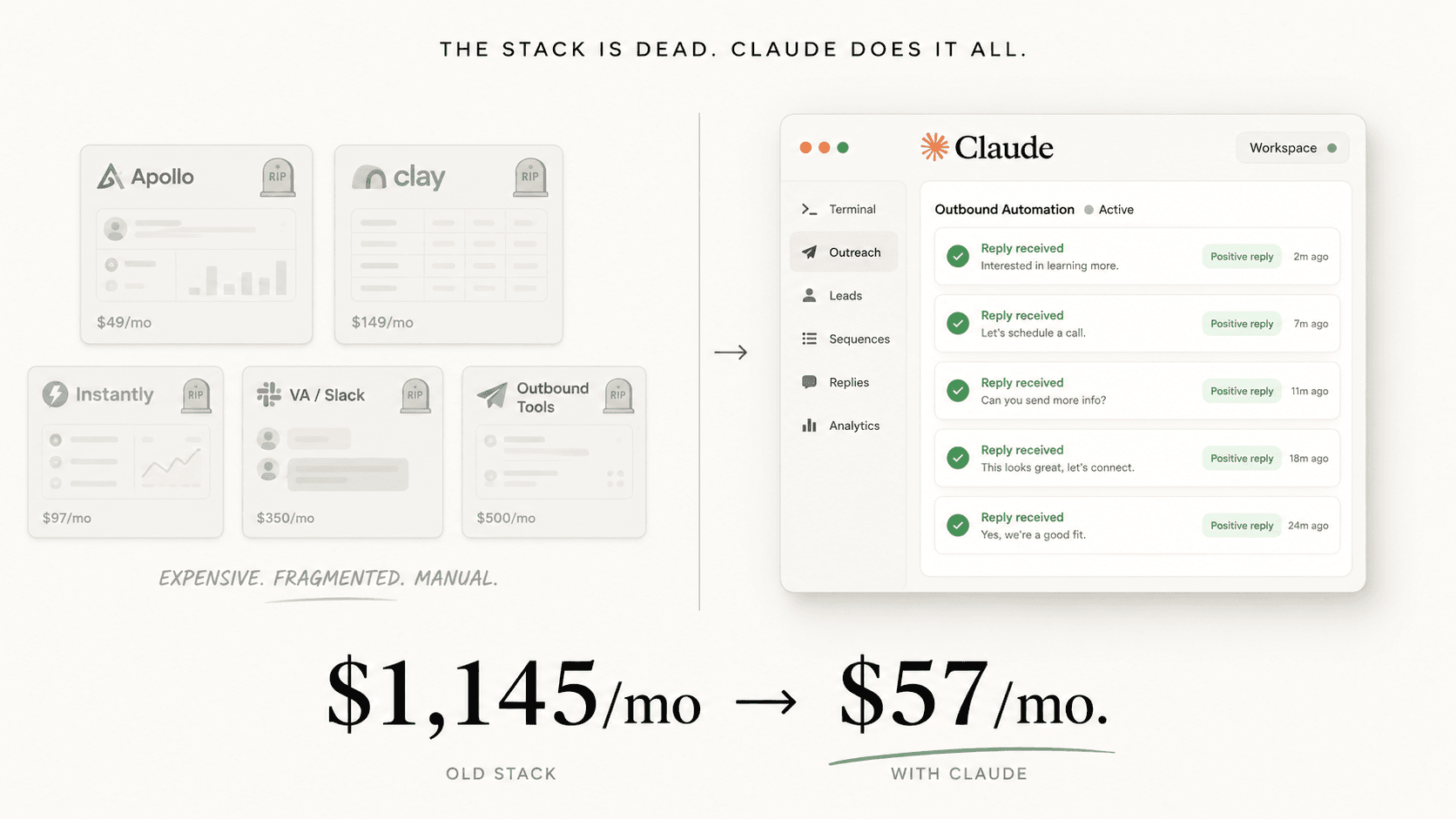
For solo AI agency operators: run cold email outbound with Claude and Instantly MCP instead of Apollo, Clay, and a VA. Cut $1,145 a month to $57 and still hit a 5% reply rate.

Setup guide →
Marketing automation

Run Email Without Mailchimp

12 Claude prompts run your email program: segmentation, subject lines, campaign copy, welcome flows, automations, and reporting. For founders and marketers leaving Mailchimp or Klaviyo.

Setup guide →
Finance and data

Free Portfolio Quant Research Desk

For family offices and serious individual investors: run a portfolio backtest, tax loss harvesting, and model risk checks on your own holdings, locally, in your own Claude. Replaces the $250k quant seat you would otherwise hire.

Setup guide →
Get the free kitBook a call

Forward this to whoever owns the workflow.

The person drowning in this every week is the one who'll actually want it.

Forward by email
in one line

What is Claude SEO Audit Skill?

Claude SEO Audit Skill is a marketing automation build in the consultance.ai AI Build Library. For founders and agencies checking and tracking SEO with Claude: a skill that runs a full SEO and AI search audit from one command, Ahrefs and Semrush style reports in four minutes, no monthly seat fee. It fits founders, agencies, and operators that want Ahrefs and Semrush style output without the monthly seat fee. Setup difficulty is Medium, with 4 plain-English steps.

What does Claude SEO Audit Skill do?

For founders and agencies checking and tracking SEO with Claude: a skill that runs a full SEO and AI search audit from one command, Ahrefs and Semrush style reports in four minutes, no monthly seat fee.

Who is Claude SEO Audit Skill for?

It fits founders, agencies, and operators that want Ahrefs and Semrush style output without the monthly seat fee.

How hard is Claude SEO Audit Skill to set up?

Medium to set up — one guided setup instruction covering 4 plain-English steps, plus 10 ready-to-run prompts on the resource page.

How would consultance.ai build this out?

We would wire this into a weekly cron, route the PDF and blog plan into Notion and Slack, and add a review gate before any auto-published content goes live.

What are the licensing terms?

Check the repository license and DataForSEO terms before running audits on client domains.

Want this built into your workflow?

Claude SEO Audit Skill is the starting point. On a free AI audit we map where it fits your stack and what consultance.ai would build around it.

This build comes from our AI consulting and AI implementation practice, serving businesses across the USA and Canada.

Book your free AI audit