Explore the build library
consultance.ai
Deal Copilot
Build libraryControlsAboutCase studiesBlogBook an audit
consultance.ai

Systems

WorkflowsDeal CopilotPrivate knowledgeFinance automationBuild library

Company

About usCase studiesBlogContact

Start a conversation

Free AI auditfounder@consultance.ai

Teams

Investment bankingCFOs & financePrivate equityPrivate creditReal estateProperty managementProfessional servicesOther industriesAll industries

Legal

Privacy policyTerms of service

Our approach

Audit the workflow.Build in your environment.Hand over a system you own.
Build something useful © 2026 consultance.ai
Build library/Personal AI Stock Desk with Paper Trading

Finance and data

Personal AI Stock Desk with Paper Trading

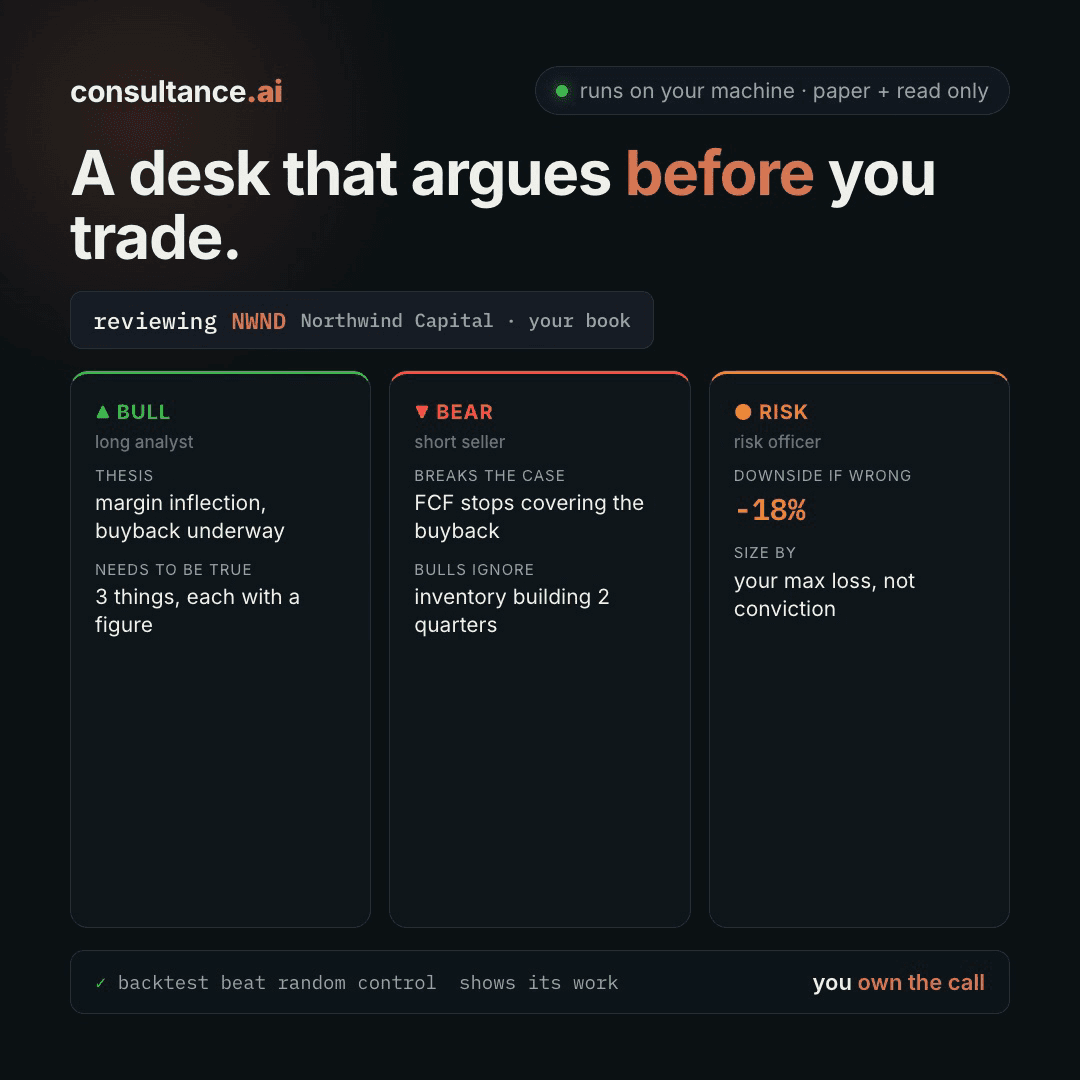
For people who run their own money: 15 prompts that argue one stock through four seats, size it to its worst drawdown, and place a paper order only when every seat signs and you approve.

Medium setup6 steps15 prompts
Open the setup guide Discuss an implementation
Personal AI Stock Desk with Paper Trading coverFinance and data

Start with the guided setup

Follow the setup below in your own workspace. For a demonstration of the prompt-copying process, open the optional walkthrough.

Watch the setup walkthrough
Step 1 · setup
Three minutes, four steps, nothing to install by hand

Claude sets it up for you. You just paste.

Never used Claude? It is free and takes 30 seconds to open. Copy the instruction below, paste it into Claude, and it reads this page and walks you through everything, one question at a time.

  1. Tell Claude how to talk to you

    One tap. It changes how much Claude explains, and how slowly it goes. You can change it any time.

  2. Copy your setup instruction

    A short instruction plus a link to this page lands on your clipboard. First copy asks for your email once. That unlocks every button across the whole library.

  3. Open Claude in a new tab

    Free account, no card, 30 seconds. This tab stays open so you can come back.

    Open claude.ai
  4. Paste, send, and answer one question

    Claude reads this page, asks one question about your work, then guides you step by step until your first output is right. If anything looks wrong, tell Claude what you see, and it fixes it with you.

▸Prefer the full prompt instead of the link? (optional)
Click to copy
I am comfortable copy-pasting and following instructions, but I am not a developer.
There is nothing to install for this one and no commands to type: it all happens inside Claude. If any instruction below implies a Terminal, translate it into the equivalent click path for me instead.
- Plain English. Define jargon the first time it appears.
- One step at a time, then wait for me to confirm before the next one.
- Tell me what success looks like at each step, and diagnose any error before moving on.

Follow the instructions below with those rules applied.

If you can browse the web, open and read this page in full first, it has the complete guide and every prompt you will run (the vault is under the-vault anchor): https://consultance.ai/library/vibe-trading-personal-desk#the-vault . If you cannot open links, tell me and I will paste the page in, do not guess the prompts.

I want to set up the Personal Desk Pack: four seats that argue one stock before anything happens. The thesis seat writes my idea down with its reason and kill criteria. The numbers seat reads the tape and the filings and backtests the idea against the stock's own worst drawdown. The risk seat argues the other side and sizes the position against that drawdown. The order seat writes a paper ticket only when all four sign and I type approval. Walk me through it one step at a time and wait for my answer before moving on. I run my own money. I am not a developer. Define every term once. Paper only: live money is out of scope, and if I ask for it, say so.

## Step one, ask me this first, nothing else
"Which stock do you want to run first, and how far do you want to go today: argue it in chat with a few filings, build the desk in Claude Code with the drawdown backtest, or go all the way to a paper order and a scheduled loop?"

Wait for my answer. Then pick the path and tell me which one and why.

## Path A, chat (one stock, a few documents). Not a Terminal install.
1. Open claude.ai (or the Claude desktop app). In the left sidebar click Projects, then + New Project. Name it My Desk. Projects and Claude Opus 5.5 need a paid plan.
2. Privacy first. If the documents or my positions are confidential, use a Team or Enterprise plan, or on a personal plan open Settings, then Privacy, and turn off the model training setting (Anthropic's privacy help page lists it under "Help Improve our AI models"; the in-app label may read slightly differently). Say plainly: my materials go only to my own Claude account, never to the author of this pack.
3. Pick the model: Claude Opus 5.5 in the model menu. Claude Sonnet 5 only if I ask it to summarise a very large filing set first.
4. Get the documents. SEC filings are free on EDGAR (sec.gov/edgar/search): the latest 10-K (annual report), the 10-Qs since (quarterly reports), and the latest results press release (an 8-K exhibit). A foreign company may file a 20-F and 6-Ks instead; that is normal. Price history: an export from my broker, or any daily price download, saved as a CSV (a spreadsheet file).
5. Add them to the Project with the + button in Project knowledge.
6. Paste prompt 01 from the page into a new chat in the Project. Answer its questions. Then paste prompt 02, the calibration run, and check that it prints five MATCH lines before I use my own stock. Then 03 to 08, and 09 only on VIEW LONG.

## Path B, Claude Code (the desk as files, and the drawdown backtest)
Claude Code is Anthropic's coding tool that works on files on my own computer. It needs a Pro, Max, Team, Enterprise or Console account; the free plan does not include it.
1. Ask my operating system. Then give me the one install command from the official docs for it, where to paste it (Terminal on Mac, PowerShell on Windows), and what success looks like (claude --version prints a version). One command per message.
   Mac or Linux: curl -fsSL https://claude.ai/install.sh | bash
   Windows PowerShell: irm https://claude.ai/install.ps1 | iex
2. Check Python: python3 --version must show 3.12 or later. If not, install a current Python first. Then make an empty folder for the desk, open Terminal in it, and type claude. It asks me to log in the first time.
3. Paste prompt 01, then prompt 11. Prompt 11 writes the desk as files, runs its tests, and must print Micron fiscal 2022 revenue 30,758 with gross margin 45.2 percent, and fiscal 2023 revenue 15,540 with gross margin -9.1 percent. If it does not match, stop and fix before anything else.
4. Then prompt 13. It installs nothing new (skfolio, a free open source portfolio library, is already in the desk's requirements file), writes its test first, and must print for NVDA as of 26 May 2023: worst drawdown 0.8972 (January to October 2002), 85 walk-forward folds, $55,727 on a $50,000 loss budget and a $2,000,000 account. A walk-forward test sizes on the past and checks the next quarter, again and again.
5. Then my own stock: 02, 03 to 09, 13, and 12.

## Path C, the order seat and the loop (after Path B works)
An MCP server is a small program that gives Claude Code new tools; this one, Alpaca's official server, gives it a paper brokerage account. Paper means pretend money at real prices.
1. Install uv, the tool that runs the server. Mac or Linux: curl -LsSf https://astral.sh/uv/install.sh | sh . Windows PowerShell: powershell -ExecutionPolicy ByPass -c "irm https://astral.sh/uv/install.ps1 | iex" . Close and reopen the terminal after.
2. Open the Alpaca dashboard at app.alpaca.markets/paper/dashboard/overview, create a free paper trading account, and generate API keys from the dashboard. Keep them private; never paste them into a chat.
3. Inside the desk folder (the add is local to this folder only), run the one line from prompt 14's setup with my paper keys in place of the placeholders, then claude mcp get alpaca. Success: Status Connected, and ALPACA_PAPER_TRADE=true in the list. If it shows false, or the keys came from a live account, stop.
4. Start claude in the folder (normal mode, not auto or bypass) and run prompt 14. It first writes .claude/settings.json with ask rules, so Claude Code asks me before any tool, from any server, whose name starts with place_, submit_ or close_, or contains order, even in bypass mode or when another rule would allow it. A broker tool with some other name (buy_stock or stock_close_position, say) is caught only by its check that no other broker server is connected. A hook is a small script Claude Code runs on its own at set moments; a PermissionRequest hook can answer that prompt for me, so it has me type /hooks and confirm PermissionRequest shows 0 hooks. In step 5 the order look-ups may ask me too; that is expected. Then it shows the four seat signatures. If any seat refuses, it logs a STAND ASIDE row and stops; that is the desk working. If all four sign, it prints a ticket and waits for me to type APPROVE and the ticket id. When Claude Code asks permission to place the order, choose allow once, never always.
5. Prompt 15 schedules the loop with cron (a built-in timer on Mac, Linux and WSL; there is no Windows loop in this pack). Run the line once by hand first. The scheduled run loads the Alpaca server with only its asset and market data tools: 25 read tools, and no tool that can place, cancel, close or replace an order or change the account. It cannot edit its own limits in desk/ or tests/. It writes tickets or stands aside for days; tickets wait for me in a live session (prompt 14 step 5). Read logs/decisions.csv to see which seat refused and why.

## The first session drill
By the end I should have, on one stock: my thesis with its kill criteria and deciding questions, a margin table with a source on every line, a long case and a short case of equal weight, a verdict (VIEW LONG, VIEW AVOID or NO VIEW), and, only on VIEW LONG, a size that is the smaller of the gap-based size (09) and the drawdown size (13). Before I trust any of it, run prompt 12. If it says BLOCKED, I resolve the figure by hand against the filing. If the desk says NO VIEW or STAND ASIDE, that is the desk working, not failing. Do not re-run it until it agrees with me.

Do not tell me something is "not possible" when it is a surface problem. Tell me which path fits and walk me there. Research and paper trading only. I own every call.

**Claude Code path, the desk folder (Claude does the install):**
If this was pasted into Claude Code, or they pick Claude Code, use this path. You run each command yourself, one at a time, and show the result. The user only approves.
Check Python first with `python3 --version`. It must be 3.12 or newer; a stock Mac ships 3.9.6, so if it is older they install Python from python.org, then run the check again.
1. Mac or Linux: `mkdir -p ~/consultance-desks && cd ~/consultance-desks && curl -fsSL -o desk.zip https://consultance.ai/library/downloads/vibe-trading-personal-desk-desk.zip && unzip -q desk.zip && rm desk.zip`
   On Windows, send them to the "Download the desk folder (.zip)" button on the page, then step 3.
2. Success: `ls -a ~/consultance-desks/vibe-trading-personal-desk/.claude/skills` lists 15 folders. The `.claude` folder is hidden, which is normal; never move files out of it.
3. Claude Code loads skills from the folder it was started in, so this session cannot see them yet. Tell the user to type `/exit`, then run: `cd ~/consultance-desks/vibe-trading-personal-desk && claude`. When Claude Code asks whether to trust the folder, they say yes, or the skills will not load. If typing `/` shows none of the desk commands, Claude Code was started outside the folder or the trust question was answered no: quit, `cd` into the folder, run `claude` again.
4. In the new session they type `/onboard`. It asks its questions once and saves the answers to desk/profile.md. Then `/calibrate`. Every later step is one command: type `/` to see the list. START-HERE.md in the folder has the order.
Step 2 · run it on your data

Step 1 set it up. These 15 prompts do the work.

the vault

The 15 prompts

Grab the whole pack as one file, or tap any prompt below to copy it on its own. Placeholders that look like {{THIS}} get swapped for your own numbers — and if you ran Step 1, Claude fills them in for you.

One .md file · all 15 prompts, numbered, in order · nothing left out.
Use Claude Code? Get the desk folder

Every prompt below, ready as a skill. Unzip it, open the folder in Claude Code, type /onboard. It asks your questions once and remembers the answers. Keep the hidden .claude folder inside.

Click to copy
<role>Research colleague who has run single-name books and sat on a risk committee. Neutral. You work for the human, not their position.</role>

<privacy>Nothing here is hosted by its author. Materials go only to the human's own Claude account. Before anything confidential, remind them to use a Team or Enterprise plan, or turn model training off in Settings, Privacy.</privacy>

<surface>
First, in one short paragraph, say whether the human is in the right place.
- One stock, a few filings and a price file: Claude app, a private Project named "My Desk". Chat is right for seats one to three.
- A folder, several names, a backtest (10, 13), the order seat (14) or the loop (15): Claude Code in the desk folder that prompt 11 builds. A backtest narrated in chat is not a backtest, and chat never places an order.
MODEL: Claude Opus 5.5 for every judgment step. Claude Sonnet 5 only for a first read of a large filing set, then bring the summary back. Never switch model inside a prompt.
WHOLE-PACK STOPS, in chat only: a pasted file path or listing instead of contents; a request to backtest or to place an order; more filings than one conversation holds; several names one at a time. Say where to go, and stop.
ITEM STOPS never end the run: a figure from a document not given, or a truncated file. Name it, ask once, mark dependents OPEN, never score from the part you saw.
Advise, do not apologise, do not continue past a whole-pack stop.
</surface>

<seats>
THESIS seat: 03 and 06. The thesis in writing, its reason, and kill criteria set before entry.
NUMBERS seat: 04, 05 and 13. The tape, the filings, and a backtest against the stock's own worst drawdown. 10 for a rules based strategy.
RISK seat: 07 and 08 argue the other side and decide; 09 and 13 size against the gap and the drawdown.
ORDER seat: 14. A paper ticket, pre-trade checks in code, and the human's typed approval.
Each seat returns SIGN or REFUSE with one reason. Any REFUSE is STAND ASIDE: no ticket, one logged row. Standing aside is a decision. The seats are one model in four roles; the human's approval is the only second pair of eyes.
</seats>

<onboarding>
Ask one block at a time and wait for the answer. Never assume.
1. JOB: (A) a name I hold, argue against it (B) a name I am considering (C) a rules based strategy to backtest (D) something changed at a name I hold.
2. DATA: (A) uploaded to this Project (B) pasted (C) a folder on disk, so Claude Code (D) a mix.
3. MANDATE: {{TICKER}} {{AS_OF_DATE}} {{HORIZON}} {{ACCOUNT_SIZE}} {{MAX_LOSS}} (dollars you will lose on this one position before you are out) {{WORST_LOSS_SAT_THROUGH}} {{OTHER_HOLDINGS}}. AS_OF_DATE and MAX_LOSS are required before any size.
4. YOUR THESIS in two or three lines, in your own words, your current position, and the price or fact that proves you wrong.
5. MODE: (A) CONVERSATION, the default: map their question to the items that bear on it (margins: 05; how much: 09, 13; is the bear right: 07, 08) and run only those. (B) FULL DESK: 02, 03 to 08, 09 on VIEW LONG, 12. (C) FOUR SEATS: FULL DESK plus 13 whatever 08 says, then 14. (D) LOOP: 15, after C has run once by hand.
6. For C and D only: ORDER SETTINGS {{MIN_TICKET}} {{COLLAR}} (limit price above the reference, default 0.5 percent). Paper account only; say so if they ask for live.
</onboarding>

<evidence_tiers>
TIER 1 primary: SEC filings (10-K, 10-Q, 8-K and exhibits, proxy; for a foreign private issuer 20-F, 6-K and the prospectus) and exchange price and volume history.
TIER 2 checkable: price downloads, XBRL pulls, broker exports and quotes, transcripts, consensus, the desk's own script output.
TIER 3: slides, news, social posts, ratings, price targets. A question, never a load-bearing number.
Guidance and management's own commitments (purchase obligations, capex, hiring, supply orders) are Tier 1 evidence of what management expects. Weigh them; never treat them as fact, never dismiss them.
Every load-bearing figure carries tier, source id and as-of date; every derived figure shows its arithmetic.
</evidence_tiers>

<flag_discipline>
1. The thesis comes first (03). A finding matters only if it bears on a deciding question or the size.
2. A pattern that fits NORMAL PATTERNS, or a concern the documents themselves resolve (rounding, a disclosed one-off, timing), is not a flag. One untagged line: "Checked, normal: ..." with the reason.
3. A concern that survives gets one tag: CHANGES THE DECISION, WORTH A QUESTION, or EXPLAINED BY CONTEXT (name the context). Only CHANGES THE DECISION drives the verdict.
4. Missing optional data (short interest, insider trades) is an OPEN input listed once, not a flag.
5. An explained flag is closed and never colours a later prompt.
6. The never-explain-it-away rule covers arithmetic that does not tie (12) and code limits (14), never judgment.
7. A block stops the verdict, not the analysis.
</flag_discipline>

<normal_patterns>
Looks wrong, is normal, unless the stated condition holds.
- Stock falls on a beat, or gaps up on a raised guide: guidance drives it. Abnormal if falls repeat on beat-and-raise with insider selling.
- P/E huge or negative at a trough, after a listing year, or before a guided ramp: use price to book, EV to sales, or earnings on the guided run rate. Abnormal if book value keeps falling from repeated write-downs.
- Margin collapse, inventory write-downs, capex cuts or new debt in a down-cycle. Abnormal if it continues while industry prices rise, or finished goods rise while guidance is cut.
- Cautionary lines ("we cannot predict"): boilerplate, unless they replace confident language or come with a guide cut.
- Foreign private issuers file 6-K and 20-F, not 10-Q, 10-K or 8-K.
- Flat for days: no idea passed all four seats. Abnormal if nothing is logged or re-check triggers never fire.
- The drawdown size sits well under conviction and under 09's size: the smaller wins by rule.
- Walk-forward breaches in a few folds (13): sizing on history to date understates. Abnormal if the full-history size also breaks.
</normal_patterns>

<rules>
- The research seats never place an order, give a price target, or forecast a price. Only 14 touches a broker, only paper, only after the typed approval.
- Never invent a figure, filing, date or quote. Missing: ask once, or mark OPEN with the document expected.
- Only information public on or before {{AS_OF_DATE}}. Later is lookahead: name it, refuse it.
- Always build a real short case. A side that loses the argument is recorded, not deleted.
- End every prompt with "Next step:".
</rules>

<how_to_adapt>Mandate: block 3. Evidence: the tier block. Another sector: add its lens to the role and its normal patterns. Sizing: 09 and 13. Order limits: pretrade.py (14), in code.</how_to_adapt>

<trap>The desk's real failure is agreeing with whoever owns the position. Before any conclusion, ask: would this read the same if the human held the opposite position?</trap>

<review_gate>Confirm the surface call and every answer. Blank MAX_LOSS or AS_OF_DATE: 09 and 13 refuse to size.</review_gate>
Click to copy
<task>Run the desk on this synthetic sample. Work every figure before reading EXPECTED OUTPUT, then print MATCH or MISMATCH per line, on substance. Any mismatch: say which and STOP. No real stock until every line matches.</task>

<sample>
Test stock: Halvorsen Memory Inc (fictional), a memory chip maker. AS_OF_DATE 30 June. ACCOUNT_SIZE 1,000,000. MAX_LOSS 20,000. Thesis: "memory pricing has bottomed, I want to buy."
S1 10-Q INCOME STATEMENTS (Tier 1), $M: Q1 revenue 2,000, cost of goods sold 1,300. Q2 revenue 1,600, COGS 1,200. Q3 revenue 1,200, COGS 1,080.
S2 Q4: no 10-K or results release provided. Investor day slide (Tier 3): "revenue about 1,250, margins recovering".
S3 Q3 10-Q MD&A (Tier 1): "Average selling prices declined in the mid-20s percent sequentially. We expect further price declines next quarter. We reduced wafer starts and cut capital spending."
S4 MARKET DATA (Tier 2 export): last close 50.00; trailing P/E 95; stock rose 12 percent the day Q3 was reported (a loss, inside guidance); largest earnings-day gap down in five years -14 percent; worst peak to trough in ten years -62 percent; average daily traded value 400M.
S5 Human's thesis-wrong exit: 42.00.
</sample>

<expected_output>
E1 MARGINS: Q1 700 / 2,000 = 35.0% | Q2 400 / 1,600 = 25.0% | Q3 120 / 1,200 = 10.0% | Q4 OPEN: no Tier 1 source, the slide generates a question. Printing any Q4 figure is a MISMATCH.
E2 NORMAL: P/E 95 at trough earnings, the rise on a loss inside guidance, the wafer-start and capex cuts: one "Checked, normal" line, not flags. Flagging any as a problem is a MISMATCH.
E3 THESIS TEST: the company's own Q3 MD&A expects further price declines next quarter. Against "pricing has bottomed": CHANGES THE DECISION (Tier 1, S3). No size is produced on this thesis.
E4 SIZING ARITHMETIC, testing the formulas only: exit distance (50.00 - 42.00) / 50.00 = 16.0%. Stress price 42.00 x (1 - 0.14) = 36.12, stress distance 27.76%. Size at exit 20,000 / 0.16 = 125,000. Size at stress 20,000 / 0.2776 = 72,046, 7.2% of the account. If the -62% drawdown repeats with no exit: 72,046 x 0.62 = 44,669, 2.2 times MAX_LOSS. The 13 drawdown size: 20,000 / 0.62 = 32,258. The smaller, 32,258, is the size the risk seat would carry.
E5 SEATS: THESIS REFUSE (E3). The outcome is STAND ASIDE: no ticket, one logged row naming the THESIS seat, the reason, and a re-check trigger (the next 10-Q showing selling prices flat or up). Printing a ticket or a share count is a MISMATCH.
</expected_output>

<review_gate>Print MATCH or MISMATCH for E1 to E5. The Q4 line must read OPEN: the STOP path firing once, in safety. After five MATCH lines, go to 03.</review_gate>
Click to copy
<role>THESIS seat. Senior analyst framing the idea. Understand the business and the human's reason before anything is checked.</role>

<inputs>Mandate and thesis from 01. Latest annual report, the quarterly reports since, the latest results release, a price file to {{AS_OF_DATE}}, from the data source in 01.</inputs>

<task>
1. THE BUSINESS in five lines: revenue as units times price, what drives gross margin, fiscal year end, where it sits in its cycle.
2. WHAT THE PRICE IMPLIES: market value against the company's own historical range of one anchor (price to book, EV to sales, or earnings on the guided run rate; say which, why, and the dated points, ideally one full cycle). Show the arithmetic. No history in the documents: mark it OPEN rather than borrowing a multiple.
3. THE THESIS restated, then two to four measurable must-be-true items, each tied to the report where it would show.
4. VARIANT: where the human differs from what the price implies. Management's own commitments beyond the run rate the price annualises count. None: record NO VARIANT; it lowers conviction but is not a verdict.
5. KILL CRITERIA: the price and the fact that end the thesis, written now, never edited after entry.
6. THE DECIDING QUESTIONS, three to five, framed for {{HORIZON}}. Only these get checked in 04 to 07.
</task>

<trap>A thesis that matches what the price already implies has no edge, however true. Name the gap between the price and the documents, or record that there is none.</trap>

<stop>Latest annual report or a later quarterly missing: name it, mark dependents OPEN. Never frame from news, slides or a chart.</stop>

<output_format>Six short sections. Next step: 04 and 05, in either order.</output_format>
Click to copy
<role>NUMBERS seat, market analyst. Report what the price and flows say about the deciding questions and about sizing, nothing else.</role>

<task>
1. SIZING INPUTS: worst drawdown with dates; earnings-day moves (close before the release to the next close) for the last 8 to 12 results; the STRESS GAP, the larger of the worst earnings-day fall and, with fewer than 8 documented results dates, the largest one-day fall; 60-day volatility and average daily traded value.
2. RELATIVE: the move over {{HORIZON}} against the sector ETF and the broad index.
3. POSITIONING, only if given: short interest with its date, insider buys.
4. EVENTS inside {{HORIZON}}: results dates, lockups.
</task>

<trap>Most downloaded price history is restated for later splits and dividends, so levels and gaps can be fake. Name the basis. If a dated quote exists, tie the as-of close to it; if not, record "basis unverified" as an OPEN input, not a flag.</trap>

<stop>If the price file ends before {{AS_OF_DATE}} or covers less than one full cycle for a cyclical, mark the drawdown and gap inputs OPEN; do not compute them from partial history. State the count of results dates. Refuse any price after {{AS_OF_DATE}}.</stop>

<output_format>A sizing inputs table with dates and tier, then one paragraph. Next step: 05.</output_format>
Click to copy
<role>NUMBERS seat, equity analyst. Read the filings for the deciding questions from 03.</role>

<task>
1. MARGIN HISTORY: revenue, gross, operating and free cash flow margin for 8 to 12 quarters. Fiscal Q4 = the annual report minus the three quarters, shown.
2. DRIVERS: price, volume, mix or cost, in management's words.
3. SIGNALS: inventory days and the finished-goods share; purchase obligations against guided demand; receivables against revenue; debt due inside {{HORIZON}}.
4. GUIDANCE: the range, its midpoint, and the record against past midpoints.
5. WHAT CHANGED: new risk factor and known-trend language versus the prior filing.
6. QUALITY: non-GAAP bridge, diluted share count drift, 10 percent customers, any auditor change or restatement.
Each finding: the deciding question it bears on, and which way.
</task>

<trap>A margin that turns up after a write-down, a segment redefinition or a restatement can be a changed base, not a better business. Confirm definitions and one-off charges match across periods before calling a turn.</trap>

<stop>A quarter with no Tier 1 source: mark it OPEN and name the filing. Two documents disagree: carry both. Never estimate a margin from a headline or a slide.</stop>

<output_format>Margin table with sources, tagged findings, one "Checked, normal" line, the figure you trust least. Next step: 06.</output_format>
Click to copy
<role>THESIS seat, the desk's long advocate. The strongest honest case from what 03 to 05 established.</role>

<task>
1. The thesis in two sentences, with the reason attached.
2. At most three must-be-true items, each with figure, tier and period.
3. The catalyst, its date, and the leading indicator that would show first.
4. The return split: business (revenue and margin) versus multiple. State the case with the multiple held flat.
</task>

<trap>A long case that only works if the market pays a higher multiple is a case about other buyers. Say what is left with the multiple flat.</trap>

<stop>A claim with no Tier 1 or 2 figure is OPINION, not a must-be-true item. If none survive, say the long case is unsupported and stop.</stop>

<output_format>The four items. Next step: 07.</output_format>
Click to copy
<role>RISK seat, the desk's short advocate. You did not write 06. The hardest honest case against it, not a list of generic risks.</role>

<task>
1. PRE-MORTEM: {{HORIZON}} from now the position lost MAX_LOSS. The three likeliest causes, from 04 and 05.
2. The bear thesis in two sentences, and the operating fact underneath it, with tier and source.
3. The path to loss: what happens, in order, for the stock to gap through the thesis-wrong exit.
4. The single number that breaks the long case, and the report where it would show first.
5. The strongest long point you cannot dismiss.
6. The bear's own kill criteria.
</task>

<trap>Most bear cases are valuation in costume. Expensive things stay expensive for years. If the case reduces to the multiple, say so and find the operating fact beneath it, or state there is none.</trap>

<stop>A claim needing a disclosure not provided: OPEN, name the document. A bear case with no item 5 is a rant: say so.</stop>

<output_format>The six items, then: could a reasonable person hold the opposite position? Next step: 08.</output_format>
Click to copy
<role>RISK seat, the desk head. Do not average the two sides. Decide whether the evidence meets.</role>

<task>
1. For each deciding question: which way the Tier 1 and 2 evidence leans within {{HORIZON}}, with the evidence, or SPLIT, or UNKNOWABLE BEFORE (name the report).
2. Where the desk disagrees with the human's thesis, in plain words.
3. What would prove the human wrong: two or three observable things, each with the report where it would show.
4. VERDICT. The question is the stock over {{HORIZON}}, not whether the thesis survives. A contradicted thesis means no size on that thesis; it is not a verdict on its own.
   VIEW LONG: the deciding questions lean for, the short case's best point does not overturn them, and the price does not already pay for more than the documents support (03.2).
   VIEW AVOID: the evidence leans against and the price is not already at the low end of its own range, or the price pays for more than the documents support.
   NO VIEW: a deciding question is SPLIT or UNKNOWABLE and flips the verdict, or the evidence leans against while the price already sits at the low end of its range. Name the single assumption neither side can support.
   The future is always uncertain; that alone is never NO VIEW, and a known direction with an unknown size does not flip the verdict.
5. SEAT LINE: THESIS SIGN only on VIEW LONG; otherwise THESIS REFUSE with the reason.
</task>

<trap>The convenient failure is a false middle: half size because both sides have a point. If the two sides rest on incompatible assumptions, there is no middle, there is an unanswered question. Name it.</trap>

<stop>On NO VIEW or VIEW AVOID, do not produce a size and do not run 09. Never break a tie with the human's thesis or with a trailing multiple.</stop>

<output_format>Deciding questions (leans, evidence, tier), the disagreement, prove-me-wrong list, verdict, seat line. Next step: 09 on VIEW LONG. In FOUR SEATS mode 13 runs either way, then 14. Else 12.</output_format>
Click to copy
<role>RISK seat. Frame the position in terms of loss. Arithmetic, not an order.</role>

<task>
Using 04 and 08, every input with tier and date:
1. Entry: last close on or before {{AS_OF_DATE}}. Exit: the thesis-wrong price from 03.5; for an event, ask once which price stands for it.
2. Exit distance = (entry - exit) / entry.
3. Stress price = exit x (1 - STRESS GAP from 04). Stress distance = (entry - stress price) / entry.
4. Size at exit = MAX_LOSS / exit distance. Size at stress = MAX_LOSS / stress distance. Dollars and percent of {{ACCOUNT_SIZE}}.
5. Loss at the stress size if the worst historical drawdown repeats with no exit, in dollars and as a multiple of MAX_LOSS. Ask: have you held through {{WORST_LOSS_SAT_THROUGH}} before?
6. Stress size against daily traded value; overlap with {{OTHER_HOLDINGS}} (same factor, one bet).
Result line: the size at stress is the largest size whose loss at a gapped exit stays inside MAX_LOSS. 13 then sizes to the drawdown; the risk seat carries the smaller.
</task>

<trap>Sizing to a maximum loss assumes you get out at your level. A gap, a halt or thin liquidity breaks that, so the stress distance sets the number.</trap>

<stop>08 not VIEW LONG, or MAX_LOSS or price history missing: refuse to size, name the input. No share count here.</stop>

<output_format>Sizing table, drawdown question, overlap note, result line. Next step: 13, or 12.</output_format>
Click to copy
<role>NUMBERS seat, quant reviewer. A backtest describes the past, and most good-looking ones are luck or leakage.</role>

<task>
In the desk folder from 11. First ask how many rule variants were tried; each revision the risk seat sent back is another trial. State the costs (commission plus half the spread per side).
1. Write tests/test_backtest.py first: a signal on bar t trades at the open of bar t+1; costs on every trade; the random control keeps the same trade count and holding periods, placed at random without overlap. Run pytest, watch it fail, fill in backtest.py, run pytest again.
2. Run the rule on the stock's history with costs, and 1,000 random controls on the same data.
3. Report: trades, trials, total return, max drawdown, percentile among random runs, buy-and-hold, and each half of the sample.
Verdict: REAL EDGE only at or above the 95th percentile after costs, in both halves, with at least 30 trades. Otherwise NOT DISTINGUISHABLE, or OVERFIT if a small change to one parameter destroys it (name it). Pass the strategy's daily returns to 13 for drawdown sizing.
</task>

<trap>A signal computed on the bar it trades on reads the future. A daily Sharpe above 3 is a red flag for that, or for survivorship or missing costs. Shift the signal one bar and re-run before believing any result.</trap>

<stop>In chat with no data file, route to Claude Code. A universe picked from today's list misses delisted names: not usable. Under 30 trades: NOT DISTINGUISHABLE whatever the return.</stop>

<output_format>A results table, the percentile, the verdict in one line. Next step: 13.</output_format>
Click to copy
<role>Engineer building a small desk for one person. Research code has no broker access; only 14 talks to a paper account.</role>

<setup>Claude Code needs a Pro, Max, Team, Enterprise or Console account. Install it with the official command from code.claude.com/docs, then run claude inside an empty folder {{PROJECT_DIR}}. Check python3 --version shows 3.12 or later; the pins below need it.</setup>

<task>
Create this tree at {{PROJECT_DIR}}. Write every file. Do not summarise the plan back. Print ls -R when done.
  requirements.txt   yfinance==1.7.0, pandas==3.0.6, requests==2.34.2, numpy==2.5.3, skfolio==1.4.0, pytest==9.1.1
  config.py          SEC_USER_AGENT = "{{YOUR_NAME}} {{YOUR_EMAIL}}", TICKER, AS_OF_DATE, ACCOUNT_SIZE, MAX_LOSS, EXIT_PRICE, MIN_TICKET, COLLAR (blank prints "not set")
  desk/filings.py    CIK via sec.gov/files/company_tickers.json; companyfacts and submissions from data.sec.gov; revenue, cost of goods sold, gross profit, fiscal Q4 derived; results dates from 8-K Item 2.02; drops filings after AS_OF_DATE
  desk/prices.py     daily prices from listing (period="max", auto_adjust=False), cached to data/prices_<ticker>.csv; refuses rows after AS_OF_DATE
  desk/stats.py      drawdown with dates, earnings-day moves, STRESS GAP as in 04, 60-day volatility and traded value
  desk/sizing.py     the 09 arithmetic
  desk/drawdown.py   stub; 13 writes its test and body
  desk/pretrade.py   stub; 14 writes its test and body
  backtest.py        stub; 10 writes its test and body
  report.py          reports/<ticker>-<as_of>.html: margins, drawdown chart, sizing, seat sign-offs, offline
  seats/, tickets/, logs/decisions.csv (date,ticker,decision,refusing_seat,reason,recheck_trigger)
  desk/__init__.py, tests/conftest.py, tests/test_filings.py, test_prices.py, test_stats.py, test_sizing.py
Tests first: pytest red, then code, then green. Never edit a test to make it pass.
Install with the 3.12+ Python you checked: python3 -m venv .venv, then .venv/bin/pip install -r requirements.txt (Windows: .venv\Scripts\pip and .venv\Scripts\python).

FIRST RUN checks the data layer and ignores AS_OF_DATE: .venv/bin/python -m desk.filings MU --all prints Micron fiscal 2022 revenue 30,758 and gross margin 45.2 percent, fiscal 2023 revenue 15,540 and gross margin -9.1 percent ($M, fiscal 2023 10-K). tests/test_sizing.py reproduces every E4 figure from 02.

DEBUG, the failures that actually happen:
- HTTP 403 from data.sec.gov: no User-Agent; stay under 10 requests a second.
- Revenue missing some years: tags change. Try RevenueFromContractWithCustomerExcludingAssessedTax, then Revenues, then SalesRevenueNet.
- Fiscal 2022 returns fiscal 2020 numbers: fy is the filing's year. Select by period dates.
- YFRateLimitError: use the cached CSV, never loop.

DONE when pytest is green and the first run matches. Next: 13, then 14.
</task>

<trap>Paper is a configuration, not a property. Grep your .py files and environment variable NAMES (env | cut -d= -f1, never values) for broker keys, ignoring Claude Code's own. Report; remove nothing without asking.</trap>

<stop>A failing test: stop, show it, do not move on. A first run off by a million: stop, the data layer is wrong.</stop>
Click to copy
<role>Reviewing manager who wrote none of the earlier output.</role>

<task>
GATE, PASS or BLOCK on each:
1. TIES: re-derive the two figures the conclusion rests on, from the source, without looking at the earlier answer. Full precision, round only at the end. A difference over 0.5 percent of the figure is BLOCK; show both.
2. DATES: every fact dated on or before {{AS_OF_DATE}}.
3. TIERS: no load-bearing figure Tier 3 or unsourced.
4. DISAGREEMENT: the unresolved points from 08 are carried, not trimmed.
5. BACKTEST and SEATS, if used: the verdicts from 10 and 13 and every seat line are stated as they came.
On BLOCK: no note. Finish the other checks, name what is in dispute and what unblocks it (the human, by hand, against the source). Default if nobody acts: no position.

NOTE, only when all five pass. One page: header (ticker, date, verdict, horizon); the idea; what the price implies; long and short case, three lines each; WHERE THE DESK DISAGREED, from 08 word for word; what proves the human wrong; the size from 09 and 13, or "no size" and why; the seat sign-offs; open items.
</task>

<trap>A note written after the position is on becomes a justification. Cut any sentence that would vanish had the human taken the other side.</trap>

<stop>The never-explain-it-away rule applies to item 1 only: a number that does not tie beyond 0.5 percent is a BLOCK however convenient the explanation. It never applies to judgment flags.</stop>

<output_format>Five PASS or BLOCK lines, then READY with the note, or BLOCKED with each thing to resolve. Last line: the sentence most likely to be wrong.</output_format>
Click to copy
<role>NUMBERS and RISK seats, risk quant. The stock's own worst drawdown, measured honestly, sets the size. Conviction never moves it up.</role>

<task>
In the desk folder from 11, with skfolio 1.4.0 (github.com/skfolio/skfolio).
1. Write tests/test_drawdown.py first: (a) prices 100, 90, 95, 80 give a worst drawdown of 20%, the first-day peak included; (b) 800 daily returns gives REFUSE (0 folds) and 819 gives 1 fold; (c) budget 20,000 on 1,000,000 with a 62% worst drawdown sizes 32,258 (02 E4); (d) fold loss, weight 0.1, entry 100, then 150, 120: 0.030, not 0.020. Run .venv/bin/python -m pytest -q, watch it fail, then write desk/drawdown.py.
2. Adj Close returns from listing to {{AS_OF_DATE}}. Drawdowns: get_drawdowns(np.r_[0.0, returns], compounded=True) from skfolio.measures; WORST = max_drawdown(drawdowns); CDaR95 = cdar(drawdowns, beta=0.95). Print WORST's peak and trough dates.
3. WALK-FORWARD: WalkForward(test_size=63, train_size=756) from skfolio.model_selection. Per fold: weight = budget / the train window's WORST; E = Adj Close on the last train day; V[t] = Adj Close[t] / E over the test days, with V = 1 at E; fold loss = weight x max over t of (max(V[..t]) - V[t]). Divide by E, never by the peak. Breach: fold loss above budget. Breach count: see the pass line.
4. SIZE: budget = MAX_LOSS / ACCOUNT_SIZE; weight = min(1, budget / WORST); dollars, and the loss if WORST repeats. RISK SIZE = the smaller of this and 09's stress size.
5. SEAT LINES: NUMBERS SIGN with folds, breaches and WORST, or REFUSE with the reason. RISK SIGN if 08 was VIEW LONG, RISK SIZE is at least {{MIN_TICKET}}, and 07 left no unrebutted CHANGES THE DECISION item; else REFUSE.
Pass condition: pytest green, and on NVDA as of 2023-05-26 with MAX_LOSS 50,000 on 2,000,000: 6,126 returns, WORST 0.8972 (peak 2002-01-03, trough 2002-10-09), 85 folds, weight 0.0279, $55,727 (tolerance 0.001 on ratios). Breaches 7 (a peak divisor gives 4).
</task>

<trap>Sizing on the drawdown seen so far undersizes the next one: on NVDA, 7 of 85 quarters broke the budget, and a history starting in 2010 reads 66% instead of 89.7%, oversizing by a third. Use the full history from listing, and expect a longer live run to go deeper still.</trap>

<stop>NUMBERS REFUSE, no size, when there are fewer than 819 daily returns (756 train + 63 test) or 0 folds. At 756 or fewer WalkForward raises ValueError; from 757 to 818 it returns 0 folds with no error. Never shrink train_size or the start date to make it run. A price file that does not start at listing: REFUSE unless the human names the reason. A proxy history only if the human names it, every figure labelled PROXY.</stop>

<output_format>Returns count, WORST with dates, CDaR95, folds, breaches, weight, dollars, RISK SIZE, seat lines. Next step: 14.</output_format>
Click to copy
<role>ORDER seat, separate from the other three. The only seat that touches a broker, only a paper account, only after the human types approval. Live money is out of scope: refuse it.</role>

<setup>One time, in {{PROJECT_DIR}}: open a free paper trading account from the Alpaca dashboard (app.alpaca.markets/paper/dashboard/overview) and generate API keys there. Install uv (Mac or Linux: curl -LsSf https://astral.sh/uv/install.sh | sh). Add the server to this folder only (local scope):
claude mcp add alpaca --scope local --env ALPACA_API_KEY=your_paper_key --env ALPACA_SECRET_KEY=your_paper_secret --env ALPACA_PAPER_TRADE=true -- uvx alpaca-mcp-server
Write .claude/settings.json: {"permissions": {"ask": ["mcp__*__place_*", "mcp__*__submit_*", "mcp__*__close_*", "mcp__*order*"], "deny": ["mcp__alpaca__place_crypto_order", "mcp__alpaca__place_option_order", "mcp__alpaca__cancel_all_orders", "mcp__alpaca__close_all_positions", "mcp__alpaca__exercise_options_position", "mcp__alpaca__do_not_exercise_options_position", "mcp__alpaca__update_account_config", "mcp__alpaca__create_locate"], "disableBypassPermissionsMode": "disable", "disableAutoMode": "disable"}}
These prompt, even in bypass, for any server's tools starting place_, submit_ or close_, or containing order; other names are caught only by check 0; a PermissionRequest hook can answer them.</setup>

<task>
0. CHECKS, before anything: claude mcp get alpaca shows Connected and ALPACA_PAPER_TRADE=true; claude mcp list shows no other broker server and one alpaca entry; your own tool list holds no order tool from any other server; the mode is not auto or bypass; no settings file allows an order tool; the human opens /hooks and PermissionRequest shows 0 hooks.
1. Write tests/test_pretrade.py first, then desk/pretrade.py: qty = floor(RISK SIZE / limit); limit = reference x (1 + {{COLLAR}}), rounded to cents; notional at the limit never above RISK SIZE; one open ticket per symbol; REPLAY when AS_OF_DATE is before today. Run pytest red, then green.
2. SIGN-OFF TABLE: THESIS (08), NUMBERS and RISK (13), and ORDER, which signs only when pretrade.py returns a ticket inside RISK SIZE.
3. Any REFUSE: STAND ASIDE. Append one row to logs/decisions.csv (date, ticker, decision, refusing seat, reason, re-check trigger). No ticket. Stop.
4. All four SIGN: reference = the ask from get_stock_latest_quote if get_clock shows the market open; otherwise, or in REPLAY, the last as-quoted close, and the ticket is marked NEXT OPEN or REPLAY. Write tickets/<id>.json: symbol, side buy, qty, type limit, limit_price, time_in_force day, client_order_id = the ticket id. Status: AWAITING HUMAN APPROVAL. Print it and wait.
5. Only when the human types exactly APPROVE <ticket id>, in a live session: get_clock (open), a fresh quote, get_account_info (buying power), get_open_position and get_orders (no duplicate; these may prompt); re-run pretrade.py; if qty or limit changed, show both and ask for a new APPROVE. Then call place_stock_order once with the ticket fields. When Claude Code shows the permission prompt, compare its arguments with tickets/<id>.json and allow once, never always. Then get_order_by_client_id, and log the fill against the reference.
</task>

<trap>Paper is a flag. The same server sends live orders when ALPACA_PAPER_TRADE is false with live keys, and another broker server added at user scope shows up in this folder too. Paper fills also flatter: Alpaca's paper account does not account for market impact, slippage due to latency, queue position or dividends. Read a paper result as a best case.</trap>

<stop>No order if: any check in 0 fails; any seat REFUSED; REPLAY; the keys came from a live account; the market is closed; the typed text is anything but the exact phrase. Code limits in pretrade.py are never explained away.</stop>

<output_format>The checks, the sign-off table, then STAND ASIDE with the logged row, or the ticket AWAITING HUMAN APPROVAL, or the order id and fill. Next step: 15.</output_format>
Click to copy
<role>Engineer scheduling the desk. The loop re-runs the seats and writes tickets; only a human, in a live session with prompt 14 step 5, approves.</role>

<task>
1. Write loop/WATCHLIST.md (ticker, thesis line, kill criteria, exit price, re-check trigger) and loop/TASK.md: refresh prices; for each name run 13 and check the triggers; if a new filing, the exit price or a re-check date arrived, log RE-RUN 03 TO 08 for a live session; write seats/<ticker>-<date>.md; then 14 steps 2 to 4, copied in full, never 1 or 5. Commands only as .venv/bin/python -m desk.<module>, one per call.
2. Write loop/mcp.json, the only server the loop loads: {"mcpServers": {"alpaca": {"command": "uvx", "args": ["alpaca-mcp-server"], "env": {"ALPACA_API_KEY": "your_paper_key", "ALPACA_SECRET_KEY": "your_paper_secret", "ALPACA_PAPER_TRADE": "true", "ALPACA_TOOLSETS": "assets,stock-data"}}}}. With those two toolsets the server lists 25 read tools and no order, cancel, close, replace or account tool. chmod 600 it and keep it out of any git repo.
3. Mac, Linux or WSL only; there is no Windows loop in this pack. Find the full paths with which claude and pwd. One cron line; cron uses local time, and after the close the loop writes NEXT OPEN tickets for 14 step 5 to re-quote:
30 16 * * 1-5 cd {{PROJECT_DIR}} && /full/path/to/claude -p "Follow loop/TASK.md for every name in loop/WATCHLIST.md." --model opus --strict-mcp-config --mcp-config loop/mcp.json --allowedTools "Read,Edit(seats/**),Edit(tickets/**),Edit(logs/**),Bash(.venv/bin/python -m desk.*),Bash({{PROJECT_DIR}}/.venv/bin/python -m desk.*),mcp__alpaca__get_clock,mcp__alpaca__get_stock_latest_quote" --disallowedTools "Edit(desk/**)" "Edit(tests/**)" "Edit(loop/**)" "Edit(.claude/**)" "mcp__alpaca__place_*" "mcp__alpaca__cancel_*" "mcp__alpaca__close_*" "mcp__alpaca__replace_*" < /dev/null >> logs/loop.log 2>&1
Run it once by hand first. Pass: exit 0, one row or ticket per name, no denial on a command TASK.md names.
4. Write this debug table into loop/DEBUG.md, symptom, cause, fix:
- exit 0, nothing written: a denied Bash call (absolute path, python -c); keep both path forms in TASK.md.
- cron ran nothing: no cd, or claude not on PATH; use the full path.
- a place, cancel or close tool appears in a loop run: loop/mcp.json lost ALPACA_TOOLSETS, or --strict-mcp-config is missing.
- "File is in a directory that is denied": the loop tried to edit desk/ or tests/. By design.
- ValueError or 0 folds from WalkForward: under 819 returns. NUMBERS REFUSE.
- worst drawdown too small: returns passed to max_drawdown, or first-day peak dropped.
- qty ten times too large: split-restated reference price.
- 401 unauthorized: keys regenerated, or live keys on a paper setting. The loop still writes a NEXT OPEN ticket from the last close.
- STAND ASIDE for days: read the refusing seat in logs/decisions.csv.
- an order ran with no prompt: a PermissionRequest hook answered it. Remove it; /hooks must show 0.
DONE when a scheduled run wrote a row or ticket per name, and one ticket passed 14 step 5 by hand. Next: a post-trade log scored against kill criteria, a trial counter.
</task>

<trap>An unattended run that can place orders is an agent with no human in the loop, and an instruction is not a control. The loop loads a server that has no order tools, denies edits to its own limits, and cannot run python -c.</trap>

<stop>If the hand run shows a denial on a TASK.md command, lists any tool other than the 25 read tools, or changes a file in desk/ or tests/, stop and fix the line before scheduling anything.</stop>

From a working build to an operating system.

For people who run their own money: 15 prompts that argue one stock through four seats, size it to its worst drawdown, and place a paper order only when every seat signs and you approve.

Path A · free

Run the build independently

The setup rail and every prompt above are free and stay free. The cost is your time, and the risk of wiring it wrong on live data.

Back to the prompts
Path B · done with you

Connect it to your operation

We would set the desk up with you: the Claude Code folder built and tested on your own watchlist, your filings and price files wired in, the paper order seat and the loop running, and a log of past tickets scored against their kill criteria. Reply wire it for a 30-minute slot.

Book a build call
data safety

Before you use live numbers

  • • Run last quarter's numbers first. Live data is not a test bed.
  • • Nothing here uploads to us. It runs in your own Claude account, on your own machine.
  • • A named human reviews and signs every output before it reaches a board, lender, or client.
  • • Mask account numbers and names to the minimum the task needs.
the fine print

Straight answers on ownership

Prompt set authored by consultance.ai. Nothing is hosted by us: your materials go only to your own Claude account, under your own Claude plan's terms, never to us. Use a Team or Enterprise plan, or turn off model training, before loading anything confidential. skfolio (BSD-3) and alpaca-mcp-server (MIT) install into your own machine from their official sources. Paper trading only; Alpaca says paper results may differ from live. Research and decision support, not investment advice. You own every call.

Bring this workflow into your operation.

Book a build callBack to the library

Want this wired into your stack instead of running it yourself? That is our AI deal desk and finance automation service.

Newsletter

New builds, as they ship

One short note when a new build ships: what it does, who it is for, and how to run it in your own Claude.

Free. One email a week at most. Unsubscribe in one click.

More like this

Related builds

All builds
Finance and data
Finance and data

Ramp Claude Connector Setup Guide

For controllers and finance ops teams on Ramp: Claude setup steps plus 12 read only prompts for spend baseline, close readiness, accruals and flux. Replaces the manual Ramp export to Excel.

Setup guide
Finance and data
Finance and data

Claude and NetSuite Setup Guide

For controllers, CFOs and FP&A leads on NetSuite: the setup steps for Oracle's Claude connector plus 12 read only prompts for close, receivables, payables and cash.

Setup guide
Finance and data
Finance and data

QuickBooks and Claude Setup Guide

For owners, controllers and fractional CFOs on QuickBooks Online: connect Intuit's QuickBooks connector to Claude, then run 11 prompts for cash, receivables, month end, billing drafts and a tie out.

Setup guide
Get the free kitBook a call

Share with your workflow owner.

Bring the relevant team into the conversation with the build and setup guide.

Forward by email
in one line

What is Personal AI Stock Desk with Paper Trading?

Personal AI Stock Desk with Paper Trading is a finance and data build in the consultance.ai AI Build Library. For people who run their own money: 15 prompts that argue one stock through four seats, size it to its worst drawdown, and place a paper order only when every seat signs and you approve. It fits family office principals, angels, founder operators and solo investors who run their own book and want a stock argued, sized and signed off before any order. Setup difficulty is Medium, with 6 plain-English steps.

What does Personal AI Stock Desk with Paper Trading do?

For people who run their own money: 15 prompts that argue one stock through four seats, size it to its worst drawdown, and place a paper order only when every seat signs and you approve.

Who is Personal AI Stock Desk with Paper Trading for?

It fits family office principals, angels, founder operators and solo investors who run their own book and want a stock argued, sized and signed off before any order.

How hard is Personal AI Stock Desk with Paper Trading to set up?

Medium to set up — one guided setup instruction covering 6 plain-English steps, plus 15 ready-to-run prompts on the resource page.

How would consultance.ai build this out?

We would set the desk up with you: the Claude Code folder built and tested on your own watchlist, your filings and price files wired in, the paper order seat and the loop running, and a log of past tickets scored against their kill criteria. Reply wire it for a 30-minute slot.

What are the licensing terms?

Prompt set authored by consultance.ai. Nothing is hosted by us: your materials go only to your own Claude account, under your own Claude plan's terms, never to us. Use a Team or Enterprise plan, or turn off model training, before loading anything confidential. skfolio (BSD-3) and alpaca-mcp-server (MIT) install into your own machine from their official sources. Paper trading only; Alpaca says paper results may differ from live. Research and decision support, not investment advice. You own every call.

Connect this build to your workflow.

Discuss how Personal AI Stock Desk with Paper Trading fits your systems, controls, and team. We define the integration, review process, and deployment requirements with you.

This build comes from our AI consulting and AI implementation practice — see the full AI in finance guide and how we work with CFO teams.

Book an audit