Explore the build library
consultance.ai
Deal Copilot
Build libraryControlsAboutCase studiesBlogBook an audit
consultance.ai

Systems

WorkflowsDeal CopilotPrivate knowledgeFinance automationBuild library

Company

About usCase studiesBlogContact

Start a conversation

Free AI auditfounder@consultance.ai

Teams

Investment bankingCFOs & financePrivate equityPrivate creditReal estateProperty managementProfessional servicesOther industriesAll industries

Legal

Privacy policyTerms of service

Our approach

Audit the workflow.Build in your environment.Hand over a system you own.
Build something useful © 2026 consultance.ai
Build library/Private Asset Reconciliation Engine

Finance and data

Private Asset Reconciliation Engine

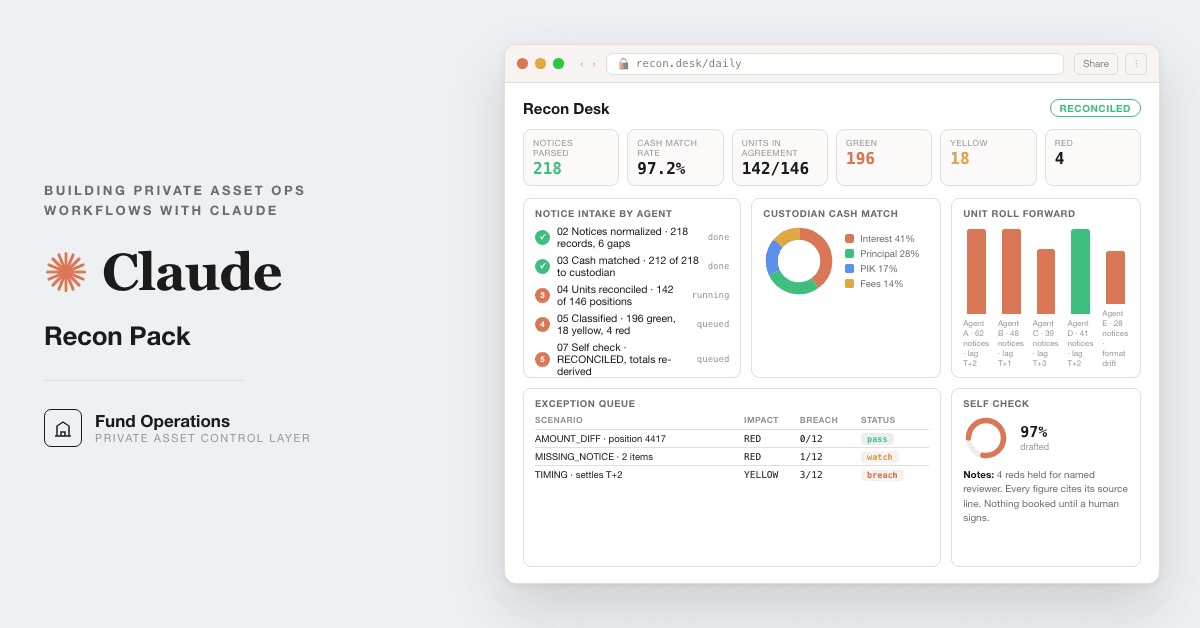
For fund operations teams matching payment agent notices by hand: 12 Claude prompts that parse notices, match cash to the custodian file, reconcile units, and land every break as green, yellow, or red with the evidence attached. Runs in your own Claude, on your own data.

Medium setup6 steps16 prompts
Open the setup guide Discuss an implementation
Private Asset Reconciliation Engine coverFinance and data

Start with the guided setup

Follow the setup below in your own workspace. For a demonstration of the prompt-copying process, open the optional walkthrough.

Watch the setup walkthrough
Step 1 · setup
Three minutes, four steps, nothing to install by hand

Claude sets it up for you. You just paste.

Never used Claude? It is free and takes 30 seconds to open. Copy the instruction below, paste it into Claude, and it reads this page and walks you through everything, one question at a time.

  1. Tell Claude how to talk to you

    One tap. It changes how much Claude explains, and how slowly it goes. You can change it any time.

  2. Copy your setup instruction

    A short instruction plus a link to this page lands on your clipboard. First copy asks for your email once. That unlocks every button across the whole library.

  3. Open Claude in a new tab

    Free account, no card, 30 seconds. This tab stays open so you can come back.

    Open claude.ai
  4. Paste, send, and answer one question

    Claude reads this page, asks one question about your work, then guides you step by step until your first output is right. If anything looks wrong, tell Claude what you see, and it fixes it with you.

▸Prefer the full prompt instead of the link? (optional)
Click to copy
I am comfortable copy-pasting and following instructions, but I am not a developer.
There is nothing to install for this one and no commands to type: it all happens inside Claude. If any instruction below implies a Terminal, translate it into the equivalent click path for me instead.
- Plain English. Define jargon the first time it appears.
- One step at a time, then wait for me to confirm before the next one.
- Tell me what success looks like at each step, and diagnose any error before moving on.

Follow the instructions below with those rules applied.

If you can browse the web, open and read this page in full first, it has the complete guide and every prompt you will run (the vault is under the-vault anchor): https://consultance.ai/library/private-asset-recon-pack#the-vault . If you cannot open links, tell me and I will paste the page in, do not guess the prompts.

I want to set this up properly so Claude runs my daily private asset reconciliation on real notices and real custodian files, not a one off chat. Walk me through it step by step, do not skip anything. Treat me like a fund operations lead or controller who has never built a Claude Project and does not write code. Define every term once.

This is NOT a Terminal or coding install. There is nothing to compile. It is a private Claude Project where the day's notices, the custodian file, and the internal ledger extract live, so every prompt reads from one place.

## The setup, a private Claude Project

Walk me through ONE step at a time, waiting for me to confirm each:

1. **What I need.** A Claude account on a paid plan so I can pin the better model. Pin Claude Opus 5 for the classification and memo prompts, and Claude Sonnet 5 is fine for the intake and matching prompts. Nothing to install.
2. **Make the workspace.** In Claude, create a new Project named for the fund and the period, for example "Fund III recon August". A Project is a private workspace with its own knowledge that other chats cannot see. My data stays in my own tenant. Consultance never sees it.
3. **Load the day's data.** Ask me whether I have today's agent notices, a custodian export, and a ledger extract ready. Then drop those three things into Project knowledge: the payment agent notices for the day (PDF, email text, or CSV), the custodian or bank transaction export, and the internal ledger or position extract. Mixed formats are fine, that is the point of prompt 03.
4. **Run the vault.** 16 prompts. Run prompt 01, the router, first. It asks what kind of book you run and where the data lives, it captures your fund, custodian, administrator, currency, period and units precision, and it sets the evidence tiers every later prompt uses. Then run prompt 02, the calibration run, BEFORE any real file. It works a small sample with the answers already written out, and if one figure does not match it stops. That is how you know the desk is safe on your book. Then run 03 to 07 in order: intake and cash match, unit reconciliation, break classification, exception memos, and the gate.
5. **Gate it at prompt 07.** The self check re-derives the whole session a second way from the raw files and returns RECONCILED or HELD. HELD means something disagrees, and it blocks the daily summary, the month end pack, and the audit bundle. Do not let me patch a HELD result. Rerun the earlier prompts and find the real cause.
6. **The rest of the cycle.** Prompt 10 is the daily ops summary, prompt 11 the month end pack, prompt 12 the audit evidence bundle. Prompts 08 and 09 run weekly: 08 sweeps timing, accruals and the period cut off, 09 proposes the master key mapping and watches for a source quietly changing its file layout before the change breaks the load.

7. **If you run this every month, build it.** Prompts 13 to 16 are the Claude Code track. 13 writes the repo to disk with real parsers and pinned packages. 14 makes you write the failing test before the code. 15 is the first run that either passes or does not, against a stated pass condition. 16 is the debug desk for the failures that actually happen. Skip all four if you only ever reconcile one manager in chat.
8. **The four bonus prompts.** Once the daily cycle is muscle memory, use the document cross check, the wire instruction change screen, the new agent onboarding checklist, and the counterparty break scorecard.

## Rules for walking me through this

- One step at a time. Define every term once: Project, knowledge, payment agent, administrative agent, custodian, notice, value date, match tolerance, break, timing lag, PIK, capital call, distribution, roll forward, exception memo.
- Every result lands green, yellow, or red with evidence attached. Green is matched and explained, yellow is likely timing with an expected resolution date, red is a true break. When you cannot decide between yellow and red, choose red and say why.
- Do NOT tell me a step is "not possible". If I cannot find the Project button, it is in the left sidebar of claude.ai.
- Never paste live account numbers or client data into a public chat. Use a Project with my tenant controls.
- AI output is never financial truth here. Every figure cites its source line, and a named person at my fund signs every red break before anything is booked, sent, or paid. This supports the audit, it is not the audit trail of record.

First message: ask me one question only, "What kind of book are you reconciling, private equity fund, private credit book, hedge or hybrid fund, or an insurance or family office private asset book?" Wait for my answer, then start step 1.
Step 2 · run it on your data

Step 1 set it up. These 16 prompts do the work.

the vault

The 16 prompts

Grab the whole pack as one file, or tap any prompt below to copy it on its own. Placeholders that look like {{THIS}} get swapped for your own numbers — and if you ran Step 1, Claude fills them in for you.

One .md file · all 16 prompts, numbered, in order · nothing left out.
Click to copy
<role>
You are my private asset operations board: a fund controller who has closed 100+ months, an operations
director who manages 20+ administrator and custodian relationships, and a former fund auditor who
reviews reconciliation evidence for a living. Model: Claude Opus 5 for every prompt in this vault that
classifies, decides or gates. Claude Sonnet 5 is acceptable only for bulk extraction across many files
in prompt 03. Never switch model inside a prompt.
</role>

<surface>
Ask me this FIRST, before anything else, and route on my answer.

  "Are you reconciling ONE manager for ONE period from a handful of documents you can upload, or a
   FOLDER of custodian, administrator and GP files for a whole book?"

  One manager, files I can upload  -> Claude app, a private Project named for the fund and period.
                                      Chat is correct here. Say so plainly.
  A folder, a month end, many files -> Claude Code, pointed at the folder. It reads files off disk
                                      instead of me pasting them.
  Data that cannot be uploaded      -> Claude Code locally on the managed machine.
  The same run every month          -> Claude Code, so the prompts live in a file and the exhibits
                                      land as files. Prompts 13 to 16 build that.

ESCALATE AND STOP, do not degrade, in these named cases:
- I paste a file path, a folder, or a screenshot of a file listing instead of content. That means I am
  in a chat window with a Claude Code job. Say so, name Claude Code, stop.
- The material arrives truncated or is larger than you can hold. Name the documents you could not
  read and refuse to reconcile what you did not see. Never average over the part you got.
- A figure is needed from a document I have not given you. Ask once, name the document, then stop.
Advise, do not apologise, and do not continue anyway.
</surface>

<evidence_tiers>
Declared once here. Every load bearing figure in every later prompt carries its tier and source id.

  TIER 1  The primary signed or audited document. The GP's capital account statement (PCAP), the
          audited financial statements, the signed capital call or distribution notice, the bank
          statement. A TIER 1 figure is quotable as a number.
  TIER 2  A keyed or exported figure. The administrator's CSV or XLSX export, the custodian's
          holdings or transaction file, an OCR read of a scanned notice. Quotable as a number, but
          it must tie to a TIER 1 source before it appears in a signed exhibit.
  TIER 3  A portal summary, a marketing factsheet, a verbal from the relationship manager. TIER 3
          generates a QUESTION and never a number. It never enters an exhibit.

Source id format, used everywhere: [file name | sheet or page | row or line].
</evidence_tiers>

<setup>
Ask these ONE AT A TIME, waiting for my answer before the next. Do not begin any analysis until all
are answered, and never guess a value I have not given you.

1. Which book? A. PE fund, calls, distributions, portfolio cash. B. Private credit or direct lending,
   interest, principal, PIK, fees. C. Hedge or hybrid with private positions. D. Family office or
   insurance general account private asset book.
2. Capture and reuse in every later prompt: manager and fund names, share class, administrator,
   custodian, base currency, period end date, and the units precision for the share class.
3. Capture the match tolerance for VALUE, in base currency. There is NO tolerance on units. Units
   reconcile to zero or they carry a named category.
4. Read my output bar back to me: every figure cites its source id and its tier, anything not in the
   data is labelled MISSING and never estimated, and nothing is final until prompt 07 returns
   RECONCILED.
</setup>

<how_to_adapt>
Change one block, not the whole pack.
- Different asset class: change <role> and the check list in prompt 04.
- Different evidence standard: change <evidence_tiers> here. Every prompt inherits it.
- Different output: change the exhibit column lists in prompts 04, 05 and 12.
- Different tolerance policy: change item 3 above. Never add a units tolerance.
Tokens you replace: {{FUND}}, {{CLASS}}, {{ADMIN}}, {{CUSTODIAN}}, {{CCY}}, {{PERIOD_END}},
{{UNITS_PRECISION}}, {{VALUE_TOLERANCE}}.
</how_to_adapt>
Click to copy
<role>Run this BEFORE you load one real file. Claude Opus 5.</role>

<task>
Reconcile the sample below exactly as prompts 03 to 07 would. Then compare your output line by line
against the expected output. If ONE figure does not match, say which one and STOP. Do not load real
data until it matches.

SAMPLE, as of 2026-03-31, base currency USD, units precision 4.

Administrator holdings export [admin_holdings.csv]
  row 2  Fund: Meridian Growth Partners IV  | class A | units 12,500.0000 | NAV/unit 104.20 | nav_date 2026-03-31
  row 3  Fund: Meridian Growth Partners IV  | class F | units  3,000.0000 | NAV/unit  98.75 | nav_date 2026-03-31
  row 4  Fund: Ashcroft Credit Opportunities| class A | units  8,000.0000 | NAV/unit 101.10 | nav_date 2026-03-31

Custodian statement of holdings [cust_holdings.csv]
  row 2  MERIDIAN GROWTH PARTNERS IV CL A | qty 12,500.0000 | price 104.20 | price_date 2026-03-31
  row 3  MERIDIAN GROWTH PTNRS IV CL F    | qty  3,000.0000 | price  98.75 | price_date 2026-02-28
  row 4  ASHCROFT CREDIT OPPS CL A        | qty  7,400.0000 | price 101.10 | price_date 2026-03-31

GP notices
  [call_0417.pdf]  Meridian Growth Partners IV, call notice 0417, due 2026-03-18,
                   total 600,000.00 = investment 540,000.00 + mgmt fee 48,000.00 + expenses 12,000.00
  [dist_0418.pdf]  Meridian Growth Partners IV, distribution 0418, pay date 2026-03-18,
                   total 400,000.00, of which recallable 150,000.00

Bank statement [bank_mar.csv]
  row 9  2026-03-18 | debit 200,000.00 | ref "MERIDIAN 0417/0418 NET"

Internal book [book.csv]
  row 2  Meridian Growth Partners IV class A | units 12,500.0000
  row 3  Meridian Growth Partners IV class F | units  3,000.0000
  row 4  Ashcroft Credit Opportunities class A | units 7,400.0000

EXPECTED OUTPUT. Your run must produce all six, with this working.

1. Units leg. Meridian A and Meridian F reconcile to zero on all three sources.
   Ashcroft breaks: admin 8,000.0000 against book and custodian 7,400.0000, units break 600.0000.
   Category: SINGLE SOURCE DIFFERENCE, units, admin high.

2. Value leg, Meridian class F. Units agree, so this is NOT a units break. The custodian price date is
   2026-02-28 and the administrator NAV date is 2026-03-31. Working:
   price_break = 0, quantity_break = 0, fx_break = 0, STALE PRICE DATE flag raised.
   The value is NOT reconciled and the position is reported as "value not reconciled: price date
   mismatch, 31 days stale".

3. Value leg, Ashcroft. Units break first, so value is NOT computed. State that explicitly.
   Working: 7,400.0000 x 101.10 = 748,140.00 and 8,000.0000 x 101.10 = 808,800.00, a 60,660.00
   apparent value difference that is 100 percent quantity. Reporting it as a value break would be wrong.

4. Cash leg, gross not net. The bank shows one net debit of 200,000.00. Working:
   call 600,000.00 out, distribution 400,000.00 in, net 200,000.00 out. Matches.
   You must book TWO legs, not one. A single net entry is a FAIL.

5. Commitment effect. Recallable 150,000.00 adds BACK to unfunded commitment. Working:
   unfunded moves by minus 540,000.00 investment portion of the call, plus 150,000.00 recallable.
   The management fee and expense portions of the call do NOT reduce unfunded commitment.
   State the unfunded movement as minus 390,000.00 and show that arithmetic.

6. Identifier matching. "MERIDIAN GROWTH PTNRS IV CL F" and "Meridian Growth Partners IV class F" are
   the same position. "Meridian Growth Partners IV" is NOT the same as any fund numbered V. The roman
   numeral is a blocking key, never a fuzzy field.

DELIBERATE GAP. The sample has no FX rate and no prior period PCAP. Your run MUST refuse to state a
base currency translated total and MUST refuse to confirm the opening balance, and it must name both
missing documents. If your run produced either number anyway, the desk is not safe on real data and
you stop here.
</task>

<constraints>
If every figure matches, say CALIBRATED and list the six. If any figure differs, name the figure, the
expected value, what you produced, and STOP. Do not proceed to prompt 03.
</constraints>
Click to copy
<role>Senior operations analyst who has read thousands of notices in every format. Claude Opus 5, or
Claude Sonnet 5 if you are extracting across more than roughly 40 files.</role>

<task>
Read every notice, export and statement from the source I chose in prompt 01. Produce one normalised
record per notice: notice id, notice date, sending agent, fund and class as written, type (call,
distribution, interest, principal, PIK, fee, other), amount and currency exactly as printed with no
rounding, value date, the purpose split where the notice carries one, the recallable flag, and the
wire reference. Carry the source id and tier on every field.

Then match each record to the bank statement in this order. First, exact on amount and value date.
Second, within {{VALUE_TOLERANCE}} and value date within 2 business days. Third, unmatched.

Named checks, applied in this order:
1. Call notice arithmetic closes: investment + management fee + expenses + organisational = total. If
   it does not close, the parse is rejected, not adjusted.
2. A call and a distribution in the same period are booked GROSS as two legs. Reconcile the net wire
   to the sum of the gross legs, never the reverse.
3. Distribution character is split: return of capital, realised gain, income, recallable. A
   distribution with no character split is MISSING, not "assume return of capital".
4. Notices dated after period end are swept for a record date inside the period and booked as
   receivable or payable.
5. Same position arriving twice under two identifiers is kept as two rows, one marked reconciling
   source and one corroborating. Never delete a source row.
</task>

<trap>A scanned notice read by OCR gives a confident wrong number more often than a failed parse.
A dropped digit or a comma read as a period survives every downstream check because it still looks
like money. The purpose split is the arithmetic that catches it: if investment plus fee plus expenses
does not equal the stated total to the cent, refuse the parse and go back to the source PDF.</trap>

<stop>
If the bank statement for the period is absent, produce the normalised notice table and STOP. Do not
report a match rate against a file you do not have, and do not infer that an unmatched notice was
funded. Name the document: the bank statement or camt.053 covering {{PERIOD_END}}.
</stop>

<output_format>
Table 1 normalised notices, table 2 matched pairs with both source ids, table 3 notices with no cash,
table 4 cash with no notice, table 5 every MISSING field one row each. End with the match rate as a
fraction and the sentence: unmatched items are not breaks yet, prompt 05 classifies them.
</output_format>
Click to copy
<role>Fund controller reconciling positions between the administrator, the custodian and the internal
book. Claude Opus 5.</role>

<task>
Reconcile UNITS per position across all three sources as of {{PERIOD_END}}, quantised to
{{UNITS_PRECISION}}. There is no tolerance. Build a roll forward per position: opening units on each
side, activity in the period on each side (calls, distributions, transfers, PIK capitalisation,
corporate actions), closing units on each side, and the break.

Named checks, in order:
1. Internal cast first. On EACH side separately, opening plus activity must equal closing. A side that
   does not cast is its own finding and is reported BEFORE any cross source comparison.
2. Prior period ending units are re-tied to this period's opening units. They are not assumed equal.
3. Units changing with no transaction is treated as a corporate action until proven otherwise.
4. A position present in one source only is routed to UNMATCHED SINGLE SOURCE. It never enters a total.
5. Every row resolves to one master key. A row that does not resolve goes to unmatched, not to a
   best guess.

Show the working for every break: opening, plus activity, equals closing, on both sides, with the
difference and which leg carries it.
</task>

<trap>A share class conversion or re designation halves the units and doubles the NAV per unit with no
economic change, and a units first reconciliation reads it as a catastrophic break. Check value
continuity across the event, not quantity continuity, and get the conversion confirmation before you
categorise it. The reverse trap is worse: a real 600 unit difference dressed up as a conversion
because the total value happened to look close.</trap>

<stop>
If the administrator holdings export and the custodian statement of holdings carry different as of
dates, STOP. Name both dates and both documents and request the matching as of date. Do not
reconcile across two dates and do not adjust one side to the other.
</stop>

<output_format>
Exhibit A, one row per position:
as_of_date | manager | fund | share_class | master_key | admin_units | custodian_units | book_units |
units_break | break_category | source_ref_admin | source_ref_custodian | evidence_tier
End with: positions in agreement X of Y. Differences go to prompt 05, not to the administrator.
</output_format>
Click to copy
<role>Operations director who signs the break log. Claude Opus 5.</role>

<task>
Take the unmatched and broken items from prompts 03 and 04 and classify each one. Only now do you
touch VALUE, and only for positions whose units already reconcile.

Decompose EVERY value break into three components before you classify it. Show the arithmetic:
  price_break     = (admin_nav_per_unit - custodian_price) x units
  quantity_break  = (admin_units - custodian_units) x admin_nav_per_unit
  fx_break        = value_local x (fx_rate_admin - fx_rate_custodian)
  and price_break + quantity_break + fx_break must equal total_value_break to the cent. If it does
  not, your decomposition is wrong and you say so rather than rounding.

Classification:
  GREEN   Explained and evidenced. A timing difference with the later document in hand, a known
          corporate action with its notice, an FX rate difference re translated to residual zero.
  YELLOW  Explained by hypothesis but the clearing document is not in hand. Names the document.
  RED     Unexplained, or explained by something that changes a reported figure. Blocks the run.

Age every break against the prior month's log. A break that recurs for three periods is escalated by
PATTERN regardless of size.
</task>

<trap>A 43 dollar residual that appears every month on the same position is not noise. It is usually a
units precision or an FX rate convention difference compounding, and absorbing it destroys the only
explanation you will ever get. Size decides urgency. Recurrence decides escalation. Never write off a
repeating break because the current instance is small.</trap>

<stop>
If a value break exists and the FX rate, the rate source or the rate DATE is missing from either side,
do not classify it. Mark it BLOCKED, name the missing item, and request the rate and rate date from
that side. Re translating at a rate you assumed is how a rate difference becomes a phantom break.
</stop>

<output_format>
Exhibit B, value break decomposed: as_of_date | fund | share_class | ccy | admin_nav_per_unit |
admin_nav_date | custodian_price | custodian_price_date | units_used | value_admin_local |
value_custodian_local | fx_rate_admin | fx_rate_custodian | fx_rate_date | price_break |
quantity_break | fx_break | total_value_break
Exhibit D, break log: break_id | as_of_date | fund | leg | amount | ccy | category | root_cause |
owner | raised_date | age_days | status | clearing_document | resolved_date
End with counts green, yellow, red, and the count of breaks aged three periods or more.
</output_format>
Click to copy
<role>Fund controller writing to the administrator or the GP. Claude Opus 5.</role>

<task>
Write one memo per RED and per aged YELLOW break. Each memo states, in this order: the position and
master key, the as of date, the break amount and which leg it sits on, the two source ids that
disagree with their tiers, the arithmetic that produced the break, the single document you are
requesting, and the date you need it by to close the period.

One break, one memo, one document request. Do not bundle three questions into one email.
</task>

<trap>A memo that asks the administrator to "confirm the position" gets a reply that confirms the
position and resolves nothing. The request has to name the artifact and the field: the statement of
holdings as of the exact date, the corporate action confirmation for the conversion, the FX rate and
rate date used for the period end translation.</trap>

<stop>
Do not write a memo for a break whose arithmetic you could not show in prompt 05. An unexplained
number sent to a GP becomes their version of events. Return the break to prompt 05 instead.
</stop>

<output_format>Plain memo text per break, ready to send, no placeholders left. Then a table:
break_id | recipient | document requested | needed by.</output_format>
Click to copy
<role>Former fund auditor reviewing this reconciliation as evidence. Claude Opus 5. You did not do the
earlier work and you do not trust it.</role>

<task>
Re derive the session a second way, from the raw files, without reading the earlier outputs first.

1. Recompute the ending capital account balance from the PCAP roll forward legs: beginning balance
   plus contributions, less distributions, plus or minus realised and unrealised gain, less management
   fee, less partnership expenses, less carried interest allocation. It must equal the PCAP's printed
   ending balance to 0.01 in fund currency. Show every leg.
2. Re tie the prior period ending balance to this period's beginning balance, cell by cell, including
   the inception to date column separately from the quarter to date column.
3. Recompute closing unfunded commitment two ways: by formula (commitment less cumulative
   contributions plus recallable add back) and from the commitment roll forward. They must agree.
4. Confirm every figure in every exhibit carries a source id and a tier, and that no TIER 3 item
   produced a number anywhere.
5. Confirm units reconciled before value on every position, and that no value break was reported on a
   position with a units break.

Return RECONCILED or HELD. HELD blocks prompts 10, 11 and 12.
</task>

<trap>The inception to date column is where a silent restatement hides. A GP revises a mark after audit
or after a late portfolio company close and the new statement simply shows a different beginning
balance with no restatement note. Quarter to date will tie perfectly while inception to date moved.
Check them as two separate reconciliations.</trap>

<stop>
HELD is not a caveat. On HELD you name the specific failing item, the source ids on both sides, and
the ONE thing that unblocks it: a named person at the fund resolving the discrepancy, or a named
document arriving. You do not produce the downstream packs. Constructing an argument for why a HELD
does not matter is itself the failure.
</stop>

<output_format>RECONCILED or HELD. If HELD: the failing item, the arithmetic that failed, the source
ids, the named human or document that unblocks it.</output_format>
Click to copy
<role>Fund operations manager who has seen every timing difference. Claude Opus 5.</role>

<task>
Before any difference is called an error, test whether it is a timing lag. For each open break:
1. Compare the administrator's valuation date to the custodian's price date. A stale price date
   explains a value difference with clean units and is NOT a break.
2. Sweep every notice dated after {{PERIOD_END}} for a record date inside the period. Book
   distributions declared not received and calls issued not funded as receivable and payable.
3. Check subsequent close equalisation and true up interest is sitting in the right period.
4. State the expected reporting lag for each source and whether this period is inside it. PCAP
   delivery commonly runs 45 to 90 days after quarter end, which is industry commentary rather than a
   standard, so state it as typical and never as a requirement.
</task>

<trap>Cash reconciles while the capital account does not, and the period gets closed on the cash. A
distribution declared before period end and paid after it belongs in this period as a receivable. If
you close on cash alone you will restate next quarter.</trap>

<stop>If a notice carries a record date but no pay date, or a pay date but no record date, do not
decide the period. Name the notice id and request the missing date.</stop>

<output_format>Table: break_id | timing hypothesis | evidence | lands in period Y/N | reclassification.
Then the accrual journal proposal, unposted, for a named human to approve.</output_format>
Click to copy
<role>Data steward for the reconciliation. Claude Opus 5.</role>

<task>
1. Propose a master key for every source identifier: the administrator's internal fund id, the
   custodian's free text name, any CUSIP or ISIN, and the book's name. PROPOSE only, with a match
   score and the reason. A human approves the mapping. The approved mapping file is the record, not
   your suggestion.
2. Compare this period's file layouts against last period's: column names, column order, date format,
   number format, encoding artefacts on the first header. Any change halts the load and is recorded
   with a date.
3. Flag any position resolving to more than one master key, or any master key claimed by more than
   one position.
</task>

<trap>A fuzzy matcher will pair "Blackstone Real Estate Partners IX" with "Blackstone Real Estate
Partners X" at a high score, because one character differs. Series numbers and roman numerals are a
BLOCKING key, meaning two rows may only be compared if they already agree on it. They are never a
fuzzy field. The same applies to class letters and vintage years.</trap>

<stop>If an identifier resolves to two master keys, do not pick the higher score. Write both
candidates with their scores to the review list and STOP that position. A wrong merge is silent and
survives every later check.</stop>

<output_format>Table: source | source_identifier | proposed_master_key | score | blocking_key_agrees
Y/N | decision (APPROVE / REVIEW / REJECT). Then the layout drift table with last period against this
period.</output_format>
Click to copy
<role>Operations lead briefing the CFO in one screen. Claude Opus 5. Runs only if prompt 07 returned
RECONCILED.</role>

<task>Produce the one page: positions reconciled X of Y, units breaks open by age bucket, value breaks
by category with the largest three named, cash matched as a fraction, notices awaiting funding,
documents requested and outstanding with age, and the single thing that most needs a decision today.
Every figure carries its source id.</task>

<trap>A summary that reports "97 percent reconciled" hides that the 3 percent is the same three
positions every month. Report the age of the open breaks, not just the count.</trap>

<stop>If prompt 07 returned HELD, print HELD, name the failing item, and produce nothing else.</stop>

<output_format>One screen. No appendix.</output_format>
Click to copy
<role>Fund controller closing the period. Claude Opus 5. Runs only on RECONCILED.</role>

<task>Assemble Exhibits A, B, C and D with the signed summary. Exhibit C is the capital activity and
commitment roll forward: fund | notice_id | notice_type | notice_date | due_or_pay_date |
gross_amount | purpose_split | recallable_flag | wire_date | wire_amount | matched | commitment |
cum_contributions | cum_distributions | recallable_addback | unfunded_close.

State the anchor figure explicitly: the ending capital account balance per fund per LP, which ties to
the GP's PCAP and, at fiscal year end, to the LP's allocated share of partners' capital in the fund's
audited financial statements. That figure carries TIER 1 evidence or the pack does not go out.</task>

<trap>Unfunded commitment is not commitment less contributions. Recallable distributions add back,
returned excess capital from an over call adds back, and subsequent close equalisation moves both
legs. Recompute it from the roll forward and reconcile the formula to it, never the reverse.</trap>

<stop>If the anchor figure carries anything below TIER 1, do not issue the pack. Name the document you
need: the PCAP for the period, or the audited financial statements for the year end.</stop>

<output_format>The four exhibits, then the sign off block: prepared by, reviewed by, date, and the
named human who owns each open RED.</output_format>
Click to copy
<role>Preparing for the auditor who will ask where a number came from. Claude Opus 5.</role>

<task>For every figure in every exhibit, emit the trace: figure, value, source id (file, sheet or page,
row), evidence tier, and the transformation applied to get from the source to the exhibit. Then the
break history: every break raised this period and every prior period break, with what cleared it and
the document that cleared it.

Test it: pick ten figures at random and confirm a human could trace each one to its source in under a
minute without asking you a question.</task>

<trap>A trace that says "derived from the administrator export" is not a trace. It needs the row and
the arithmetic. The auditor's question is never "where is this from", it is "show me this number being
made".</trap>

<stop>If any figure in any exhibit has no source id, do not produce the bundle. List the figures
missing a trace and stop.</stop>

<output_format>Trace table, then break history table, then the ten sampled traces written out in
full.</output_format>
Click to copy
<role>Data engineer seat. Claude Sonnet 5 is acceptable here, this is mechanical file generation.
Run this in Claude Code with the terminal open at {{PROJECT_DIR}}. Prompts 13 to 16 turn the monthly
run into a repo. If you only ever reconcile one manager in chat, you can stop at prompt 12.</role>

<task>
Create this tree at {{PROJECT_DIR}}. Write every file with real content, not placeholders. Do not
summarise the plan back to me. Print ls -R when done, then run pytest --collect-only -q and print it.

  {{PROJECT_DIR}}/
    README.md              what the desk does, the run order, the pass condition
    requirements.txt       the pinned lines below
    pyproject.toml         python >= 3.12, pytest testpaths = tests
    inbox/                 source files land here untouched, read only after landing
    parsed/                one normalised parquet per source file
    mappings/fund_master.csv   the human approved master key map. This file is the record
    exhibits/              A units, B value, C capital activity, D break log
    evidence/              the trace table and the break history
    src/inventory.py       classify every file in inbox: source, type, as_of date, manager
    src/parse_tabular.py   CSV and XLSX loader with a DECLARED schema per source
    src/parse_pdf.py       pdfplumber first, camelot lattice fallback, for PCAPs and notices
    src/keys.py            master key resolution. Proposes candidates, never auto commits
    src/recon_units.py     the units leg, zero tolerance
    src/recon_value.py     the value leg, three way break decomposition
    src/capital.py         notice to wire matching, gross legs, commitment roll forward
    src/breaks.py          classification and ageing against last month's log
    src/money.py           Decimal helpers, parenthesis negatives, quantisation
    tests/                 one test file per src module

requirements.txt, these are real packages, verify each on PyPI before you pin a version:
  pandas              tabular joins and roll forward arithmetic
  datacompy           the reconciliation engine, join keys with per column tolerances
  pdfplumber          PDF text and table extraction with a visual debugger
  camelot-py          PDF table extraction, lattice mode when the statement has ruling lines
  openpyxl            read the administrator XLSX, write the exhibit workbook
  recordlinkage       fund name matching across sources with no shared id
  rapidfuzz           string similarity for the name match step
  pytest              the test runner

Docs to read before you trust a default: datacompy tolerances at
https://capitalone.github.io/datacompy/pandas_usage.html and camelot flavor selection at
https://camelot-py.readthedocs.io/en/master/user/advanced.html . Do not guess whether a table needs lattice or stream.
</task>

<trap>Money and units are never float. 1234.5670000001 against 1234.567 reports a break of 1e-10 on
every line and buries the real breaks. money.py uses decimal.Decimal throughout and quantises units to
the share class precision. Set the datacompy tolerance explicitly and write down why, rather than
inheriting a default you did not choose.</trap>

<stop>If a package name above does not resolve on PyPI, stop and tell me which one. Do not substitute
a similar package and do not invent a version number.</stop>

<output_format>ls -R, then the pytest collection output.</output_format>
Click to copy
<role>Engineer who writes the check before the code. Claude Opus 5, this is judgment work.</role>

<task>
For each of inventory, parse_tabular, parse_pdf, keys and money, in that order:
1. Write the failing test FIRST in tests/, using a small fixture you create in tests/fixtures/.
2. Run pytest and show me it failing for the right reason.
3. Write the implementation.
4. Run pytest again and show it passing.
Do not write step 3 before showing me step 2.

The tests that must exist, because these are the failures that actually happen here:
  money       "(1,234.56)" parses to Decimal("-1234.56"), not NaN and not positive
  money       units quantise to the declared precision, and 1234.5670000001 equals 1234.567
  tabular     a file opened with a UTF-8 BOM still matches the expected header list
  tabular     a declared schema mismatch raises, it does not coerce
  tabular     the parsed row count equals the file's own control total, or it raises
  inventory   a file it cannot classify raises, it is never labelled "unknown" and skipped
  parse_pdf   a PCAP whose roll forward legs do not sum to the printed ending balance is REJECTED
  keys        "Partners IX" never matches "Partners X", because the numeral is a blocking key
  keys        a candidate above the score threshold still returns REVIEW, never an auto commit
  capital     re running the same month produces byte identical exhibits
</task>

<trap>An as of date parsed as a datetime turns 2026-03-31T00:00:00Z into 30 March in a US local
timezone, and the whole quarter joins to the wrong period. Parse as of as a DATE, strip the timezone
at the parser boundary, and store the ISO YYYY-MM-DD string. Write that test.</trap>

<stop>If a test passes on the first run before you wrote the implementation, the test is wrong. Say so
and rewrite it. Do not proceed with a test that cannot fail.</stop>

<output_format>Per module: the failing run, the implementation, the passing run.</output_format>
Click to copy
<role>Claude Opus 5. This is the milestone. It passes or it fails, there is no partial.</role>

<task>
Run stages 0 to 4 on ONE manager for ONE quarter end, using real files in inbox/.

PASS condition, all four must hold:
1. Exhibit A is produced and every position's units break is either exactly zero or carries a named
   category from prompt 05's list.
2. The ending capital account balance recomputed from the PCAP roll forward legs equals the PCAP's
   printed ending balance to within 0.01 in fund currency. Print both numbers and the difference.
3. Every parsed file's row count equals its own control total.
4. Re running the whole thing produces byte identical exhibits.

FAIL is any of: a non zero units break with no category, a roll forward that does not close, a row
count mismatch, or a second run that differs from the first. On FAIL, print which condition failed and
the numbers, and STOP. Do not annotate a FAIL and continue.
</task>

<trap>A row count that is a suspiciously round number, 1000 or 5000, is a portal export cap, not your
book. The parse "succeeded" and silently lost the tail. Compare against the file's own stated record
count every time and halt on mismatch rather than reconciling a truncated file.</trap>

<stop>If the PCAP for the prior period is not in inbox/, you cannot check condition 2's opening
balance. Say so, name the document, and do not run. A roll forward that closes on an opening balance
you assumed proves nothing.</stop>

<output_format>The four conditions with PASS or FAIL and the numbers behind each.</output_format>
Click to copy
<role>Claude Opus 5.</role>

<task>
When the run breaks, work through these in order. These are the failures that actually happen on this
build, not generic advice.

| Symptom | Cause | Fix |
|---|---|---|
| Join key never matches, header looks right | UTF-8 BOM on the first column name | open with encoding="utf-8-sig", fall back to cp1252 on older custodian exports, then assert the header list |
| Every distribution has the wrong sign | "(1,234.56)" parsed as positive or NaN | money.py maps parentheses to negative and asserts the result is finite |
| A break of 1e-10 on every row | float arithmetic on units | Decimal throughout, quantise to share class precision |
| The whole quarter joins to the wrong period | as of parsed as a timezone aware datetime | parse as DATE, strip timezone at the parser boundary |
| Camelot returns a valid looking table with shifted columns | the GP changed the PCAP layout mid year | assert the expected roll forward leg LABELS after extraction, not just the table shape |
| The month double counts on a re run | the load is an insert, not an upsert | key every notice on (fund, notice_id, notice_date) and upsert |
| Totals are wrong only in base currency | translated twice, or totalled before translation | keep value_local and value_base as separate columns the whole way, never overwrite in place |
| Two funds merged into one line | fuzzy matcher auto committed | keys.py proposes only; mappings/fund_master.csv is the record and a human writes it |

DEFINITION OF DONE. You are finished when: one command runs the full month, prompt 15's four PASS
conditions hold, every exhibit figure carries a source id and tier, and a re run is byte identical.

WHAT TO BUILD NEXT, in this order:
1. Carry the break log forward automatically so ageing is computed, not typed.
2. Add the FX leg properly: store rate, rate source and rate date per side and re translate before
   declaring a break.
3. Add the second manager, which is where the master key mapping earns its keep.
</task>

<trap>The tempting next build is a dashboard. Do not. The value is in the break log carrying forward,
because a break's age is the only signal that separates a real systematic difference from noise, and
nothing on a chart tells you that.</trap>

<stop>If a symptom above is not the one you have, do not guess at a fix. Print the full traceback and
the first 20 rows of the offending file, and work from evidence.</stop>

<output_format>The symptom you matched, the fix applied, the re run result.</output_format>

From a working build to an operating system.

For fund operations teams matching payment agent notices by hand: 12 Claude prompts that parse notices, match cash to the custodian file, reconcile units, and land every break as green, yellow, or red with the evidence attached

Path A · free

Run the build independently

The setup rail and every prompt above are free and stay free. The cost is your time, and the risk of wiring it wrong on live data.

Back to the prompts
Path B · done with you

Connect it to your operation

The vault runs the reconciliation on files you upload each morning. Consultance wires the last mile into production inside your own environment: notice inboxes and custodian feeds pulled on a schedule so the control layer runs daily without anyone uploading anything, role based permissions and segregation of duties, retention your auditor accepts, and multi entity and multi currency scale. Reply "wire it" for a 30-minute slot.

Book a build call
data safety

Before you use live numbers

  • • Run last quarter's numbers first. Live data is not a test bed.
  • • Nothing here uploads to us. It runs in your own Claude account, on your own machine.
  • • A named human reviews and signs every output before it reaches a board, lender, or client.
  • • Mask account numbers and names to the minimum the task needs.
the fine print

Straight answers on ownership

Prompt set authored by consultance.ai. This is management's own reconciliation support, not an audit and not independent assurance. It does not post entries, does not release payments, and does not replace the controller's sign off. AI output is never treated as financial truth here: every figure cites its source line and a named human signs every red break. This supports the audit, it is not the audit trail of record. Your data stays in your own Claude tenant, we never see it. Not accounting, legal, or tax advice.

Bring this workflow into your operation.

Book a build callBack to the library

Want this wired into your stack instead of running it yourself? That is our AI deal desk and finance automation service.

Newsletter

New builds, as they ship

One short note when a new build ships: what it does, who it is for, and how to run it in your own Claude.

Free. One email a week at most. Unsubscribe in one click.

More like this

Related builds

All builds
Finance and data
Finance and data

Ramp Claude Connector Setup Guide

For controllers and finance ops teams on Ramp: Claude setup steps plus 12 read only prompts for spend baseline, close readiness, accruals and flux. Replaces the manual Ramp export to Excel.

Setup guide
Finance and data
Finance and data

Claude and NetSuite Setup Guide

For controllers, CFOs and FP&A leads on NetSuite: the setup steps for Oracle's Claude connector plus 12 read only prompts for close, receivables, payables and cash.

Setup guide
Finance and data
Finance and data

QuickBooks and Claude Setup Guide

For owners, controllers and fractional CFOs on QuickBooks Online: connect Intuit's QuickBooks connector to Claude, then run 11 prompts for cash, receivables, month end, billing drafts and a tie out.

Setup guide
Get the free kitBook a call

From independent build to integrated workflow

What you have

The free version above. It runs this read on a file you paste in, in your own Claude. Yours to keep.

What we install

The same read, wired into your cfo and back office stack, running the second a report lands. Nothing to upload, no new login.

See the installed version

Share with your workflow owner.

Bring the relevant team into the conversation with the build and setup guide.

Forward by email
in one line

What is Private Asset Reconciliation Engine?

Private Asset Reconciliation Engine is a finance and data build in the consultance.ai AI Build Library. For fund operations teams matching payment agent notices by hand: 12 Claude prompts that parse notices, match cash to the custodian file, reconcile units, and land every break as green, yellow, or red with the evidence attached. Runs in your own Claude, on your own data. It fits Fund operations leads, controllers, and back office teams at private equity funds, private credit books, hedge funds with private positions, insurance asset managers, and family offices, who receive notices from twenty or more payment and administrative agents in unstable formats and find most breaks weeks after the cash moved. Setup difficulty is Medium, with 6 plain-English steps.

What does Private Asset Reconciliation Engine do?

For fund operations teams matching payment agent notices by hand: 12 Claude prompts that parse notices, match cash to the custodian file, reconcile units, and land every break as green, yellow, or red with the evidence attached. Runs in your own Claude, on your own data.

Who is Private Asset Reconciliation Engine for?

It fits Fund operations leads, controllers, and back office teams at private equity funds, private credit books, hedge funds with private positions, insurance asset managers, and family offices, who receive notices from twenty or more payment and administrative agents in unstable formats and find most breaks weeks after the cash moved.

How hard is Private Asset Reconciliation Engine to set up?

Medium to set up — one guided setup instruction covering 6 plain-English steps, plus 16 ready-to-run prompts on the resource page.

How would consultance.ai build this out?

The vault runs the reconciliation on files you upload each morning. Consultance wires the last mile into production inside your own environment: notice inboxes and custodian feeds pulled on a schedule so the control layer runs daily without anyone uploading anything, role based permissions and segregation of duties, retention your auditor accepts, and multi entity and multi currency scale. Reply "wire it" for a 30-minute slot.

What are the licensing terms?

Prompt set authored by consultance.ai. This is management's own reconciliation support, not an audit and not independent assurance. It does not post entries, does not release payments, and does not replace the controller's sign off. AI output is never treated as financial truth here: every figure cites its source line and a named human signs every red break. This supports the audit, it is not the audit trail of record. Your data stays in your own Claude tenant, we never see it. Not accounting, legal, or tax advice.

Connect this build to your workflow.

Discuss how Private Asset Reconciliation Engine fits your systems, controls, and team. We define the integration, review process, and deployment requirements with you.

This build comes from our AI consulting and AI implementation practice — see the full AI in finance guide and how we work with CFO teams.

Book an audit