Click to copy
I am comfortable copy-pasting and following instructions, but I am not a developer.
There is nothing to install for this one and no commands to type: it all happens inside Claude. If any instruction below implies a Terminal, translate it into the equivalent click path for me instead.
- Plain English. Define jargon the first time it appears.
- One step at a time, then wait for me to confirm before the next one.
- Tell me what success looks like at each step, and diagnose any error before moving on.

Follow the instructions below with those rules applied.

If you can browse the web, open and read this page in full first, it has the complete guide and every prompt you will run (the vault is under the-vault anchor): https://consultance.ai/library/desk-terminal#the-vault . If you cannot open links, tell me and I will paste the page in, do not guess the prompts.

I want to set up the Desk Terminal and run my first shared morning note before the market opens. Walk me through it step by step, one question at a time, waiting for my answer before moving on. Define every term once. Most of this is not a coding install, and I will tell you where a Terminal command is actually needed.

## What this produces
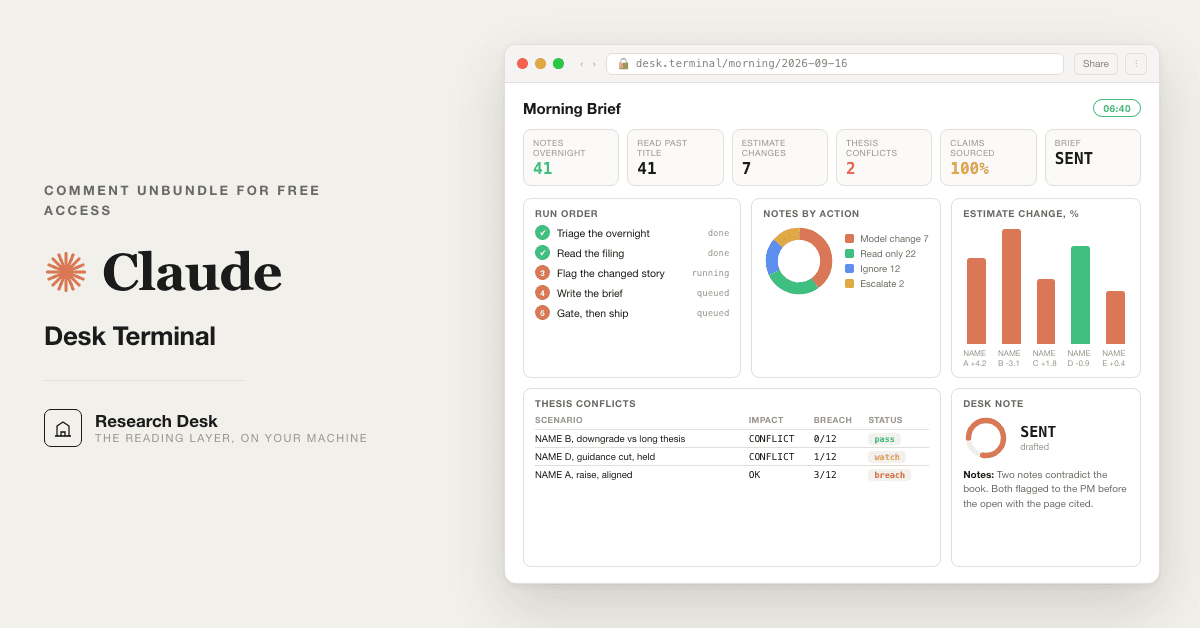
One Claude that the whole desk reads like a terminal seat: a morning screen of the names that touch your book, a clean comp pull without renting the box, an overnight read filtered to your positions, the one name whose story changed, and a one-screen morning note a PM opens the day on. Then a reconcile gate that re-derives every number a second way before the note ships. My positions and book stay in my own Claude tenant. Nothing leaves my machine.

Honest ceiling before we start: this vault is about 60% of the build. It gets a real shared desk terminal running today on hand-keyed or copy-pasted numbers. Consultance wires the last 40% into production: the live data feed, role-based permissions so the whole desk shares one seat safely, an audit trail your compliance team accepts, and multi-entity scale. That last 40% is implementation work, not a prompt. When you hit that wall, reply "wire it" and I will send a 30-minute slot.

## Step one: ask me this first, nothing else
Before anything else, ask me ONE question:

"How will the numbers get into the desk terminal each morning?
(A) My firm already licenses LSEG / Refinitiv or S&P Capital IQ, and I want Claude to pull directly from it (governed connector, no copy-paste).
(B) I want a free desktop terminal on my own machine with no license fee: Fincept Terminal (open source, AGPL-3.0, 100+ data connectors, free public feeds). I will read the numbers out of it and paste them into Claude.
(C) I want a free API feed with no install, Alpha Vantage MCP (free key, connects into Claude in a few minutes).
(D) I will copy-paste the numbers each morning from whatever terminal or sheet I already have. No install.
(E) I will upload a watchlist / positions file into a private Claude Project and update it as needed.
(F) A mix, I will tell you which per data type.

Reply A, B, C, D, E, or F."

Wait for my answer. Then follow the matching path below. Do NOT tell me a step is "not possible." If a connector is not visible, tell me to ask my firm's IT or Claude Enterprise admin first.

## Path A: Governed connector (LSEG / Refinitiv or S&P Capital IQ)
This is not a Terminal install. It all runs inside the Claude app.
1. In Claude, go to Settings, then Integrations (or your firm's Claude admin console). Find the connector for your provider. LSEG / Refinitiv and S&P Global publish Claude connectors, and your IT team may have already approved one. Moody's publishes one too. Anthropic's published financial services page names LSEG, FactSet, S&P Global and Morningstar integrations. It does not name Bloomberg, so if Bloomberg is your terminal, do not go hunting for a connector that is not there. Take Path D instead and export or copy from the terminal your firm already licenses. If your admin tells you a connector for your provider is approved and you cannot see it, that is an entitlement question for them, not a step you can fix from the chat.
2. Once it shows connected, no Python needed. Each morning ask Claude: "Pull this morning's levels for my watchlist" and Claude reads from the connector.
3. Create a Project (left sidebar, New Project) named "Desk Terminal." Pin Claude Opus 5. Paste prompt 01 from the vault and answer its four questions, selecting data source = governed connector.
4. Go to the first-session drill below.

## Path B: Fincept Terminal (free, on your own machine)
This is not a Terminal install. It is a normal desktop app you download and open, like any other program. You never run Python, pip or a virtual environment yourself. The app carries its own bundled Python and sets it up for you on first launch.
1. First ask me which machine I am on: Mac with Apple Silicon (M1 or later), Windows, or Linux. Fincept publishes a Mac build for Apple Silicon only. If I am on an Intel Mac, say so plainly and move me to Path D (copy-paste from whatever I already have). Do not tell me to build from source.
2. Open the releases page in a browser: https://github.com/Fincept-Corporation/FinceptTerminal/releases . The current release at the time this pack was checked (2026-09-07) is v4.5.0, published 2026-09-01. Pick the file for my machine, exactly as the project's own README lists it:
   - Windows x64: download `FinceptTerminal-4.5.0-windows-x64-setup.exe`, run the installer, then launch `FinceptTerminal.exe`.
   - macOS Apple Silicon: download `FinceptTerminal-4.5.0-macos-arm64-setup.dmg`, open the DMG, drag to Applications.
   - Linux (Debian/Ubuntu): download `FinceptTerminal-4.5.0-linux-x64.deb`, then in a terminal run `sudo apt install ./FinceptTerminal-*.deb`. This one line is the only place Linux needs a command.
   - Linux (Fedora/RHEL): download `FinceptTerminal-4.5.0-linux-x64.rpm`, then `sudo dnf install ./FinceptTerminal-*.rpm`.
   If the releases page shows a newer version number, use the newer file with the same platform name.
3. On a Mac, the first open may show a warning that the app could not be verified. Apple's own support page (support.apple.com/en-us/102445) says to open System Settings, then Privacy & Security, scroll down, and click Open Anyway next to the app name. If a different warning appears, paste me the exact text before doing anything else.
4. First open is slow, and it looks like nothing is happening. Fincept builds its own bundled Python environment on the very first run, before it shows you anything. Give it a few minutes on a normal connection, longer on a slow one. Do not force quit it and do not open it a second time. If you open it twice you can end up with two copies running and a recovery dialog on the next launch.
5. Fincept needs a free account. What you see first is a screen titled SIGN IN, not the data screens. Take the fastest route: click **CONTINUE WITH GOOGLE**. It opens your browser, you pick your Google account, and it hands you back to the app in about twenty seconds.
6. If you would rather use email, click **SIGN UP** under "No account?", not SIGN IN. This matters, and one box on the next screen trips almost everyone up. SIGN IN never emails you a code. Typing an unregistered email into SIGN IN returns a 401 error silently and sends nothing.
   - The **CREATE ACCOUNT** form asks for your first and last name, a username, your email, your phone, and your password twice. Fill it in and submit it.
   - The box labelled **CODE** on that form is the phone country code. It is the box where `+1` goes. It is not the verification code. Do not put a six digit code in it.
   - Your emailed code goes on the screen you see *after* you submit, titled **VERIFY EMAIL**, in the box labelled **VERIFICATION CODE**, then the **VERIFY** button. If nothing arrives, that screen has a **DIDN'T RECEIVE? RESEND** link.
   - One exception, so it does not confuse you: if you already have two factor turned on, signing in shows a **TWO-FACTOR AUTH** screen with its own VERIFICATION CODE box. That code comes from your authenticator app, never from email.
   - If you are waiting on a code, tell me the exact title at the top of your screen and I will put you right.
7. Success looks like: you are past SIGN IN and Fincept shows its data screens. Tell me what you see. If the window never appears at all, or a dialog is in the way, tell me your operating system and the exact words on screen, and I will walk the fix or move you to Path D. Do not tell me it is "not possible."
8. Data in Fincept comes from free public feeds and from API keys you add yourself under each provider's own terms (the README names FRED, IMF, World Bank, Yahoo Finance and others). Fincept does not supply keys. Start with the keyless feeds; add a key only when a screen you need asks for one.
9. Read, then paste. Each morning, open the screen you need in Fincept, copy the levels for your watchlist, and paste them into Claude when a prompt asks. Your book stays on your machine. Label the paste "Fincept" so prompt 07 knows the source it is reconciling.
10. Honest note, read it once: the free edition's own README says it is for learning, personal use and academic research, and points firms and anyone who earns from the terminal to its Enterprise tier (from $99 per user per month). A buy-side desk should read that line and decide. Prompt 01 says this once and moves on.
11. Back in the Claude app: create a Project named "Desk Terminal," pin Claude Opus 5, paste prompt 01, select data source = Fincept Terminal. Then the first-session drill.

## Path C: Alpha Vantage MCP (free key, no install)
Not a Terminal install.
1. Get a free Alpha Vantage API key from their site (one form, instant key). An API key is just a password that lets Claude read the free feed.
2. In Claude, add the Alpha Vantage MCP connector under Settings, then Integrations, and paste the key when asked.
3. Create a Project "Desk Terminal," pin Claude Opus 5, paste prompt 01, select data source = API feed. First-session drill next.

## Path D: Copy-paste (no install at all)
Not a Terminal install. The simplest path, and it is genuinely fine for a daily cadence.
1. Open the Claude app. Create a Project (New Project) named "Desk Terminal." A Project is a private workspace only you and your desk can see.
2. Pin Claude Opus 5 (model picker, top of the chat).
3. Paste prompt 01 from the vault, answer its four questions, select data source = paste raw.
4. Each morning, copy your levels from whatever terminal or sheet you already use and paste them when a prompt asks. Go to the first-session drill.

## Path E: Upload a watchlist to a Project
Not a Terminal install.
1. Create a Project "Desk Terminal," pin Claude Opus 5.
2. Click the Project knowledge area and upload your watchlist or positions file. Update it whenever the book changes.
3. Paste prompt 01, select data source = upload to Project. First-session drill next.

## Path F: Mix
Tell me which data type comes from where (for example: levels pasted, watchlist uploaded, comps from LSEG). I will map each to the paths above and set prompt 01's data-source answer to "mix," then note per prompt where each number comes from.

## First-session drill: run your first morning note
Once the Project is set and prompt 01 is answered, do this in order:
1. **Run prompt 02 (the screen).** Give it your tickers or themes. Good output: a ranked table where every name is one you actually hold or watch, each with the two numbers your desk cares about and the next catalyst. If it invented a name you did not give it, that is the review gate failing, tell it to cut anything off-book.
2. **Run prompt 04 (overnight read).** Paste or pull your overnight levels. Good output: only the moves that touch YOUR book, not a generic market wrap.
3. **Run prompt 06 (the morning note).** Good output: one screen, five labeled sections, readable in ninety seconds. If it runs three screens, tell it to cut.
4. **Run prompt 07 (reconcile) before you trust the note.** This is the habit that matters most. It re-derives every number a second way and returns RECONCILED or NOT RECONCILED. Never ship a note to the desk that did not clear 07. If it says NOT RECONCILED, fix the source number before anyone reads it.
5. **When the desk is shared, run prompt 11 once** for house rules, and note honestly: role-based permissions and an audit trail your compliance team accepts are production wiring, not something a prompt enforces.

## Bonus paths (never required)
- The Fincept manual (fincept.in/manual) and the LSEG / S&P Global Claude connectors are the official routes if you want to automate the data pull later. They are a bonus, not load-bearing. The desk terminal runs on hand-keyed numbers from day one. Fincept also lists MCP tools and a bring-your-own-LLM-key option in its README; neither is needed for this vault, and I have not walked them here, so treat them as something to explore after the first note ships.
- Do not install any random third-party repo to make this work. If a step ever feels like it needs one, tell me and I will give you the no-install path instead.

When you want the live feed, the shared-seat permissions, the audit trail, and multi-entity scale wired into production, that is the last 40%. Reply "wire it" for a 30-minute slot.

Related: [[allocator-morning-note]] · [[quant-desk]]